
Checklist For Better Email Deliverability
Enhance your email deliverability with essential tips on technical setup, list management, compliance, and content best practices.
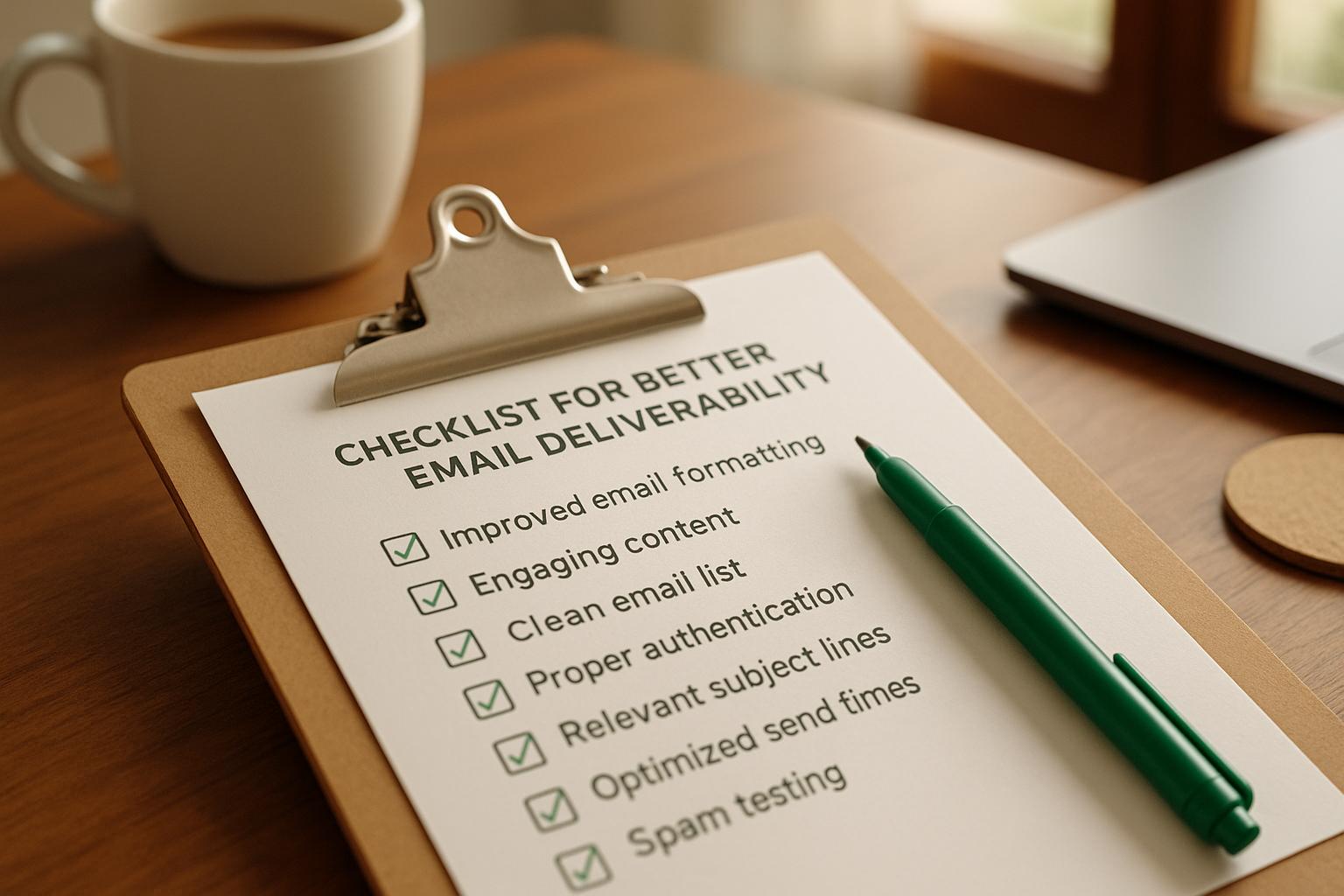
Want your emails to land in inboxes, not spam folders? Here's what you need to know: Email deliverability determines whether your emails reach your audience or get lost in spam. It's influenced by your technical setup, sender reputation, list quality, and content. Poor deliverability can block up to 30% of emails, costing businesses revenue and engagement. For the reasoning behind each item, our guide to email deliverability best practices explains the ten practices in depth.
Key Takeaways:
- Technical Setup: Use SPF, DKIM, and DMARC for email authentication. Gradually warm up new domains and IPs to build trust with ISPs.
- List Management: Stick to permission-based lists. Avoid purchased contacts and clean your list regularly by removing inactive users and invalid addresses.
- Content Best Practices: Write clear subject lines, use mobile-friendly designs, and include accessible unsubscribe links.
- Performance Tracking: Monitor delivery rates, open rates, and spam complaints. Tools like Google Postmaster can help identify issues early.
- Compliance: Follow the CAN-SPAM Act. Misleading subject lines or missing unsubscribe links can result in fines up to $51,744 per email.
By focusing on these areas, you can improve inbox placement, protect your sender reputation, and boost email performance.
The ONLY Email Deliverability Checklist You'll EVER Need for Success
Short on time? The condensed email deliverability checklist covers the same ground in a one-page pre-send format.
Technical Setup Requirements
The technical groundwork you lay for your email campaigns can make or break your deliverability. If your setup isn't solid, your emails might land in spam folders instead of inboxes. To avoid this, focus on proper authentication, dedicated resources, and a gradual warm-up process.
Set Up SPF, DKIM, and DMARC
Authentication protocols are the backbone of email legitimacy. Here's what you need to know:
- SPF (Sender Policy Framework) ensures only approved mail servers can send emails on behalf of your domain. It acts as the first checkpoint for legitimacy.
- DKIM (DomainKeys Identified Mail) adds a digital signature to your emails, confirming that the content hasn’t been tampered with and verifying it originates from your domain.
- DMARC (Domain-based Message Authentication, Reporting, and Conformance) builds on SPF and DKIM. It lets you set policies for handling emails that fail authentication - whether they should be accepted, quarantined, or rejected. DMARC also provides detailed reports about how your domain is being used online.
Together, these protocols strengthen your sender reputation and increase the chances of your emails landing in inboxes instead of spam folders.
Configure Dedicated IPs and Custom Domains
Using a dedicated IP address gives you complete control over your sender reputation. Unlike shared IPs, where your performance can be impacted by others, a dedicated IP ensures that your email deliverability depends solely on your practices. However, keep in mind that if your emails are flagged as spam, ISPs may penalize your IP. For high-volume senders, dedicated IPs can improve deliverability rates by as much as 20%.
Additionally, setting up a custom tracking domain helps align your email links with your brand. Instead of using generic links from your email provider, you can create branded links (e.g., tracking.yourcompany.com). This not only reinforces your credibility with recipients but also signals legitimacy to ISPs.
Infrastructure Type
Best For
Deliverability Impact
Control Level
Shared IP
Low-volume senders
Moderate
Limited
Dedicated IP
High-volume senders
High
Complete
Custom Tracking Domain
Professional senders
High
Complete
Domain and IP Warm-Up Process
When you're working with new domains or IP addresses, you can't just dive in and send thousands of emails at once. ISPs are quick to flag sudden spikes in sending volume as suspicious. That’s why a domain and IP warm-up process is critical.
Here’s how it works:
- Build a reputation for new domains: Allow at least 30 days for a new domain to establish itself. During this time, set up a website and build a social media presence to add credibility.
- Start small: Begin by sending 50–100 emails per day to your most engaged contacts. Gradually increase the volume by 25–50% each week.
- Monitor metrics: Keep an eye on open rates, click-through rates, and bounce rates (aim for bounce rates below 2%). Watch spam complaint rates closely - too many complaints can harm your reputation.
A gradual warm-up process can reduce the risk of your emails being flagged as spam by up to 30%.
Finally, maintain good IP hygiene. Regularly clean your email lists by removing inactive users, avoid re-sending to addresses that have soft bounced, and be strategic about when you send emails. For example, avoid sending large volumes during times that might trigger spam filters, like midnight. Before launching campaigns, use tools like MxToolbox to test your setup and catch any configuration issues early. This proactive approach ensures smoother deliverability.
List Management and Sender Reputation
Your email list is the backbone of your email deliverability. After setting up the technical aspects, the next step is managing your list effectively and keeping a close eye on your sender reputation. The way you handle your list and the quality of your contacts play a huge role in determining whether your emails land in inboxes or get flagged as spam. Internet Service Providers (ISPs) evaluate how recipients interact with your emails, and these engagement signals directly shape your sender reputation.
Build Clean Permission-Based Email Lists
Start with permission-based lists where every subscriber has clearly opted in to receive your emails. A double opt-in process - where subscribers confirm their email address after signing up - is an even better approach for ensuring quality.
To build a clean list, focus on attracting the right audience. Create content and lead magnets tailored to your ideal customer profile (ICP). Subscribers who are genuinely interested in your content are more likely to open your emails, click through, and avoid marking them as spam. This translates to better engagement metrics and a stronger reputation.
Keep your list fresh by regularly removing inactive subscribers - those who haven’t interacted with your emails in the past 6 to 12 months. Inactive contacts can drag down your engagement rates, making your emails look less appealing to ISPs. Automate the removal of hard bounces (invalid email addresses) to avoid damaging your reputation further.
Another best practice is using email validation tools to verify addresses before adding them to your list. This prevents typos and fake emails from cluttering your database. Maintaining a low complaint rate - ideally below 0.1% - is critical for keeping your sender reputation intact.
Finally, never rely on purchased data. It’s not worth the risk.
Never Use Purchased Lists
Purchased email lists are a major red flag for ISPs. These lists often include outdated addresses, spam traps, and contacts who haven’t consented to receive communication from your business. Sending emails to such lists can result in high bounce rates, increased spam complaints, and even blacklisting by ISPs.
Spam traps - email addresses set up specifically to catch questionable senders - are particularly damaging. Hitting one can immediately harm your sender reputation and block future emails from reaching inboxes.
There are also legal implications. Using purchased lists violates the CAN-SPAM Act, which carries fines of up to $51,744 per email. Beyond the financial penalties, it can tarnish your brand’s image and make it harder to build authentic relationships with your audience.
Co-registration networks, which often provide poorly targeted leads, can also harm your deliverability. As Breaker puts it:
"Breaker does not support co-registration networks as these tools often provide poorly targeted leads with long-term impacts on deliverability".
Instead, focus on growing your list organically. Use your own signup forms, create valuable content, and offer lead magnets that attract subscribers who are genuinely interested in your emails.
If someone on your team is still tempted, our guide to GDPR consent requirements for purchased email lists lays out the legal side as well.
Monitor Engagement and Reputation Scores
ISPs monitor your sender reputation based on metrics like open rates, click-through rates, bounce rates, spam complaints, and unsubscribe rates. Positive engagement signals - such as recipients replying to your emails, forwarding them, or moving them from spam to their inbox - can significantly boost your reputation.
Tools like Google Postmaster Tools are invaluable for tracking how Gmail, one of the largest email providers, views your sending domain. These tools can highlight any issues that might affect your reputation.
For example, in June 2023, a B2B SaaS company improved its sender reputation score by 30% within six months by focusing on list quality and engagement. This effort reduced spam complaints by 50% and increased open rates by 20%.
Real-time monitoring is essential for spotting problems early. Set up alerts for unusual activity, such as a spike in bounce rates or spam complaints, so you can address issues promptly. By catching these red flags early, you can prevent long-term damage to your reputation.
Segmenting your list is another effective strategy. Send emails more frequently to highly engaged subscribers while re-engaging or removing less active ones. This targeted approach keeps your engagement rates high, signaling ISPs that you’re a trustworthy sender. Regularly analyzing these metrics can help you fine-tune your email strategy for better performance over time.
Email Content and Design Best Practices
Once you've nailed down your technical setup and list management, the next step is crafting effective email content and design. These elements play a big role in determining whether your emails land in the inbox or the spam folder. Clean formatting and clear messaging not only improve your chances of reaching the inbox but also help build trust and engagement with your audience. Let’s dive into how to make your subject lines, designs, and overall email structure work harder for you.
Write Better Subject Lines and Preheaders
Your subject line is a make-or-break moment - it’s the first thing your recipients see. To ensure it displays properly, keep it under 60 characters, especially since mobile devices dominate email opens and have limited screen space.
Steer clear of spammy tactics like overusing punctuation (e.g., multiple exclamation marks) or writing in all caps. These can trigger spam filters and hurt your deliverability. Instead, focus on crafting subject lines that are clear, honest, and directly tied to the content of your email. Adding a personal touch, like including the recipient's name or referencing their recent activity, can significantly boost open rates.
Your preheader text should work hand-in-hand with your subject line, offering a little more context without being repetitive. Think of it as a teaser that encourages the recipient to open the email. Since most email clients display this snippet, make sure every word counts.
To figure out what resonates best with your audience, try A/B testing different subject lines. For instance, compare personalized versus non-personalized options or test shorter versus slightly longer variations. Analyze the results to see which approach leads to higher open rates and fewer spam complaints.
Once your subject lines and preheaders are set, turn your attention to creating a layout that’s both visually appealing and functional.
Create Mobile-Friendly and Accessible Design
With mobile devices driving up to 60% of email opens in the US, responsive design isn’t optional - it’s a necessity. Your emails need to look polished and perform well on smartphones, tablets, and desktops alike.
Start with a single-column layout and use a font size of at least 14px for easy readability on smaller screens. Balance your text-to-image ratio carefully. Emails that rely too much on images without enough text can trigger spam filters. When using images, include descriptive alt text to ensure users with visual impairments can understand your content and to provide context if images fail to load.
High-contrast color schemes, like black text on a white background, improve readability. Avoid using light gray text, as it can strain the eyes. Make sure your email follows a logical reading order and that interactive elements, like buttons, are large enough for touchscreen users.
Accessibility should also be a priority. Use semantic HTML to enhance compatibility with screen readers, and avoid embedding important text within images since assistive technologies can’t read it. These small adjustments create a more inclusive experience for everyone.
Include Clear Unsubscribe Options
Every email you send must include a clear and easy-to-find unsubscribe link - this isn’t just a best practice; it’s a legal requirement under the CAN-SPAM Act in the US. Failing to include one could lead to penalties or an increase in spam complaints.
Place the unsubscribe link prominently, typically at the bottom of the email, with straightforward language like "Unsubscribe" or "Manage your preferences". Some senders also include an unsubscribe option at the top of their emails for extra visibility. Making it simple for recipients to opt out helps protect your sender reputation, as frustrated users are more likely to report your email as spam.
Finally, act quickly on unsubscribe requests. Promptly honoring these requests not only keeps you compliant with the law but also helps maintain trust with your audience.
Performance Monitoring and Improvement
Once your setup and content are in place, the next step is keeping an eye on performance metrics to fine-tune your strategy. While technical setup and content are crucial, regular performance tracking ensures your emails consistently land in inboxes and resonate with your audience. Ignoring key metrics could lead to worsening issues that are harder to address later.
Track Key Performance Metrics
To measure email deliverability and engagement, focus on five key metrics: delivery rate, open rate, click rate, bounce rate, and spam complaint rate.
- Delivery rate shows the percentage of emails that successfully reach recipients' inboxes.
- Open rate indicates how many delivered emails were opened.
- Click rate reflects engagement by tracking how often recipients click links in your emails.
Your bounce rate is a red flag for delivery issues. High bounce rates mean some emails aren't reaching recipients at all. Hard bounces usually result from invalid addresses, while soft bounces suggest temporary problems like full inboxes. Meanwhile, your spam complaint rate reveals how often recipients mark your emails as spam, which directly affects your sender reputation.
For example, a US-based SaaS company noticed a sharp decline in open rates alongside rising bounce rates. By analyzing their email service provider’s dashboard, they found outdated contacts were hurting their performance. After cleaning their email list and improving subject lines, their open rates recovered to 28%, and bounce rates dropped below 1.5%, aligning with industry benchmarks.
Use Real-Time Analytics Tools
Real-time analytics tools are invaluable for spotting and addressing problems as they arise. These tools can alert you to sudden spikes in bounces or spam complaints, allowing you to take immediate action instead of waiting days or weeks to uncover issues.
While most email service providers offer built-in analytics dashboards, third-party tools like Google Postmaster Tools, MailReach, and MxToolbox provide deeper insights. These tools can help you identify delivery issues, monitor sender reputation, and segment data by campaign or audience to pinpoint problem areas.
Automated reports and alerts are another game-changer. They notify your team about negative trends without requiring constant manual monitoring, helping you act quickly to prevent long-term damage to your sender reputation. For instance, Breaker’s real-time analytics enable B2B marketers to maintain an average open rate of 60% and a click-through rate of 40%, far exceeding typical industry standards. This level of visibility ensures peak performance across campaigns.
Compare Performance to US Industry Standards
Your metrics only matter when you compare them to industry benchmarks. For US B2B email campaigns in 2024, here’s what you should aim for:
Metric
US Industry Benchmark (2024)
Recommended Threshold
Delivery Rate
98%+
>98%
Open Rate
21.33% (avg)
17–28% (by industry)
Click Rate
2.62% (avg)
2.5–3.5% (B2B)
Bounce Rate
<2%
<2%
Spam Complaint Rate
<0.1%
<0.1%
If your metrics fall short of these benchmarks, it’s time to dig deeper. Start by auditing your technical setup, including SPF, DKIM, and DMARC records. Next, evaluate your email list for outdated or invalid addresses, and review your content for potential spam triggers. Tools like Google Postmaster Tools or MailReach can help assess your sender reputation. Prioritize fixes based on the metrics with the largest gaps.
Regular benchmarking keeps your email strategy competitive and ensures your deliverability and engagement rates stay on track as industry standards evolve. By addressing performance issues promptly, you can maintain a strong sender reputation and achieve better results over time.
US Email Marketing Compliance
Following US email marketing laws is not just about avoiding fines - it’s about building trust and ensuring your messages reach your audience. The CAN-SPAM Act is the guiding regulation for all commercial emails sent to US recipients. Breaking these rules can damage your sender reputation and hurt your business financially.
CAN-SPAM Act Requirements
The CAN-SPAM Act lays out specific rules that every email marketer in the US must follow. For starters, subject lines must accurately represent the content of the email. Misleading headers - like using "Re: Your Order" when no order exists - can lead to violations and harm your credibility with internet service providers (ISPs).
You’re also required to include your physical postal address in every email. This ensures recipients know how to contact your business.
Every email must feature a clear unsubscribe link, and opt-out requests must be processed within 10 business days. Once someone unsubscribes, they must not receive any more emails from you.
Even transactional emails, like order confirmations that include marketing content (e.g., product recommendations), must adhere to the full CAN-SPAM requirements, including providing an unsubscribe option.
Understanding these rules is critical to staying compliant and protecting your reputation.
Avoid Penalties and Safeguard Your Reputation
Violating the CAN-SPAM Act can result in hefty fines - up to $43,792 per email. For example, in January 2023, the FTC fined a marketing firm $2.1 million, which also caused their deliverability rates to plummet by 60%.
Beyond financial penalties, non-compliance can harm your sender reputation. Emails without proper unsubscribe options or misleading subject lines are more likely to be flagged as spam by ISPs. This can lead to reduced engagement and make it harder to recover your email reputation.
To stay compliant, keep records of opt-ins, unsubscribe requests, and email templates for at least three years. If you send emails internationally, be aware of stricter regulations like GDPR, which requires explicit opt-in consent - unlike CAN-SPAM’s opt-out model.
Platforms like Breaker can help simplify compliance. They offer automated tools for list management and reputation monitoring, ensuring your emails reach inboxes while adhering to US email laws.
"Our team of experts manage all mail streams on the back end for you. With a unique combination of sending logic, list hygiene, and reputation monitoring, we ensure your emails land in the inbox."
To maintain strong deliverability, keep your spam complaint rate below 0.1% and your bounce rate under 5%. Regularly monitor these metrics to address issues quickly and stay compliant. These practices are essential for reinforcing the technical and list management strategies discussed earlier.
Newsletter Automation Platform Benefits
Using a newsletter automation platform can make managing email campaigns much more efficient. Tasks like optimizing deliverability, maintaining list quality, and staying compliant with regulations can be overwhelming - especially for B2B marketers focused on driving leads and revenue. Automation tools simplify these processes, taking care of the heavy lifting so you can focus on strategy.
These platforms handle email validation, segment audiences based on engagement, and track sender reputation in real time. By automating these tasks, they help reduce human error and ensure your campaigns consistently follow best practices for deliverability.
How Breaker Improves Deliverability
Breaker takes email deliverability to the next level with its automated lead generation and unlimited email validation. By continuously refreshing your permission-based email list, it helps reduce bounce rates by up to 80% while ensuring compliance with industry standards. The platform focuses on delivering highly engaged, exact-match B2B subscribers, avoiding poorly targeted leads that could harm your sender reputation.
With real-time analytics, Breaker provides instant insights into key metrics like delivery rates, open rates, bounce rates, and spam complaints. This allows you to quickly identify and address any potential issues before they escalate.
Another standout feature is Breaker’s expert deliverability management. From configuring SPF, DKIM, and DMARC authentication to managing IP warming and monitoring sender reputation, their team handles all the technical complexities for you. This ensures your emails reach inboxes without requiring you to become an expert in email deliverability.
Additionally, Breaker’s precise audience segmentation further enhances engagement. By analyzing behavioral and demographic data, you can craft highly relevant content that boosts open and click-through rates. This not only improves deliverability but also simplifies your overall campaign workflow.
Simplify Your Campaigns with Breaker
Breaker’s tools are designed to make your email marketing campaigns as seamless as possible. Features like their newsletter builder, built-in compliance checks (ensuring every email includes unsubscribe links and proper sender identification), and CRM integrations help streamline campaign creation while maintaining data accuracy.
Automated workflows handle tasks like list hygiene, segmentation, and compliance checks, reducing manual errors and ensuring every campaign adheres to proven deliverability strategies.
For US-based B2B marketers, Breaker offers analytics that let you compare your performance against industry benchmarks. For example, you can track whether your delivery rates exceed 98%, your open rates align with the B2B average of 21%, and your spam complaint rates stay under 0.3%. These insights help you fine-tune your campaigns and stay competitive.
"Our team of experts manage all mail streams on the back end for you. With a unique combination of sending logic, list hygiene, and reputation monitoring, we ensure your emails land in the inbox."
Breaker offers flexible pricing to fit different business needs. The Starter plan, priced at $200 per month, includes up to 50,000 email sends and 100 new engaged subscribers each month. For larger operations, the Custom plan at $1,750 per month supports up to 250,000 email sends and 1,000 new subscribers, making it a great option for scaling B2B marketing efforts.
Conclusion: Your Email Deliverability Action Plan
Email deliverability hinges on three key pillars: your sender reputation, technical setup, and content quality. Think of your sender reputation like a credit score - it can push your deliverability rates above 95% or drag them below 50%, depending on how it’s managed .
Start by getting your technical setup in order. This means properly configuring SPF, DKIM, and DMARC records. If you're using a new domain or IP, warm it up gradually over 1–4 weeks to build credibility with email providers .
Next, prioritize the quality of your email list. Avoid shortcuts like purchased lists and stick to permission-based contacts. Regularly clean your list by removing inactive subscribers (those who haven’t engaged in 6–12 months) and aim to keep spam complaints below 0.1% .
When it comes to content, steer clear of spammy phrases like "Buy now!" or "Free!" and make sure your subject lines match the actual message. This not only helps avoid spam filters but also builds trust with your audience .
Keep a close eye on your performance metrics. Track delivery rates, opens, clicks, and bounces (which should stay under 2%), as well as spam complaint rates. Use tools like Google Postmaster Tools to monitor these metrics weekly and analyze trends on a monthly basis .
For U.S.-based businesses, compliance with CAN-SPAM is non-negotiable. Include a physical address in your emails, use accurate subject lines, and ensure your unsubscribe links are honored within 10 business days.
Modern spam filters are more sophisticated than ever, assessing not just content but also sender behavior and recipient engagement. Positive engagement signals - like replies, forwards, and consistent opens - reinforce your sender reputation and emphasize the importance of creating emails that truly resonate with your audience.
FAQs
What are SPF, DKIM, and DMARC, and how do they help improve email deliverability?
SPF, DKIM, and DMARC are three key email authentication protocols that work together to verify your emails' authenticity and reduce the risk of them being flagged as spam or phishing.
- SPF (Sender Policy Framework): This ensures that only servers you authorize can send emails on behalf of your domain, preventing unauthorized use.
- DKIM (DomainKeys Identified Mail): Adds a digital signature to your emails, verifying that the content hasn’t been tampered with during transit.
- DMARC (Domain-based Message Authentication, Reporting, and Conformance): Combines the results of SPF and DKIM checks and gives email providers instructions on how to handle messages that fail authentication.
Here’s how to set them up:
- SPF: Add an SPF record to your domain’s DNS settings, listing the servers allowed to send emails for your domain.
- DKIM: Generate a key pair (private and public), then publish the public key as a DNS TXT record for your domain.
- DMARC: Create a DMARC policy in your DNS, specifying how email providers should treat messages that fail SPF or DKIM checks.
By implementing these protocols, you can protect your domain from spoofing, strengthen your reputation with email providers, and improve the likelihood of your emails reaching inboxes.
What are the best practices for keeping your email list clean to improve deliverability?
Maintaining a clean email list is crucial if you want to protect your sender reputation and keep your deliverability rates high. One of the most effective steps you can take is to regularly remove email addresses that are invalid, inactive, or show no signs of engagement. Hanging onto these addresses can hurt your email performance and increase bounce rates, which is a red flag for email service providers.
Another smart move? Use a double opt-in process. This ensures that your subscribers are genuinely interested and engaged, as they’ll need to confirm their subscription. It’s a simple way to build a list of people who actually want to hear from you.
Keep an eye on engagement metrics like open rates and click-through rates. These numbers can give you early warnings about potential problems, helping you make adjustments before they snowball. Staying on top of your list and keeping it relevant is key to maintaining a strong sender reputation and making sure your emails land where they belong - in your subscribers' inboxes.
Why is it important to track email performance metrics, and how can real-time analytics help improve results?
Tracking how your emails perform is crucial for gauging the success of your campaigns and spotting opportunities to do better. Metrics like open rates, click-through rates, and subscriber growth can give you a clear picture of how engaged your audience really is.
Using real-time analytics tools takes this to the next level. These tools provide instant updates on your campaign's performance, giving you the flexibility to tweak your strategy on the fly. Whether it’s refining your content or ensuring your emails reach the right inboxes at the right time, real-time insights help you stay ahead and keep your deliverability rates strong.
Related Blog Posts
Keep reading
All articlesGDPR Consent Requirements for Purchased Email Lists
Purchased email lists rarely meet GDPR's consent bar. Learn the legal basis rules, PECR overlap, and safer alternatives before you hit send.
7 Email Platforms With Inbox Placement Testing & Suppression
Compare 7 email platforms that combine inbox placement testing with suppression management, scored on features, pricing, and best-fit sender size.
Email Automation Workflow & Drip Campaign Data Structure
Learn the database schema behind email drip campaigns—tables, workflow states, and event logs that power reliable marketing automation.