
Compare Inbox Placement Testing and Suppression Management Tools
Compare inbox placement monitoring tools, features, and pricing to improve email deliverability, sender reputation, and B2B inbox reach across Gmail and Outlook.
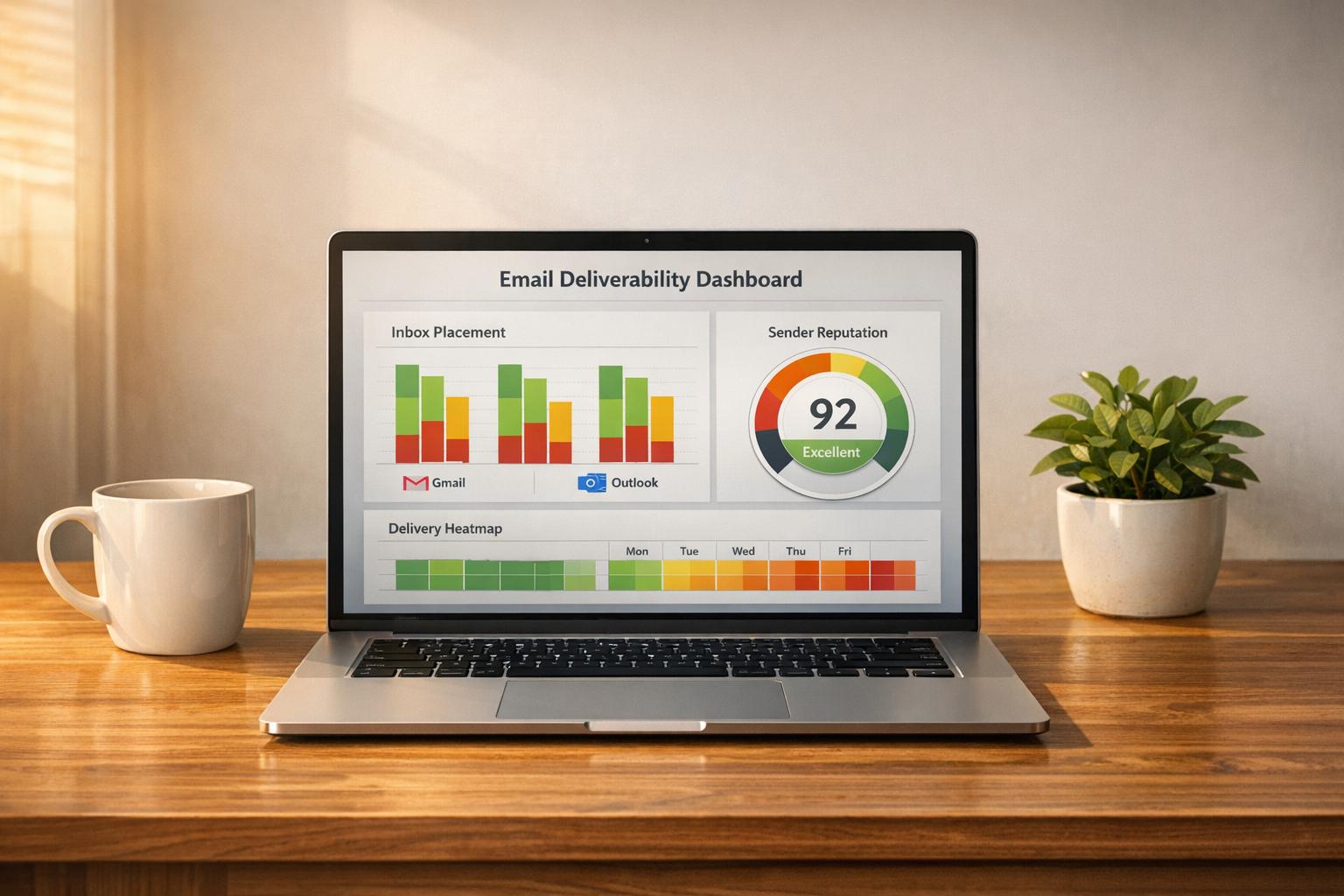
When sending email campaigns, ensuring your emails reach the inbox - not spam or promotions - is critical. Tools like GlockApps, Mailgun Optimize, Everest, ZeroBounce, MxToolbox, and Breaker help monitor and improve inbox placement. Each offers unique features like seed list testing, spam filter analysis, and reputation monitoring to tackle issues like blocked domains, spam complaints, and authentication errors. Here's a quick summary:
This guide compares the leading inbox placement tools, and a section further down explains which email platforms include inbox placement testing and suppression management natively, so you can decide whether you need a separate tool at all. For a deeper scoring of those platforms, see our comparison of email platforms with inbox placement testing and suppression.
- GlockApps: Best for detailed diagnostics with spam filter tests and domain monitoring. Plans start at $59/month.
- Mailgun Optimize: Ideal for Gmail tab placement and bounce rate reduction. Starts at $49/month.
- Everest: Comprehensive deliverability insights, reputation tracking, and spam trap monitoring. Enterprise pricing.
- ZeroBounce: Strong email validation and warmup tools with plans from $99/month.
- MxToolbox: Focused on corporate email systems like Google Workspace and Office 365. Part of Delivery Center plans.
- Breaker: Tailored for B2B campaigns with unlimited validations and real-time monitoring. Starts at $200/month.
Quick Comparison
Tool
Key Feature
Pricing
Best For
GlockApps
Technical diagnostics
$59/month
Deep deliverability analysis
Mailgun Optimize
Gmail tab placement
$49/month
Pre-launch testing
Everest
Spam trap monitoring
Custom pricing
Large-scale campaigns
ZeroBounce
Email validation accuracy
$99/month
List cleaning and warmup
MxToolbox
Corporate email focus
Subscription
IT admins, corporate email users
Breaker
Unlimited validations
$200/month
B2B-focused email campaigns
Each tool supports better inbox placement, but your choice should align with your email volume, audience type, and technical needs.
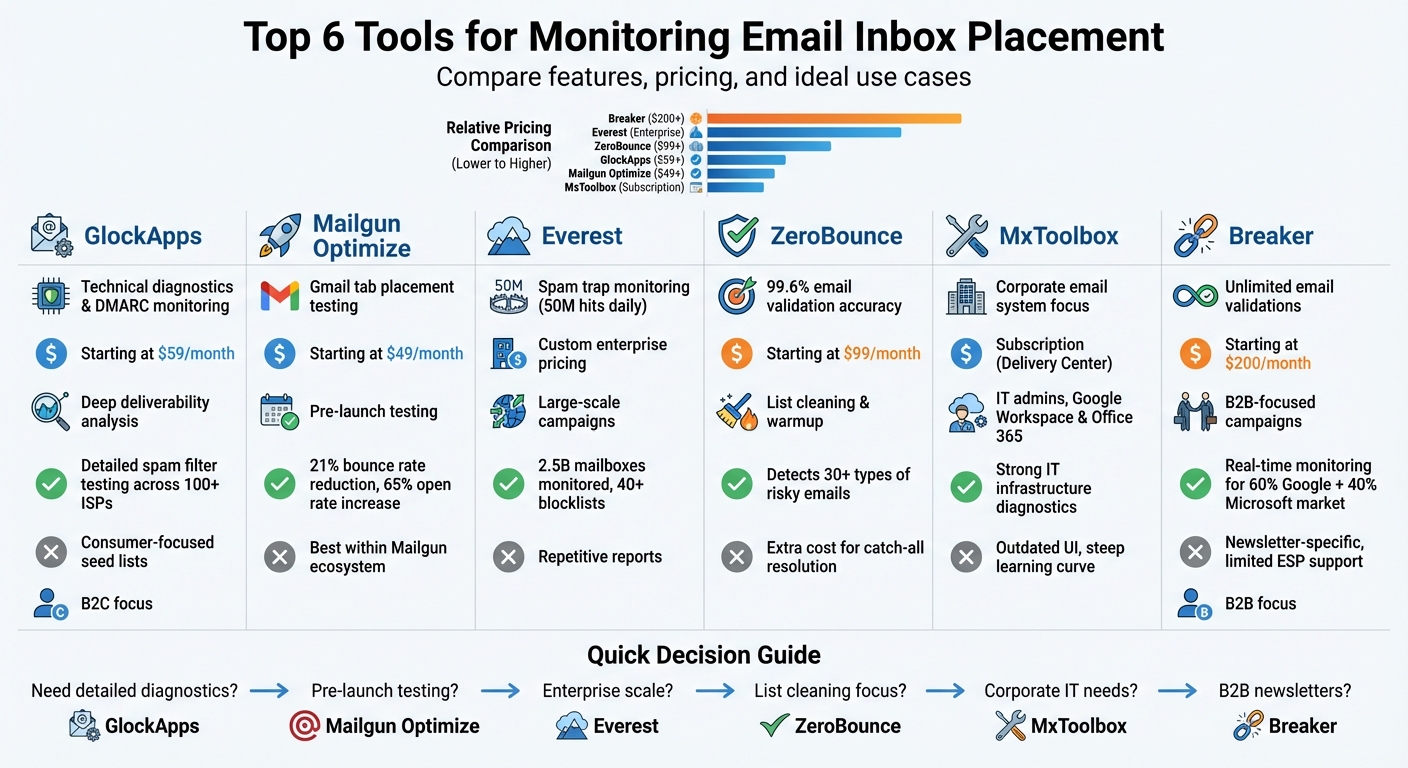
Email Inbox Placement Monitoring Tools Comparison: Features, Pricing & Best Use Cases
1. GlockApps

Inbox Placement Testing
GlockApps uses a seed list of over 100 email addresses spread across Gmail, Outlook, Yahoo, and other major regional ISPs to determine where emails land - whether in the Primary Inbox, Promotions Tab, or Spam folder. It doesn’t just give a simple pass/fail result; instead, it offers a detailed visual breakdown of email placement across various clients. This makes it easier to show stakeholders how technical adjustments impact deliverability.
For frequent testing on dedicated IPs, GlockApps provides Proxy Tests, which use a single auto-updating email address. Pablo Jimenez de Parga Ramos, Co-Founder & Head of GTM at throxy, highlighted its efficiency:
We are now able to detect and act on burnt and underperforming mailboxes 10 times faster.
Deliverability Features
GlockApps runs your emails through major spam filters like Google Spam Filter, Barracuda, and SpamAssassin to pinpoint potential issues. It also keeps an eye on your sending domain, checking against over 50 industry blocklists and sending real-time alerts if problems arise.
The HTML Checker is another standout feature, scanning for broken links, coding issues, and compatibility problems across more than 100 email clients. This ensures your emails display correctly in platforms like Outlook and other desktop apps. If authentication errors occur - such as SPF, DKIM, or DMARC failures - GlockApps provides targeted guidance through its "Action Steps" tab to help you resolve them efficiently.
Pricing
For those just getting started, GlockApps offers a free plan with 3 spam test credits. Paid plans range from $59/month to $129/month, with an option to save 30% by choosing an annual subscription. The Essential plan includes 360 tests per year, while the Enterprise plan offers 1,800 tests annually and supports up to 20 sending accounts. If you only need occasional testing, credit packs start at $16.99 for 3 credits.
B2B Suitability
GlockApps is designed for technical users who need detailed deliverability insights. Its ability to test against corporate filters like Barracuda and provide in-depth DNS diagnostics makes it an excellent choice for B2B teams. These features are especially valuable for maintaining a steady sales pipeline. However, the credit-based pricing can add up quickly for teams with high testing demands. Deepak Shukla, Founder & CEO of Pearl Lemon, emphasized its role in their operations:
GlockApps has become a quiet backbone of our outbound and SEO-led growth engine... it's helped protect our pipeline, preserve revenue stability.
Up next, we’ll explore how Mailgun Optimize compares in functionality and value.
2. Mailgun Optimize
Inbox Placement Testing
Mailgun Optimize leverages seed lists - sets of test email addresses from major providers - to predict where emails will land: inboxes or dreaded spam folders. This tool is especially useful for B2B teams aiming to ensure their outreach makes it into corporate inboxes.
One standout feature is its ability to test placement within Gmail tabs, like the Promotions tab, which can greatly influence engagement rates. Jorge Miramontes, Sr. Product Manager at Sinch Mailgun, highlighted its importance:
Ensuring you are placed into the correct inbox tab within Gmail could mean success or failure for your campaign, and it's important to check on the health of your emails before your engagement rates take a dive.
Mailgun Optimize runs iterative tests for marketing emails and periodic tests for transactional emails to maintain consistent deliverability.
Deliverability Features
Beyond placement testing, the platform keeps a close watch on your IP and domain reputation, checking against top blocklists like Spamhaus, Barracuda, and SpamCop. It also ensures proper configuration of SPF, DKIM, DMARC, and BIMI authentication records, catching errors before they cause delivery problems.
The Mailgun Validate tool plays a key role in identifying invalid or high-risk email addresses, reducing hard bounces that could harm your sender reputation. This feature has delivered real results: teams have seen bounce rates drop by 21% and open rates climb by 65%.
To further enhance email performance, Mailgun Optimize provides a SpamAssassin score, which flags spammy words or content that might trigger filters in B2B environments.
A 2023 Forrester Total Economic Impact study reported that Mailgun's deliverability tools helped cut the time and costs associated with resolving deliverability issues by 50%.
Pricing
Mailgun Optimize offers several pricing tiers:
- The Pilot plan costs $49/month and includes 25 inbox tests, 2,500 validations, and 500 email previews.
- The Starter plan, priced at $99/month, provides 50 inbox tests, 5,000 validations, 1,000 previews, and adds blocklist and spam trap monitoring.
Both plans come with unlimited user seats, making them ideal for teams that include marketers, developers, and deliverability experts.
For high-volume senders, Contract plans offer custom testing volumes and a dedicated Technical Account Manager. Overage charges on the Starter plan are $0.75 per test and $0.80 per 100 validations.
B2B Suitability
Mailgun Optimize shines in B2B environments, particularly for teams targeting Office 365 and Outlook users. The platform integrates seamlessly with Microsoft SNDS and Google Postmaster Tools, delivering detailed insights into how these providers handle your emails.
Its compatibility with any email service provider adds flexibility, making it a solid choice for organizations with existing email infrastructures.
Next, we’ll take a closer look at how Everest employs a distinctive approach to inbox placement monitoring.
3. Everest
Inbox Placement Testing
Everest uses a seed list of 140 ISPs to track whether your emails land in inboxes or get flagged as spam. The results are weighted to reflect your list's provider distribution, giving a clearer picture of your email performance.
Adam Purslow, CEO of TheLoyaltyCo, shared how this visibility transformed their email strategy:
While we knew the email program was engaging, poor inbox placement meant less than half of the subscriber base was receiving emails to their inboxes, which was having a massive impact on overall program effectiveness.
Everest also allows you to compare your performance against other senders, helping identify whether deliverability issues are specific to your campaigns or part of a broader trend.
To further support deliverability, Everest offers extensive reputation monitoring and authentication tools.
Deliverability Features
Everest keeps tabs on sender reputation by analyzing signals from 2.5 billion mailboxes and 3 trillion data points annually. It monitors IPs, domains, and subdomains against over 40 major blocklists in real time.
For B2B teams, the platform integrates with Microsoft SNDS and Google Postmaster Tools, offering critical insights into how Outlook and Gmail handle your emails. Additionally, Everest connects to over 30 mailbox provider feedback loops, including Outlook, Zoho, and Verizon Media.
Spam trap monitoring is another standout feature, with a network that captures 50 million hits daily to detect pristine, recycled, or typo traps before they harm your reputation. Courtney Cope, Vice President of Data at Anteriad, highlighted the impact:
Our deliverability has increased and we are in a better position to remove the 'unwanted' records much earlier in the process. Our inbox placement is much stronger and is continually going up.
Everest also tracks and validates SPF, DKIM, and DMARC authentication, reducing the risk of security-related filtering. For qualified senders, the Sender Certification upgrade offers access to an exclusive allow-list, improving placement with major mailbox providers.
On top of these technical capabilities, Everest's pricing structure is tailored for enterprise needs.
Pricing
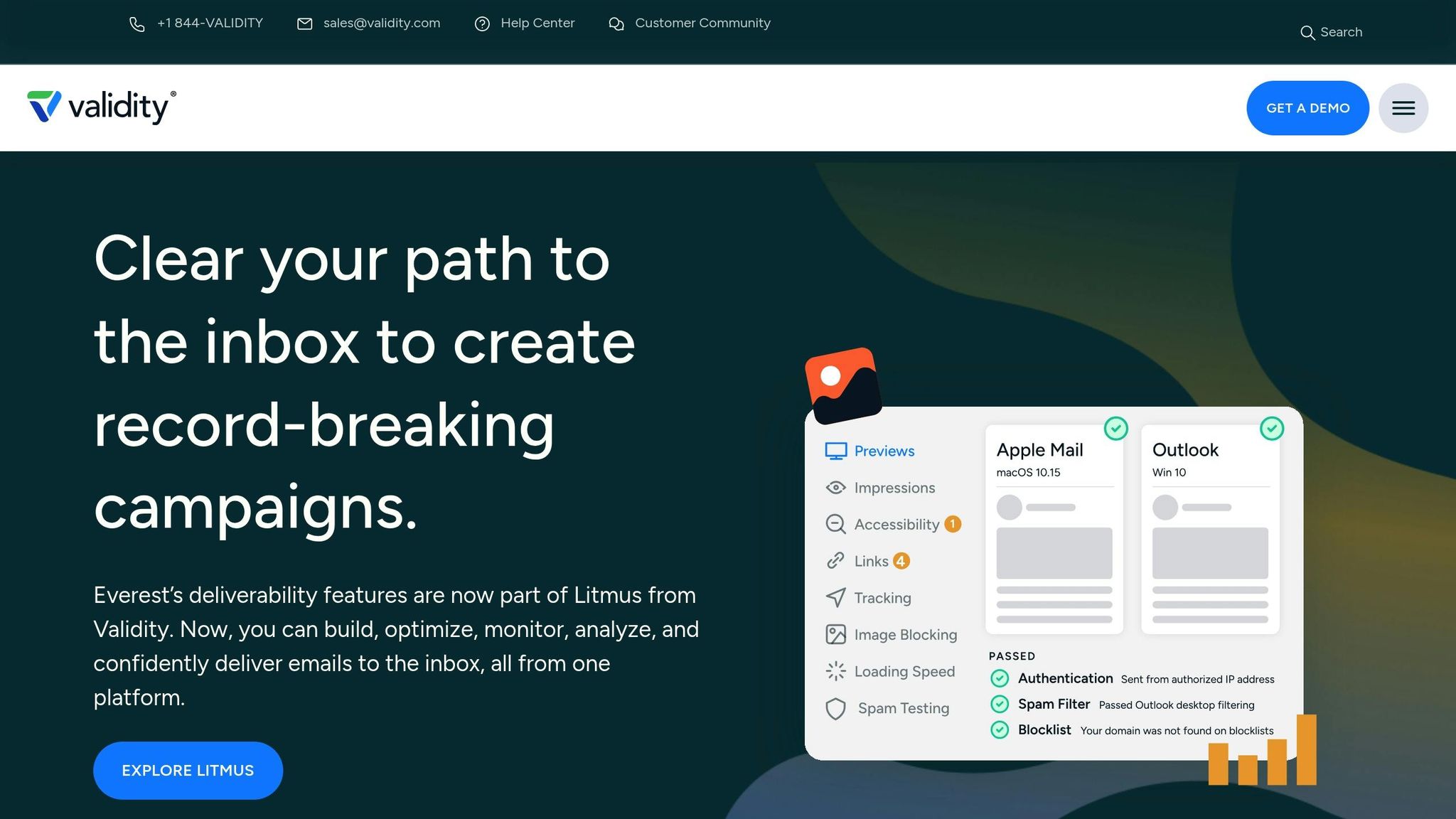
Everest is now part of the Litmus platform as a deliverability upgrade for Enterprise customers. Pricing is not publicly available - you'll need to contact sales for a custom quote based on your email volume and feature needs.
The Deliverability upgrade includes inbox placement tracking, 24/7 reputation monitoring, engagement analytics, and authentication validation. The Sender Certification upgrade adds access to an industry allow-list and dedicated compliance team monitoring.
B2B Suitability
Everest's integration with major ESPs makes it a strong choice for B2B email campaigns. It works seamlessly with enterprise ESPs like Salesforce Marketing Cloud, Oracle Eloqua, Marketo, and HubSpot. Its focus on Microsoft SNDS data is particularly helpful for teams targeting Office 365 and Outlook users.
Jen Partin, Sr. Email Marketing Manager at Hickory Farms, praised the platform's efficiency:
It's great having everything in one place instead of working with five different partners, it's intuitive and it's helped streamline my work tremendously.
Everest also supports customizable alerts for Slack, Teams, or PagerDuty, enabling teams to quickly address blocklist hits or spam trap issues before they disrupt campaigns.
4. ZeroBounce
Inbox Placement Testing
ZeroBounce helps you understand how your emails perform across more than 20 global mailbox providers. It identifies whether your messages land in the Inbox, Spam, or Promotions folder. By sending your email to ZeroBounce’s automated seed list, you receive a detailed placement report. The platform also flags potential issues like spam trigger words, header errors (e.g., SPF/DKIM mismatches), and server misconfigurations that could hurt your deliverability.
Deliverability Features
ZeroBounce boasts an impressive 99.6% email validation accuracy. It can detect over 30 types of high-risk email addresses, including spam traps and disposable domains. The Email Server Tester evaluates more than 100 configuration points to ensure compliance with SPF, DKIM, and DMARC authentication standards, aligning with RFC guidelines.
Henry Timmes, Chief Technology Officer at ZeroBounce, highlights the importance of proper server setup:
Delivering emails starts with a correctly configured mail server.
The platform’s Automated Email Warmup tool gradually increases your sending volume while simulating opens, clicks, and replies - helping to restore or build your sender reputation. ZeroBounce also keeps an eye on over 200 blacklists, scanning every 8 to 24 hours, and notifies you immediately if your IP or domain gets flagged.
One case study shows the platform’s impact: BarCups, a branded drinkware company, faced a low 22% engagement rate and received an "Omnivore" warning from Mailchimp due to an unverified list. After using ZeroBounce to clean their list - removing 13% of invalid or outdated contacts - the warning was lifted, and their engagement rate soared to 87%.
These features make ZeroBounce a strong ally for ensuring your emails consistently reach the intended inbox.
Pricing
ZeroBounce offers a free plan that includes 100 validation credits, 1 inbox placement test, 1 email server test, and 1 blacklist monitor each month. For more advanced needs, the ZeroBounce ONE™ plan costs $99/month (or $79/month with annual billing) and provides access to the full deliverability toolkit. This plan includes 25,000 validation credits, 10,000 email finder queries, 100 inbox placement tests, 100 server tests, 10 blacklist monitors, and 2 warmup accounts. For those with irregular email-sending schedules, the Pay-As-You-Go option starts at $18 for 2,000 credits, and the credits never expire.
B2B Suitability
ZeroBounce offers tools tailored for B2B needs, such as the Email Finder and Domain Search, which help teams identify valid email patterns for outbound sales. Its "Gold Contacts" scoring feature pinpoints the most engaged and valuable leads in your database, boosting the chances of meaningful interactions. With certifications like SOC 2 Type 2 and ISO 27001, along with GDPR, HIPAA, and CCPA compliance, ZeroBounce meets the stringent security requirements of B2B organizations.
The platform integrates seamlessly with over 60 marketing tools, including Mailchimp, HubSpot, and Salesforce, making it easy to fit into existing workflows. For B2B teams, using separate subdomains or dedicated IPs for transactional and marketing emails is a smart way to safeguard the reputation of vital communications.
Next, we’ll take a closer look at what MxToolbox can bring to the table for inbox placement monitoring.
5. MxToolbox
Inbox Placement Testing
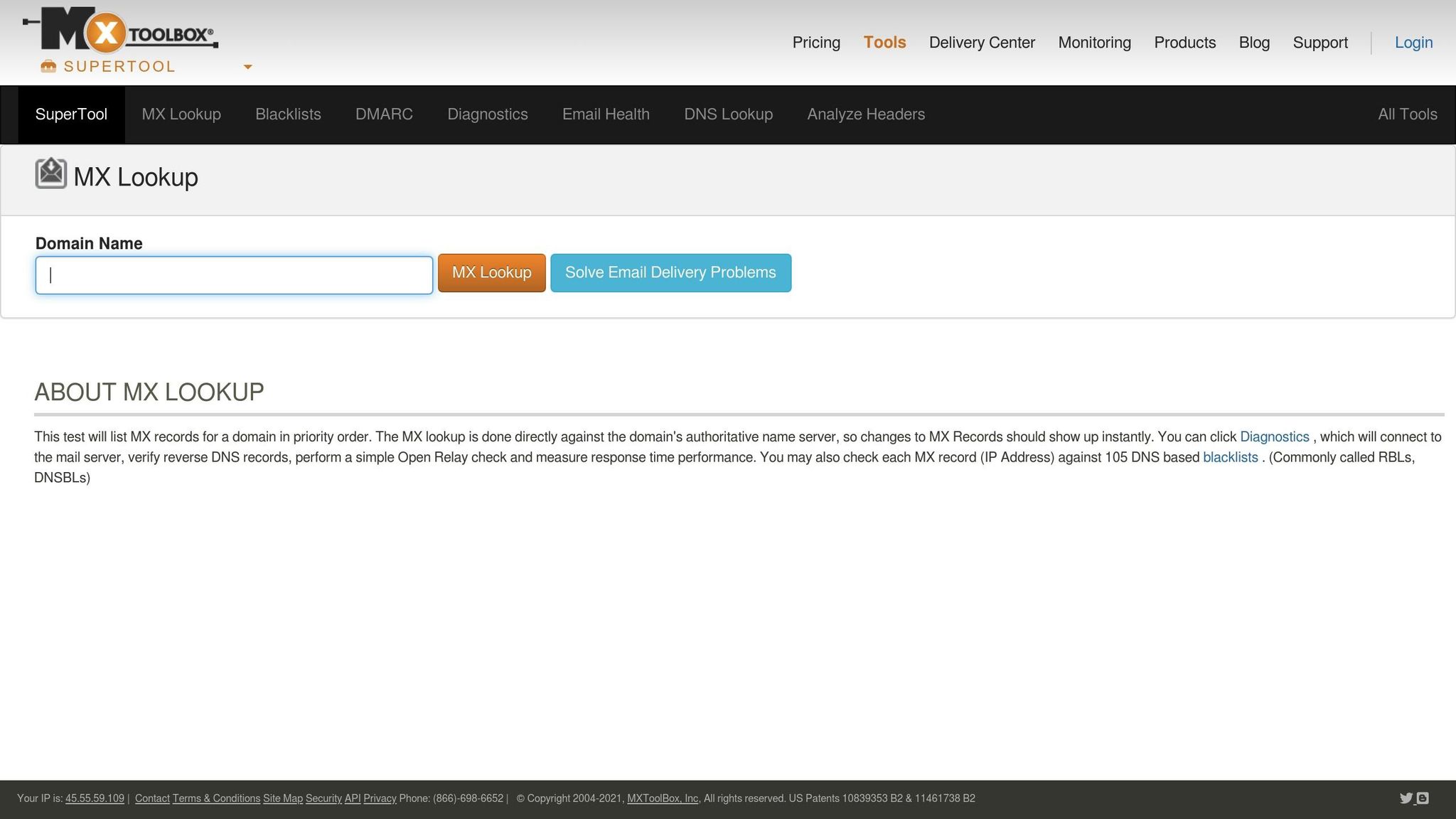
MxToolbox offers a way to test email deliverability specifically for Google G Suite/Gmail and Microsoft Outlook 365. By sending your email to three designated MxToolbox addresses, you can identify potential spam triggers, delivery errors, or content issues before launching your campaign. To monitor long-term performance, you can subscribe these test addresses to your active newsletters. This allows you to track how changes in algorithms from major providers impact your email reputation over time.
Deliverability Features
The Delivery Center from MxToolbox combines inbox placement testing with tools for DMARC management and monitoring. It uses MxTips to classify issues into categories like best practices, content, security, and reputation, while the MxScore assigns a weighted importance to each issue. The Bounce Analysis feature taps into a database of bounce messages to diagnose delivery problems. Additionally, the Header Analyzer deciphers email headers to uncover delays in delivery or spam filter responses.
For added convenience, MxToolbox integrates with popular email service providers (ESPs) like Mailchimp, Mailgun, and SendGrid to streamline placement testing. Test emails are securely stored and automatically deleted after 180 days. Results are presented with clear visual indicators: a green check mark signals successful delivery, while an orange exclamation point highlights messages flagged as "Not Received" or still under review.
Pricing
Inbox Placement Testing is part of MxToolbox's Delivery Center subscription plans and cannot be purchased as a standalone feature.
B2B Suitability
MxToolbox is particularly helpful for B2B marketers, as it focuses on the corporate email platforms most commonly used in business settings. Its tools for DMARC, DNS, and IP reputation management align with the strict security standards of corporate email systems. The Email Render feature ensures your messages maintain professional formatting across various business email clients. For teams managing nurture campaigns or transactional emails, MxTips can help prioritize security improvements, which is essential for maintaining strong sender authority with corporate spam filters.
Next, we’ll take a closer look at how Breaker incorporates deliverability features into its inbox placement monitoring.
6. Breaker
Deliverability Features
Breaker focuses on the specific needs of B2B email marketing by honing in on the email environments that matter most for business communication. It prioritizes deliverability management for platforms like Google Workspace and Microsoft 365, which account for about 60% and 40% of the B2B market, respectively. This focus is crucial since corporate email systems have different filtering mechanisms compared to consumer platforms.
To help maintain clean subscriber lists, Breaker provides unlimited email validations before campaigns even launch. Plus, its real-time performance dashboard keeps track of delivery metrics as they happen, allowing marketers to quickly address any placement issues.
B2B Suitability
Designed with B2B marketers in mind, Breaker excels in precision audience targeting. This ensures emails are sent to recipients who align with your ideal customer profile, boosting engagement and strengthening your sender reputation - key factors for better inbox placement.
Breaker’s pricing plans are straightforward and come packed with features. For $200 per month, the Starter plan delivers 100 engaged subscribers monthly, while the Custom plan, priced at $1,750 per month, provides 1,000 engaged subscribers. Both plans include unlimited users, advanced deliverability tools, and priority support, making them a solid choice for businesses aiming to optimize email campaigns.
For teams focused on nurturing leads or announcing products, Breaker’s user-friendly newsletter builder and integrated signup forms make growing your audience easier. With CRM integrations, syncing subscriber data and engagement metrics into your existing marketing tools is seamless, ensuring your campaigns stay on track and aligned with your broader strategy.
Best Inbox Placement Tools for Cold Email Success 2025
Email Platforms That Include Inbox Placement Testing and Suppression Management
Most teams searching for this want one answer: do I need a separate deliverability tool, or does my email platform already cover it? It depends on two features that are easy to confuse.
- Inbox placement testing sends your campaign to a seed list of real mailboxes at Gmail, Outlook, Yahoo, and corporate domains, then reports where it landed: inbox, promotions, spam, or blocked. See inbox placement and seed list in the glossary.
- Suppression management keeps a do-not-send list that every campaign is checked against: unsubscribes, hard bounces, spam complaints, role addresses, competitors, and any contact under a legal hold. Good platforms apply it automatically and let you import external suppression files.
What each kind of platform includes
- Newsletter platforms and ESPs (Breaker, Mailchimp, Brevo, MailerLite, Klaviyo). All handle unsubscribe and bounce suppression automatically, and Breaker adds pre-send validation and bulk suppression imports. None of the mainstream ESPs run seed-list placement tests natively; Gmail tab reporting, where it exists, is inferred from engagement data.
- CRM email tools (HubSpot, Salesforce Marketing Cloud). Strong suppression and global do-not-email lists tied to CRM records. Placement testing needs a separate tool or partner integration.
- Deliverability suites (Everest by Validity, GlockApps, Mailgun Optimize). Built for placement testing, reputation monitoring, and spam trap detection. They do not send your campaigns, so suppression still lives in your ESP and the suite plugs in beside it.
- Cold outreach and sequencing tools (Instantly, lemlist, Smartlead). Include warmup and placement tests aimed at cold email, plus suppression for replies and bounces. Not suitable for newsletters, and often against ESP terms.
Which combination to choose
- Beginner (under 10k contacts, one sending domain): your newsletter platform's built-in suppression plus a free placement check from MxToolbox or a GlockApps trial before large sends.
- Intermediate (10k to 100k contacts, several lists): ESP plus a monthly GlockApps or Mailgun Optimize plan, and a shared suppression file synced from your CRM so sales and marketing never email the same opted-out contact.
- Advanced (100k+ contacts or dedicated IPs): Everest or an equivalent suite with continuous seed testing, plus suppression enforced at the API layer so every system that sends email checks the same list.
Whichever tier you are in, the email deliverability checklist covers the fundamentals that placement tests will otherwise keep flagging, and our inbox placement monitoring guide explains how to read the reports.
Strengths and Weaknesses
When it comes to inbox placement monitoring, every tool has its pros and cons. Understanding these trade-offs can help you choose the solution that aligns with your technical requirements and marketing objectives.
GlockApps is a go-to for those needing in-depth technical diagnostics and DMARC monitoring. It's particularly useful for deliverability experts seeking granular analysis. However, its seed lists lean heavily toward consumer inboxes, which may give B2B senders a false sense of security. Testing larger lists (over 70 emails) can also become a hassle.
Mailgun Optimize shines with detailed header analysis and unique content scoring but works best when integrated within the Mailgun ecosystem. Everest, on the other hand, offers a wide range of deliverability features paired with a user-friendly interface. That said, users often find its reports repetitive and its renewal process cumbersome. ZeroBounce is known for its strong integrations and fast batch cleaning capabilities, but it struggles with resolving catch-all risks without an added fee.
MxToolbox excels in IT infrastructure diagnostics but is hindered by its outdated interface and a steep learning curve for non-technical users. It also faces compatibility challenges with HubSpot's double opt-in requirements. Meanwhile, Breaker specializes in B2B deliverability for platforms like Google Workspace and Microsoft 365. It offers unlimited email validations and real-time monitoring, making it a solid choice for optimizing newsletter campaigns. However, its focus on B2B environments means it’s less versatile for multi-ESP diagnostics.
The key takeaway here is the distinction between diagnostics and prevention. Diagnostics help identify issues after sending, while prevention works to stop problems before they occur. For B2B marketers, it’s especially important to ensure the tool's seed network matches your audience. Relying on consumer-heavy seed lists won’t provide insights into how corporate Secure Email Gateways like Mimecast or Proofpoint handle your emails.
Here’s a quick comparison highlighting each tool's main strength, limitation, and ideal use case:
Tool
Primary Strength
Key Limitation
Best Use Case
GlockApps
Detailed technical diagnostics and DMARC monitoring
Consumer-focused seed lists
Technical marketers needing deep analysis
Mailgun Optimize
Integrated with Mailgun; detailed header analysis
Best suited for Mailgun users
Existing Mailgun users
Everest
Broad deliverability features; easy to use
Repetitive reports; tricky renewals
Large organizations and agencies
ZeroBounce
Strong integrations; fast batch cleaning
Extra cost for catch-all resolution
Periodic B2C campaigns
MxToolbox
Robust IT infrastructure diagnostics
Outdated UI; steep learning curve
Network administrators
Breaker
B2B-focused deliverability; unlimited validations
Newsletter-specific; limited ESP support
B2B newsletter campaigns
Conclusion
Selecting the right tool means aligning its capabilities with your team’s specific needs. For B2B marketers, having preventive features - like validating catch-all addresses and monitoring sender reputation - is critical for keeping emails in inboxes rather than spam folders.
For those requiring advanced diagnostics across multiple ISPs, GlockApps stands out as a go-to option for seed list testing and DMARC analysis, starting at $59/month. It’s a solid choice for anyone needing detailed, actionable insights. On the other hand, Mailgun Optimize offers content scoring and header analysis for $49/month, making it ideal for pre-launch testing - though it’s most effective within the Mailgun ecosystem.
For teams working with tighter budgets, there are still strong options. GlockApps offers robust diagnostics at a reasonable starting price, while Breaker focuses on unlimited email validations and real-time monitoring for Google Workspace and Microsoft 365 environments. This is especially important for targeting corporate inboxes, where advanced Secure Email Gateway protections are common, unlike consumer email accounts.
FAQs
How can monitoring tools improve email deliverability for B2B marketing campaigns?
Monitoring tools play a key role in improving email deliverability by shedding light on how emails are treated once they reach recipients' inboxes. They can pinpoint issues like spam triggers, poor sender reputation, or authentication errors - factors that often keep emails from landing in the primary inbox. These tools also allow marketers to test inbox placement, making it easier to tweak email content, adjust sending habits, or refine technical settings for better results.
Beyond that, they keep an eye on sender reputation, help track blacklists, and validate email lists to weed out invalid or potentially harmful addresses. By leveraging these capabilities, marketers can ensure their emails reach the intended audience, driving better campaign outcomes and boosting engagement.
What should I look for in a tool to monitor inbox placement?
When choosing a tool to monitor inbox placement, it's important to focus on features that give you a clear picture of where your emails are ending up - whether that's the inbox, spam folder, or elsewhere. This goes beyond just tracking deliverability rates and helps pinpoint issues like spam filters or problematic content that might be hurting your performance.
Prioritize tools that provide in-depth analytics on things like sender reputation, content scoring, and platform-specific behaviors (such as Gmail or Outlook quirks). Features like real-time reporting, seamless integration with your current systems, and actionable insights can make a big difference in improving your inbox placement rates. Tools that can proactively identify problems and suggest fixes are especially valuable for boosting the success of your email campaigns.
What features should I prioritize to optimize email placement for Gmail and Outlook users?
When reaching out to Gmail and Outlook users, prioritizing strategies that improve deliverability and inbox placement is crucial. For Gmail, setting up email authentication protocols - like SPF, DKIM, and DMARC - is a must to prevent your emails from being marked as spam. Additionally, using tools that show where your emails land - whether it’s the primary inbox, promotions tab, or spam folder - can help you adjust your content and sending practices for better results.
For Outlook, it’s all about understanding their filtering system. Tools that offer insights into your sender reputation, test email placement across different mailbox networks, and analyze content can be game-changers. Features such as real-time placement reports, engagement tracking, and authentication monitoring can significantly improve your chances of landing in the inbox and driving successful campaigns.
Related Blog Posts
Keep reading
All articlesGDPR Consent Requirements for Purchased Email Lists
Purchased email lists rarely meet GDPR's consent bar. Learn the legal basis rules, PECR overlap, and safer alternatives before you hit send.
7 Email Platforms With Inbox Placement Testing & Suppression
Compare 7 email platforms that combine inbox placement testing with suppression management, scored on features, pricing, and best-fit sender size.
Email Automation Workflow & Drip Campaign Data Structure
Learn the database schema behind email drip campaigns—tables, workflow states, and event logs that power reliable marketing automation.