
Behavioral Triggers: Best Practices
Track key actions, personalize timely emails, and automate workflows to improve engagement and conversions with behaviorally triggered campaigns.
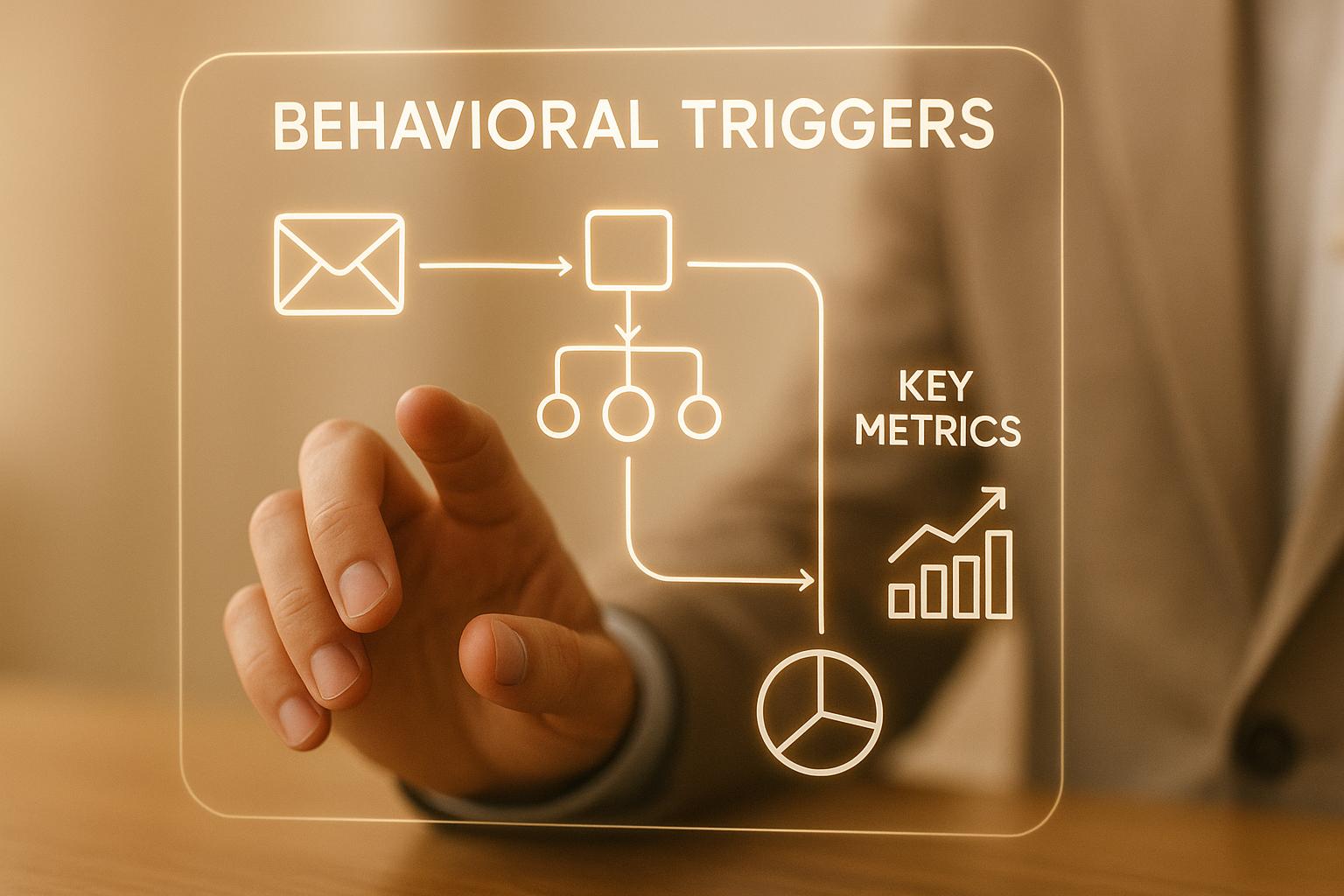
Behavioral triggers are automated emails sent based on user actions, like visiting a pricing page or downloading content. Unlike generic email campaigns, these triggers are timely and personalized, making them highly effective for engaging prospects and customers. Studies show they can boost conversion rates by 63% and outperform standard emails by 497%.
To implement behavioral triggers effectively:
- Track key actions: Monitor website visits, content downloads, and email engagement.
- Personalize emails: Reference user behavior and tailor content to their needs.
- Send timely messages: Follow up within 24–48 hours of the trigger action.
- Integrate tools: Use CRM, analytics, and email platforms to automate workflows.
- Test and refine: Use A/B testing and real-time analytics to improve performance.
Start with simple triggers like welcome emails or cart recovery, and gradually add complexity with multi-condition triggers or dynamic content. By aligning triggers with user behavior, you can create campaigns that drive engagement and conversions.
How To Automate Behaviorally Triggered Email Sequences?
Key Behavioral Data Points to Track
To build effective behavioral trigger strategies, it’s crucial to focus on the right user actions. Not every click counts - what matters are the actions that show genuine intent during the buying process. Research highlights that 72% of customers engage only with personalized messaging, making it essential to track data that cuts through the noise. The hard part? Deciding which behaviors are most relevant for your specific audience and business model. Below, we’ll explore three key areas - digital interactions, email metrics, and offline data - that can provide actionable insights for refining your triggers.
Website and Content Interactions
Your website is one of the clearest windows into a prospect’s interests. For example, multiple visits to your pricing page often indicate strong purchase intent. But don’t stop there - content engagement is just as telling. Downloads of whitepapers, case studies, or reports are signals that a prospect is actively searching for solutions. Other high-value actions include demo requests and webinar sign-ups, as these require a higher level of commitment and the sharing of personal information.
Another indicator worth monitoring is product feature exploration. If a prospect spends significant time on pages detailing specific features, it’s a strong clue about what aspects of your solution resonate most with them.
Email Engagement Metrics
Email engagement provides a treasure trove of insights into what’s working in your messaging. Opens can tell you if your subject lines are doing their job, while clicks reveal which topics or offers are grabbing attention. Tracking link activity is especially valuable - if someone clicks on a link tied to a specific product feature, you can follow up with targeted resources that address their interests. This creates a personalized experience that speaks directly to their needs.
Tools like Breaker offer real-time visibility into email metrics, with an average open rate of 30% and a click-through rate of 4% across active campaigns. These metrics make it easier to identify engaged prospects and adjust your strategy on the fly. But don’t overlook low engagement. When prospects stop opening emails or clicking links, it’s an opportunity to launch win-back campaigns or reactivation sequences to re-engage them.
Timing is another critical factor. Observing when recipients consistently open emails - whether it’s a specific day or time - can help you optimize future send times. And here’s a key takeaway: 80% of customers are more likely to buy after a personal touch. Email engagement metrics are your gateway to delivering that level of personalization at scale.
Offline and CRM Data
While digital data is essential, it’s only part of the story. Offline interactions - like trade show visits, sales meetings, or phone calls - add valuable context to your trigger strategies. For instance, if a prospect stops by your booth at a trade show, this can trigger a follow-up email referencing your conversation and suggesting next steps. Similarly, CRM sales notes can reveal specific challenges or interests that allow you to tailor follow-up communications. Logging those calls automatically, through call management software connected to your CRM, keeps the offline data usable as a trigger.
Integrating offline insights with digital behaviors can significantly enhance your approach. For example, pairing CRM data - such as purchase history, contract renewal dates, or support ticket activity - with automation workflows creates a more complete view of the customer journey. Imagine a prospect who attends a webinar, participates in a sales call, visits your pricing page, and downloads a case study, all within a short window. Documenting and integrating these data points ensures your triggers are timely and relevant.
Without combining online and offline data, you risk missing key signals. Start by prioritizing high-intent offline actions, like demo requests during sales calls or specific feature inquiries. These insights allow you to deliver prompt, personalized follow-ups that keep prospects engaged.
Best Practices for Behavioral Triggers
To make your behavioral triggers truly effective, focus on three key elements: timing, personalization, and purpose. These aren't just minor details - they can be the difference between an email campaign that converts and one that gets ignored. The secret? Always prioritize your customer’s experience.
Timing Emails for Better Engagement
Send triggered emails within 24–48 hours of the action. This keeps your brand fresh in the recipient's mind and increases the likelihood of engagement.
Timing is everything. A well-timed message meets the customer at just the right moment, making it far more likely they'll take action. For example, if someone abandons their cart, a quick follow-up email can reignite their interest before they move on. Similarly, if a whitepaper is downloaded, a follow-up email the next day can keep the conversation going.
The trick is to align your email timing with the specific trigger. If someone registers for a webinar on Tuesday, send a welcome email that same day instead of waiting for your next scheduled batch. The goal is to match your message to the customer’s immediate needs, not a rigid schedule.
Personalizing Triggered Emails
Generic emails are a missed opportunity. Personalization allows you to turn customer insights into messages that feel tailor-made.
Start with the basics: use the recipient's name and reference their recent activity. For example, if they’ve browsed a product page or downloaded a case study, mention it in your email. This kind of relevance captures attention and shows you’re paying attention.
But don’t stop at just a name. True personalization means customizing the entire email - from the subject line to the call-to-action - based on where the recipient is in their journey. For example, new users might benefit from onboarding tips, while long-time customers may appreciate exclusive offers. If someone has visited your pricing page multiple times, they’re likely further along in their decision-making process. In this case, offering testimonials or case studies may be more effective than sending introductory product info.
Here’s a stat to consider: 72% of customers only engage with personalized messaging. If your emails feel impersonal, you’re likely missing out on potential conversions.
Aligning Triggers with Campaign Goals
Behavioral triggers should always serve a clear purpose. Ask yourself: What’s the goal of this trigger? How does it help the customer and move them closer to taking action?
There are three main types of behavioral triggers:
- Event-based triggers: These capitalize on specific, time-sensitive events, creating urgency.
- Engagement-based triggers: These respond to customer behavior, such as welcome emails for new subscribers or win-back campaigns for inactive users.
- Behavior-based triggers: These activate based on specific actions, like downloading content, registering for a webinar, or abandoning a cart.
In B2B marketing, aligning these triggers with the buying cycle is critical. For example, someone who signs up for a webinar might benefit from a nurturing sequence with educational content. On the other hand, a prospect requesting a demo may need immediate follow-up with pricing details and success stories.
To make your triggers effective, map out the customer journey and identify the points where prospects are most likely to stall. Then, send targeted messages that provide immediate value and encourage the next step. For instance, ask yourself: Where is the recipient in their journey? What can you offer right now that’s helpful? What action do you want them to take next?
Be careful not to overdo it - too many triggers can lead to email fatigue. Instead, use behavioral data to focus on the moments that matter most, whether that’s nurturing leads, driving sales, or reactivating dormant accounts.
Tools like Breaker can make this process easier by providing real-time analytics. These insights help you identify which triggers are driving engagement and which ones aren’t, so you can adjust your strategy and focus on what works best.
This guide covers the fundamentals. For the operational side, including fixing fragmented event data, choosing high-intent triggers, and managing workflow sprawl, read our best practices for behavior-triggered emails.
Setting Up and Automating Behavioral Triggers
Getting behavioral triggers up and running involves connecting the right tools, creating efficient workflows, and ensuring everything functions smoothly across devices. Breaking the process into smaller steps can simplify even the most technical setups.
Integrating Platforms and Tools
To set up behavioral triggers, you'll need three key systems: a CRM, website analytics, and an email marketing automation platform. Here's how they work together:
- CRM: This is your central hub for customer data. It tracks interactions, engagement history, and where each contact is in their buying journey.
- Website Analytics: These tools capture user actions, like page visits, content downloads, and time spent on specific pages.
- Email Marketing Platform: This system uses the data from your CRM and analytics tools to send targeted emails based on user behavior.
Integration happens through data pipelines. For example, if someone visits your pricing page multiple times, your analytics tool records this behavior, updates the CRM, and triggers a follow-up email sequence tailored to prospects showing purchase intent. To capture key actions like form submissions, downloads, or cart activity, implement tracking codes (such as JavaScript pixels or tags). Then, configure your CRM to standardize this data for automation.
Using a unified customer identifier is crucial. It ensures that actions, like downloading a whitepaper, update the correct CRM record and trigger the right email sequence without creating duplicates.
Platforms like Breaker simplify this process by combining audience targeting with real-time performance analytics. This integration eliminates the need to juggle multiple tools, letting you manage behavioral data and campaign adjustments in one place.
Once your systems are connected, you can move on to building targeted automation workflows.
Creating Automation Workflows
With your data integrated, the next step is designing workflows that transform user behavior into personalized email actions. Automation workflows rely on an "if-then" structure to link triggers to specific follow-up actions.
Start by mapping your customer journey. Identify key touchpoints, from the initial website visit to post-purchase interactions. Look for moments that signal intent or engagement, like form submissions, content downloads, cart abandonment, or email opens. Prioritize high-impact triggers, such as abandoned carts, which clearly indicate purchase intent but haven’t yet converted into sales.
Some common workflow examples include:
- Welcome emails for new subscribers
- Cart abandonment recovery sequences
- Re-engagement campaigns for inactive users
- Post-purchase follow-ups to nurture loyalty
Segment your audience to ensure your emails are relevant. For instance, new users, VIP customers, and price-sensitive shoppers should each receive tailored messages. Add decision points to your workflows so that recipient behavior determines the next step. For example, if a customer opens an email, they might receive a different follow-up than someone who doesn’t.
Frequency caps are another important consideration. Limit emails to three to five per week to avoid overwhelming recipients, and use suppression lists to prevent recently contacted users from receiving too many messages. For time-sensitive triggers like cart abandonment, send the first email within one to two hours of the action for maximum impact.
Optimizing for Mobile Devices
Since many recipients check emails on their smartphones or tablets, mobile optimization is essential. Use responsive email templates that automatically adjust layouts, font sizes, and images to fit smaller screens. Keep subject lines short - under 50 characters - to prevent truncation, and include clear, clickable call-to-action buttons (at least 44 x 44 pixels) for easy interaction.
Stick to a single-column layout to ensure emails render properly on smaller devices, and test your designs across major mobile email clients like Gmail, Apple Mail, and Outlook Mobile. Optimize image file sizes for faster loading, and include alt text so key messages are still conveyed if images fail to load.
Because triggered emails often include time-sensitive offers - like abandoned cart recovery messages - it’s critical to ensure every element, including linked landing pages, is fully mobile-friendly. A seamless mobile experience can make all the difference in converting prospects into customers.
Monitoring and Improving Campaign Performance
Once your campaign is live, the work doesn’t stop. Keeping a close eye on performance metrics and making data-driven adjustments is crucial for getting the best results.
Tracking Key Metrics
Pay attention to metrics like open rates, click-through rates (CTR), and conversions for each type of trigger. Break these down by trigger type, audience segment, and where the customer is in their lifecycle. This helps you spot what’s working and what isn’t.
For instance, if you’re running an abandoned cart email, focus on metrics like cart recovery rates and revenue gained. On the other hand, for welcome emails aimed at new subscribers, track how many recipients take the next step in your funnel within 48 hours. Each trigger has a specific purpose, so make sure your metrics match your goals.
Don’t overlook unsubscribe rates and spam complaints - they’re clear signs of audience fatigue. A sudden spike in unsubscribes after a triggered email could mean your message missed the mark. It might be too pushy or irrelevant for that segment.
Tools like Breaker’s real-time analytics make it easier to set benchmarks and catch issues early. For example, if a trigger is driving a 60% open rate and 40% CTR, you can lean into that success without waiting for end-of-month reports.
Also, establish separate baselines for different audience groups. A welcome email to a new subscriber will naturally perform differently than a re-engagement email to a dormant customer. Let your campaigns run for two to four weeks to collect enough data before making major changes. Document these baselines - they’ll serve as your yardstick for future improvements.
Dive deeper by analyzing engagement patterns tied to specific actions. For example, if someone repeatedly visits your pricing page but doesn’t convert after receiving your email, that’s a clue. Maybe your email content isn’t addressing their concerns, or your timing needs tweaking. Use these insights to fine-tune your strategy in the next round.
A/B Testing and Content Refinement
Start with testing subject lines since they’re the first thing recipients see. Try personalizing them with the recipient’s name or referencing their actions. For example, compare “You viewed our pricing page” with “Ready to get started?” to see which one gets more opens.
Personalization matters - a lot. Studies show 63% of marketers report higher conversions with personalized emails, and 72% of customers only engage with messages tailored to them. These numbers highlight the difference between emails that get ignored and those that drive action.
Next, experiment with your email content and calls-to-action (CTAs). For example, test personalized product recommendations against generic offers. Try different CTA placements to see what works best. Does a “Schedule a demo” button at the top perform better than a “Learn more” link at the bottom? Aim for at least 1,000 recipients per variation to get reliable results.
Timing is another big factor. For time-sensitive triggers like cart abandonment, even a slight delay can impact conversions. Test sending one email immediately after the trigger and another after a short delay, like one or two hours. Also, compare single emails to multi-email sequences to see which approach works better.
For B2B campaigns, test incorporating social proof, case studies, or detailed product information. For example, a case study from a similar industry might resonate more than a generic discount offer. Your audience wants proof that your solution works for businesses like theirs.
Consistency is key during testing. Run experiments over the same days and times to account for variations like weekday versus weekend performance. This ensures you’re comparing apples to apples.
Once you’ve refined your content through testing, take things up a notch by adding more advanced triggers.
Scaling Trigger Complexity
If your initial triggers are performing well, consider adding layers of sophistication. For example, use multi-condition triggers that activate based on multiple actions. Instead of sending an email just because someone visited your pricing page, wait until they also download a case study within 48 hours. This approach targets prospects who show stronger intent.
Take personalization further with dynamic content blocks. If someone views enterprise pricing, your email can highlight enterprise-specific benefits. For those looking at startup pricing, focus on scalability and affordability. This level of detail makes your emails feel tailor-made.
You can also use progressive profiling to gather more data with each interaction. For instance, if a recipient clicks on a specific feature in your email, you now know what interests them. Use that information to guide future messaging.
Adding behavioral scoring can help prioritize your outreach. Assign points for actions like website visits, email opens, or content downloads. When a prospect’s score hits a certain threshold, trigger a new email sequence. This ensures highly engaged prospects get the attention they deserve without overwhelming less active contacts.
Start small - introduce three to five advanced triggers to avoid overwhelming your team. Complex triggers require careful management, so ensure you have the resources to monitor and optimize them effectively.
Keep an eye out for warning signs. A drop in open rates might mean your timing is off, while high unsubscribe rates could point to irrelevant messaging. If click-through rates are low despite good open rates, your subject lines might be overpromising compared to the content inside.
If your results plateau, revisit your personalization efforts or try new trigger conditions. Sudden drops in performance could signal technical issues with your automation platform or problems with your CRM data. Regular tracking - weekly for immediate issues, monthly for trends, and quarterly for deeper analysis - will help you stay on top of these challenges.
The payoff is worth it. Trigger-based emails outperform regular email blasts by 497%. Companies using Breaker’s real-time analytics have seen impressive results. Peter Lohmann, CEO of RL Property Management, shared:
"We tripled our sponsor revenue and doubled our community memberships with Breaker. Well over a 10X ROI."
The secret lies in treating optimization as a continuous process. Your audience’s behaviors and preferences evolve, and so should your campaigns. The most successful strategies adapt based on what the data reveals.
Conclusion and Next Steps
Behavioral trigger campaigns are changing how B2B marketers engage with their audience. Instead of sending out generic messages to everyone, these campaigns let you respond directly to your audience's actions with content that’s both relevant and timely.
The key to success lies in personalization, timing, and making data-driven decisions. These are the building blocks for creating campaigns that truly resonate and drive conversions.
Here’s a step-by-step plan to help you launch and refine your behavioral trigger campaigns:
- First 30 Days: Start with two high-impact triggers, such as welcome emails for new subscribers and abandoned cart sequences. Make sure your marketing automation platform is integrated with your CRM, and double-check that behavioral data is flowing seamlessly between the systems.
- Days 31-60: Monitor key metrics like open rates, click-through rates, and conversions for each trigger. Use real-time analytics to spot the triggers that perform best. Begin A/B testing subject lines, email send times, and content to learn what works for your audience.
- Days 61-90: Add more advanced triggers, like those based on multiple behaviors, and use dynamic content blocks that adjust to individual prospect interests. Implement behavioral scoring to prioritize your most engaged leads. Work closely with your sales team to ensure triggered emails align with their outreach efforts.
Remember, optimization is not a one-time task - it’s an ongoing process. As your audience’s behaviors and preferences shift, your campaigns should evolve too. Map out the entire customer journey to uncover new opportunities for deploying triggers. Segment your audience based on specific behaviors and needs, avoiding a one-size-fits-all strategy.
Tools like Breaker can provide real-time performance analytics and advanced audience targeting, giving you insights to fine-tune your campaigns with confidence.
The path to success starts with simplicity: focus on mastering the basics before introducing more complexity. Launch your first trigger, track its performance, and use the data to refine your approach. By delivering value at every touchpoint and staying closely aligned with your audience’s actions, you’ll create campaigns that truly connect.
FAQs
What are the best ways to identify the most important user actions to track when setting up behavioral triggers for my business?
To figure out which user actions are the most important to track, start by clarifying the goals of your email campaign. Are you trying to boost conversions, nurture leads, or win back inactive users? Once you’ve nailed down your objectives, focus on actions that align with those goals - things like signing up for a newsletter, downloading a resource, or abandoning a shopping cart.
Take a close look at your customer journey to identify key moments when users make decisions or show interest. Tools like website analytics and CRM platforms can reveal patterns in behavior that highlight these critical touchpoints. It’s also worth segmenting your audience to customize behavioral triggers for different groups. This way, your messaging feels more relevant and personal. By zeroing in on actions that directly support your business goals, you’ll be able to design campaigns that truly resonate with your audience.
What are the most common mistakes to avoid when creating behavior-triggered emails for B2B marketing?
When crafting behavior-triggered emails, there are a few missteps that can weaken their impact. One of the most common is cramming emails with too much information or irrelevant details. Instead, keep your messages concise and directly tied to the recipient's actions or interests. Bland, non-specific subject lines are another issue - they can tank your open rates. Make sure your subject lines are engaging and tailored to grab attention.
Another mistake? Skipping the testing phase. Issues like formatting glitches, broken links, or incorrect personalization tags can make your emails look unprofessional and hurt your credibility. Finally, overlooking performance metrics is a missed opportunity. Regularly track open rates, click-through rates, and conversions to fine-tune your approach. This data is key to ensuring your emails connect with your audience and deliver results.
What are the best ways to combine offline data with online behaviors to improve behavioral trigger strategies?
To bring offline data and online behaviors together seamlessly, start by pulling all your data into a single, organized system - whether that’s a CRM or a marketing automation platform. This setup makes it easier to keep track of customer interactions across both offline and online channels.
From there, pinpoint the offline data points that matter most. Think about things like event attendance, in-store purchases, or direct sales conversations. Match these with online behaviors, such as browsing your website or engaging with your emails. For instance, you could send a follow-up email to someone after they attend an event or run targeted ads based on what they purchased in-store.
Lastly, keep a close eye on how your campaigns are performing. Regular analysis helps you tweak and improve your strategies. By blending offline and online data, you can offer more tailored content and boost engagement across all your campaigns.
Related Blog Posts
Keep reading
All articlesGDPR Consent Requirements for Purchased Email Lists
Purchased email lists rarely meet GDPR's consent bar. Learn the legal basis rules, PECR overlap, and safer alternatives before you hit send.
7 Email Platforms With Inbox Placement Testing & Suppression
Compare 7 email platforms that combine inbox placement testing with suppression management, scored on features, pricing, and best-fit sender size.
Email Automation Workflow & Drip Campaign Data Structure
Learn the database schema behind email drip campaigns—tables, workflow states, and event logs that power reliable marketing automation.