
HubSpot Free CRM: What You Get & The Hidden Costs in 2026
Explore the features, limits, and pros & cons of HubSpot Free CRM. Our guide reveals what's truly free and the hidden costs of scaling for B2B teams in 2026.
Your leads live in a spreadsheet. Follow-ups sit in inboxes. Someone on the team keeps a private notes doc. Another person has a calendar link in their signature, but nobody knows which meetings turned into real opportunities. That setup works longer than people admit, right up until it doesn't.
That’s why hubspot free crm keeps showing up in early buying conversations. It gives small teams a real system without an upfront software commitment, and for many founders it’s the first CRM that feels usable on day one. If you're comparing options, this breakdown of the best CRM for small business is a useful companion because it frames HubSpot against the broader market, not just against spreadsheets.
The part most reviews miss is simple. HubSpot’s free plan is generous enough to get adopted fast, but it also nudges teams toward a very specific upgrade path. If you run a B2B newsletter, lead-gen motion, or product-led funnel where list growth matters, the free plan’s biggest attraction can later become its biggest cost risk. That’s the contact paradox, and it deserves a sober look before you import your whole database.
Is HubSpot Free CRM the Answer to Your Spreadsheet Problem
A CRM adoption isn't driven by a fondness for process. It's because handoffs break.
A founder exports leads from a webinar tool. A marketer uploads a CSV into an email platform. Sales asks which subscribers requested a demo, and nobody trusts the answer. In that environment, HubSpot Free CRM is often the cleanest first fix because it turns disconnected records into shared records. You stop asking, “Who has the latest spreadsheet?” and start working from one contact history.
That’s the true value. Not the logo. Not the category label. The value is that a basic CRM creates operational memory.
Where it helps immediately
HubSpot free crm works best when your current mess is still manageable. You need a place to store contacts, track deal stages, log outreach, and keep basic reporting in one interface. If you’re a solo consultant, small agency, or early B2B startup, that can be enough to feel like a major upgrade.
It also reduces the friction of getting started. There’s no trial countdown hanging over the account, and the free tier exists to get teams into the platform quickly. That matters when the alternative is spending weeks evaluating software while your pipeline keeps living in tabs and inbox folders.
Spreadsheets don’t fail because rows disappear. They fail because teams stop sharing one version of the truth.
Where teams get caught off guard
The problem isn’t that HubSpot Free CRM is weak. It’s that teams often treat it like a neutral starting point rather than the front door to a pricing model they haven’t mapped yet.
A small sales team may only need contact records and a pipeline today. A newsletter team may only want forms, basic email capture, and a shared inbox. But if your contact volume grows faster than your process maturity, “free” starts to mean “free until your operating model depends on features that sit behind paid tiers.”
That’s the lens worth using throughout this decision. Don’t ask only whether HubSpot solves your spreadsheet problem this quarter. Ask whether it still makes economic sense once your list, team, and reporting needs become more serious.
What You Actually Get with HubSpot Free CRM
HubSpot Free CRM gives early-stage teams a real operating system for sales and lead capture. You get one place for contacts, companies, deals, activity history, forms, basic email tools, and a shared view of pipeline. For a founder-led B2B team, that is usually enough to stop losing context across inboxes, spreadsheets, and form notifications.
The catch is not whether the free plan works. It does. The catch is what kind of growth it encourages.
If you run a newsletter, inbound lead-gen program, or content-driven B2B funnel, HubSpot makes it easy to keep adding contacts. That feels generous at the start. Later, the size of that database can shape what you pay once you need stronger marketing features, more reporting, or better automation. That contact paradox matters more than the free feature list.
What the free plan covers day to day
At a practical level, you can expect four core jobs to be covered:
- Contact and company records: Store lead details, notes, lifecycle activity, and associated companies in one database.
- Deal tracking: Use a visual pipeline so the team can see where opportunities sit without editing a spreadsheet.
- Lead capture: Send form submissions into the CRM and route inquiries into a shared inbox.
- Basic sales productivity: Use meeting links, templates, and email tracking at a starter level.
That set is enough for many small teams to build process discipline. It is also enough to expose where the free version starts to pinch.
A two-person revenue team can usually work comfortably inside these limits for a while. A larger B2B team with multiple reps, a marketer, and someone handling partnerships will start running into permission, reporting, and workflow constraints much sooner.
Where the free plan feels strong
HubSpot does a good job with the fundamentals. The contact record is clear, the pipeline is easy to understand, and the form-to-CRM flow is simple enough that a non-technical marketer can set it up quickly.
That matters because adoption is the primary hurdle in a first CRM. If the team cannot log activity, find notes, or update deal stages without friction, the system fails no matter how many features it includes.
The free tier also gives teams a decent test bed for practical CRM process and data hygiene habits. That is useful before paying for advanced tooling you may not use well yet.
Where the ceiling shows up
The limits are less dramatic than people expect, but more important.
Email tools are the first example. You can send marketing emails and track some sales activity, but free-tier limits make that workable for light outreach, not for a serious newsletter or a scaled outbound motion. Reporting is another. You can monitor basic performance, but once leadership asks for source quality, lifecycle conversion, or campaign influence, the free setup starts to feel thin.
User structure is also a practical constraint. A very small team can share one setup without much tension. As soon as multiple functions need their own views, handoff rules, or cleaner governance, the account starts to feel crowded.
The contact paradox most reviews miss
Here is the part growing B2B teams should pay attention to. HubSpot is very good at helping you accumulate contacts early through forms, content offers, and simple lead capture. That creates momentum. It also creates future pricing pressure.
A newsletter team might add thousands of subscribers before it has a strong segmentation strategy. A lead-gen team might import every webinar registrant, event badge scan, and low-intent content lead because storage is not the immediate problem. Later, when the team wants better automation, cleaner reporting, or more capable email marketing, that large contact base can become expensive to support inside the paid HubSpot stack.
This is why I tell clients to judge the free plan in two stages. First, ask whether it solves the operational mess right now. Second, ask whether your contact growth model will make the upgrade path uncomfortable six or twelve months from now.
What this means for B2B newsletter and lead-gen teams
If your list growth is controlled and your CRM is mainly for sales visibility, HubSpot Free CRM can be a smart entry point.
If your strategy depends on high-volume lead capture, frequent newsletters, and nurturing a large top-of-funnel audience, evaluate the long-term economics early. The free plan can still be the right start. It just should not be treated like a neutral decision.
Teams that expect rapid audience growth should compare that path against alternatives before they build too much process around HubSpot. PostOnce reviews Hubspot competitors, and that comparison is worth reading if you already suspect your contact count will outgrow the free tier faster than your budget will.
The Pros and Cons for Fast-Growing Teams
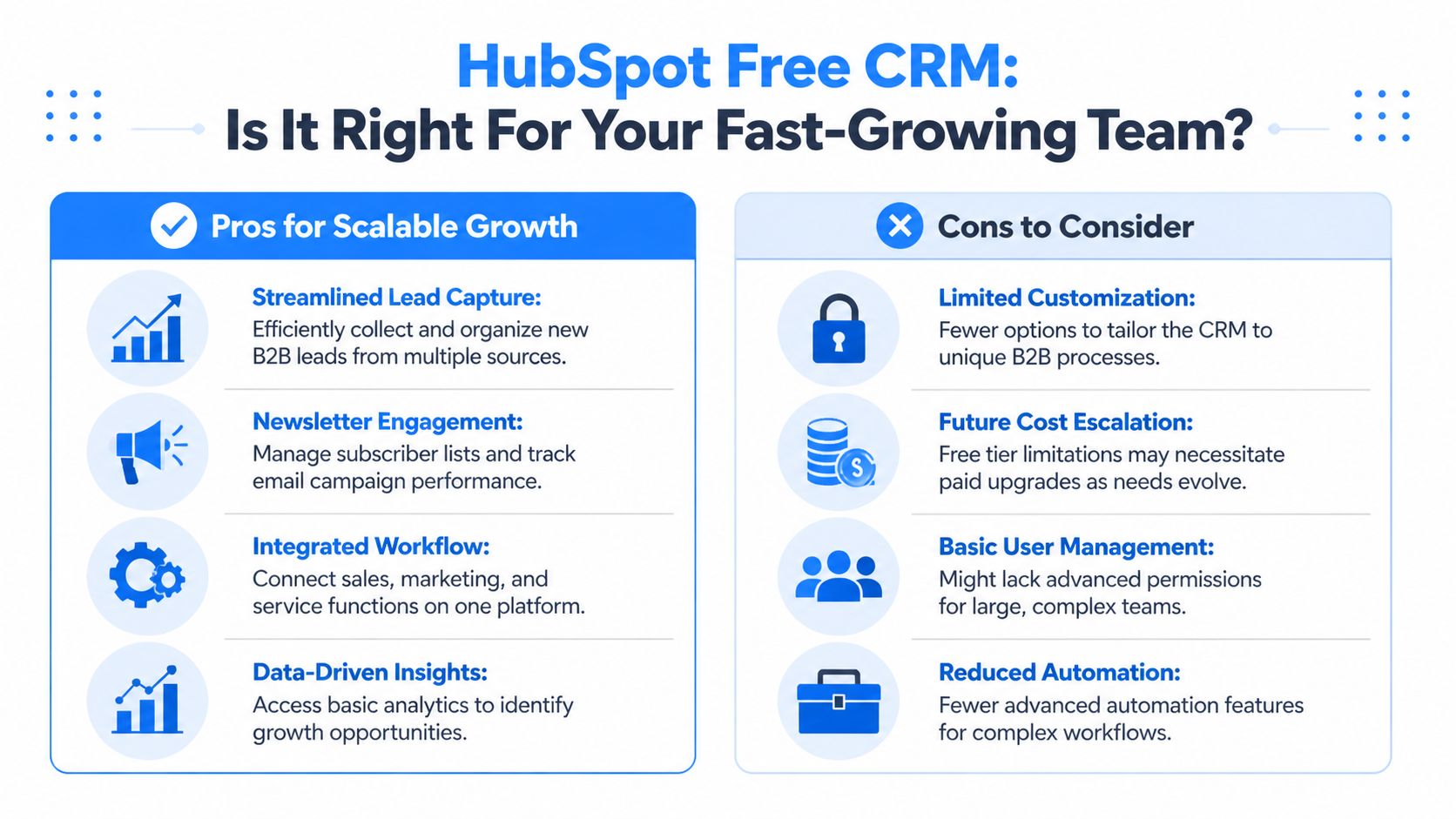
HubSpot Free CRM is excellent for the right company. It’s also the wrong default for some of the fastest-growing ones.
Who should absolutely consider it
If you’re a solo consultant, small founder-led sales team, or early B2B operation with modest list growth, the free plan can be a strong operational reset. It gives you a shared database, pipeline visibility, and enough tooling to stop managing revenue in a spreadsheet.
It also suits teams with slower sales cycles. If deals move deliberately and the contact database grows in a controlled way, the free limitations don’t bite as quickly. You can build discipline before you buy complexity.
Some teams also benefit from using HubSpot Free CRM as a training ground. You learn how your pipeline should work, what data your team updates, and whether your people adopt a CRM at all. That’s valuable before paying for advanced features.
Where the contact paradox shows up
Here’s the issue most glowing reviews skip. HubSpot has historically promoted the idea of 1,000,000 free contacts, but that generosity becomes risky once your marketing operation grows and you need paid functionality. As Cypress Learning explains in its piece on what’s included in HubSpot Free CRM and what’s not, upgrading to a paid Marketing Hub plan with that same number of contacts can cost nearly $10,000 per month.
That’s the contact paradox.
A large free database feels like an asset while you’re staying free. Once you need paid marketing features, that same database can become an expensive liability, especially for newsletter businesses and demand-gen teams that accumulate contacts faster than they mature segmentation strategy.
A free contact is only free while it stays outside the paid contact model that powers your campaigns.
This matters most for teams that collect aggressively. If you run content syndication, newsletter growth loops, paid lead capture, or broad top-of-funnel acquisition, your database may grow far faster than your revenue team grows. The result is an account that looks healthy in free CRM terms but expensive in paid marketing terms.
A better decision filter for growth teams
Don’t evaluate hubspot free crm by asking whether the free dashboard looks polished. Ask harder questions:
- How fast is your list growing? Fast list growth changes the economics later.
- Will you need marketing automation? If yes, free is likely a short stop.
- Are all contacts equally valuable? If not, carrying everything forward may be costly.
- Does your team need operational simplicity or long-term pricing predictability? Those are not always the same thing.
If you're weighing alternatives because that pricing path looks uncomfortable, this roundup where PostOnce reviews Hubspot competitors is worth reading alongside practical CRM setup advice like these CRM best practices. The goal isn’t to avoid HubSpot at all costs. It’s to avoid importing yourself into a model you’ll resent later.
Getting Started and Set Up in Under An Hour
A typical first hour with HubSpot goes one of two ways. The team imports everything, clicks through every menu, and ends up with a cleaner-looking mess. Or they set up only the pieces they will use this week and get a working CRM before lunch.
The second path is the right one.
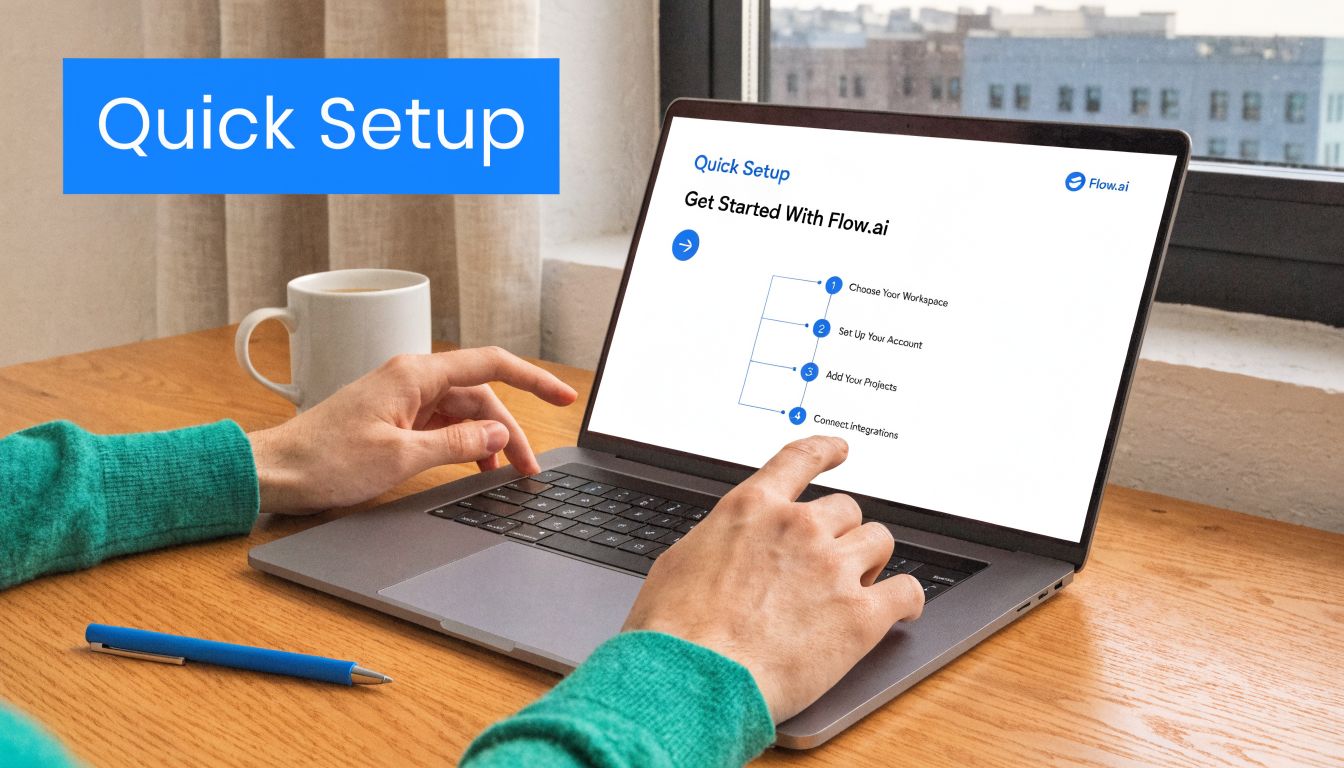
HubSpot Free CRM is easy to stand up quickly. That speed is part of its appeal. It is also where fast-growing B2B teams make an expensive mistake later. If you load the system with every lead, subscriber, and scraped contact on day one, cleanup gets harder, habits get worse, and the eventual move into paid marketing tools gets more costly. The Contact Paradox starts during setup, not at upgrade.
Step 1 through Step 3
Start with a controlled rollout.
- Create the account with your work email
Use your company domain, not a personal inbox. That avoids cleanup later when you connect team email, assign owners, and set permissions.
- Import a small, clean contact list
Start with active opportunities, current customers, and recent inbound leads. Leave old event lists, stale newsletter signups, and questionable imports out for now. For B2B newsletter teams, this is not just a data hygiene decision. It is a future cost control decision.
- Customize the default deal stages
Rename stages to match the way your team sells. Good stages describe observable milestones such as qualified, meeting booked, proposal sent, or closed won. If a rep cannot tell the difference between two stages in five seconds, the pipeline is too complicated.
Keep the first version simple. A plain pipeline that the team updates beats a clever pipeline nobody trusts.
Keep your first pipeline boring. Clear stages beat clever stages.
Step 4 through Step 5
Next, connect one daily workflow and test it.
- Connect your primary inbox
This gives contact records useful context fast. Email logging and conversation history are usually the first features that make the CRM feel worth using. If your team also needs to map how subscriber activity and sales outreach should sync, this guide on integrating CRM and email marketing tools is a useful reference before you connect everything at once.
- Send a test tracked email and create one sample deal
Run one contact through the process yourself. Send the email, confirm it logs correctly, add a note, create a deal, and move it through the pipeline. Small tests catch setup mistakes early, before they become team process.
A short walkthrough can help if you want to see the interface flow before assigning the setup to someone on your team.
What not to do in the first hour
Early mistakes usually come from overbuilding.
- Don’t import junk data: Duplicates, dead contacts, and old list buys create noise immediately.
- Don’t create too many properties: Every field needs a real owner and a real use case.
- Don’t invite the whole company yet: Start with the people who will update records.
- Don’t mix newsletter subscribers and sales-ready leads without a plan: That decision affects reporting now and contact costs later if you adopt paid marketing tools.
- Don’t confuse setup with process design: HubSpot records activity well, but it will not fix weak qualification, poor handoffs, or vague ownership.
The free plan earns attention because a small team can get it working quickly. That part is true. The better test is whether your first hour produces a CRM your team will maintain and a contact database you will still want six months from now.
Best Practices for B2B Lead Gen and Newsletter Teams
HubSpot Free CRM can carry a lean B2B lead-gen motion surprisingly well if you use it with restraint. It does not replace a mature lifecycle stack, but it can support a focused newsletter and pipeline workflow while the team is still small.

The best use case is straightforward. You publish content, capture interested subscribers, route the warmest people toward meetings or demos, and keep a simple record of who engaged with what. That’s where the free plan still feels practical.
A workable setup for a small newsletter team
A small B2B team can do a lot with the basics:
- Use embedded forms for subscriber capture: New signups flow into the CRM instead of into a disconnected spreadsheet.
- Use the meeting link in outbound emails: One link is limited, but it still removes scheduling friction for a founder or primary rep.
- Use simple properties or tags for manual segmentation: Segment by source, persona, or interest if the team is disciplined enough to maintain it.
- Track deal creation separately from newsletter growth: Not every subscriber should become a sales lead, and the CRM should reflect that.
This setup works because the process is still human-scale. A marketer can review incoming contacts, spot higher-intent leads, and hand them to sales without a heavy automation layer.
Where free still feels strong
For B2B teams with a narrow ideal customer profile, the free version supports a useful operating rhythm. A visitor fills out a form, lands in the CRM, gets reviewed, and then either enters a sales pipeline or stays in a basic nurture list.
The universal inbox and contact timeline also help. When someone replies after subscribing, the team can see who they are and what they’ve done, which is much better than managing inbox replies without context.
Small teams can tolerate manual segmentation. Growing teams start paying for it in staff time long before they pay for software.
The breaking point for manual systems
Zeeg’s analysis of HubSpot Free notes that the free CRM caps email marketing at 2,000 sends/month and lacks automation workflows, causing productivity stalls for growing teams who hit these limits within 6-12 months and can no longer scale manual list segmentation in its guide to HubSpot Free features and limitations.
That’s the lifecycle of the free plan for newsletter and lead-gen teams.
At first, manual list work feels acceptable. A marketer filters a list, exports a segment, updates a few properties, and sends a campaign. But once the audience grows, those small tasks multiply:
- Subscriber intent changes faster than your team can tag it
- Sales wants cleaner handoff rules
- Marketing wants behavior-based follow-up
- Reporting questions get harder to answer manually
The first pain usually isn’t philosophical. It’s operational. A campaign goes out to the wrong subset. A rep follows up without knowing the subscriber already replied elsewhere. A newsletter audience grows beyond what the free monthly send cap can support, so the team starts sending from a separate platform. That’s how data silos return.
What a disciplined team should do instead
If you plan to use hubspot free crm for lead gen, be selective early.
Use the CRM to hold high-value records and active opportunities. Be intentional about which contacts deserve ongoing sales or marketing treatment. Don’t treat every captured email address as a permanent strategic asset inside the same workflow.
A simple discipline helps:
- Define what counts as a sales-ready lead
- Separate broad newsletter subscribers from active pipeline contacts
- Review manual segmentation load every month
- Decide in advance what trigger will force a stack change
Teams that do this get the upside of the free plan without sleepwalking into process debt.
Integrating HubSpot and Planning Your Next Move
HubSpot Free CRM works best as a central record system, not as an isolated destination. Even on the free tier, organizations typically need it to sit alongside an email platform, forms, analytics tools, and sometimes a scheduling or support layer.
That integration mindset matters because the free tier has boundaries. According to InvGate’s overview of HubSpot CRM, HubSpot's free tier has limited API access, and with 70-80% of users upgrading within 6-12 months for features like workflows, teams must plan for this transition to avoid being throttled as they scale. In practice, that means a light setup can work well, but a heavily interconnected growth stack usually pushes teams toward paid plans or alternative tools.
Signals it’s time to upgrade
The decision usually becomes clear when one or more of these show up:
- Your team needs workflows: Manual routing, tagging, and follow-up are taking too much time.
- Reporting requests get more specific: Leadership wants answers the free dashboards can’t provide cleanly.
- More people need access: Two-user limits start creating friction.
- Your database strategy changes: You need a contact model that won’t punish growth later.
If your stack relies on data moving between systems, it’s worth understanding the API side of marketing operations before you commit further. This practical overview of Mallary.ai's marketing API guide is useful for thinking through integration architecture without getting lost in product marketing.
When an alternative may be smarter
Some teams should stay with HubSpot and budget for the upgrade path. Others should pause and reassess.
If your growth model depends on rapidly expanding a large audience, the contact paradox should be part of the buying decision, not a surprise discovered later. If your team expects to need serious automation, advanced reporting, and broader marketing orchestration, compare the long-term economics before your data model hardens around the platform. A broader comparison like HubSpot vs Marketo can help frame what kind of system your team needs.
The honest answer is simple. HubSpot Free CRM is a strong place to start. It is not automatically a strong place to scale.
If your team wants a cleaner way to grow a B2B newsletter without turning contact growth into a pricing trap, Breaker is built for that job. It combines email sending, list growth, targeting, analytics, and deliverability support in one platform so marketers can grow engaged audiences without stitching together a fragile stack.
Keep reading
All articles8 Best Email Tracking Software Tools in 2026
Compare 8 top email tracking tools for 2026, how tracking pixels work, and why Apple's privacy rules make open rates unreliable. See our top pick.
6 Best Email Trackers for Newsletter Senders in 2026
Open rates lie. Learn how email trackers really work, why Apple and Gmail skew the data, and which tools newsletter senders should actually use in 2026.
Post Webinar Survey: Questions, Examples, and a Checklist
What to ask in a post webinar survey, when to send it, three example formats, and a checklist for turning the answers into segmented follow-up and pipeline.