
Marketing Automation for SaaS: A 2026 Playbook
A complete playbook on marketing automation for SaaS. Learn to build lifecycle stages, segment users, score leads, and drive growth with practical examples.
Your team probably didn’t buy a SaaS product to spend its week exporting CSVs, fixing broken field mappings, manually nudging trial users, and wondering why strong leads disappear between demo request and follow-up. That’s the point where most B2B SaaS companies start looking for marketing automation for saas, usually after the manual system has already become the bottleneck.
The mistake is treating automation like an email feature. It isn’t. In a healthy SaaS growth engine, automation connects acquisition, qualification, onboarding, product usage, retention, and expansion. It decides who gets what message, when they get it, and what should happen next based on behavior instead of guesswork.
What matters most is not how many workflows you can build. It’s whether those workflows move a user to the next meaningful stage. A welcome series that doesn’t drive activation is just busywork. A newsletter that grows the list but never feeds the CRM is a disconnected media asset. A lead score that sales doesn’t trust is noise.
The best systems feel simple from the outside because the strategy underneath is disciplined. That’s what this playbook focuses on.
Beyond the Hype The Real Role of SaaS Marketing Automation
Marketing automation starts to matter when growth stops being linear. A founder can personally follow up with ten leads. A small team can manually onboard a handful of trial users. That breaks fast once traffic, signups, and product activity spread across multiple channels.
SaaS businesses already represent over 50% of the software market, and 75% of marketers already use automation, according to Single Grain’s SaaS marketing analysis. That same analysis notes that effective implementation can drive 30% to 60% reductions in CAC within 90 days. For B2B teams, that’s a key reason automation matters. It makes scaling less chaotic and less expensive.
A lot of teams still frame automation as “set up some email drips.” That’s too narrow. In practice, automation is your operating layer for timely decisions:
- When a visitor converts: assign source, enrich the record, segment by fit, and trigger the right first touch.
- When a lead shows intent: update score, notify sales, suppress irrelevant nurture, and log activity in CRM.
- When a trial user stalls: detect inactivity and send product-specific guidance instead of generic marketing copy.
- When a customer becomes healthy: trigger referral, advocacy, or expansion motions instead of continuing top-of-funnel messaging.
That’s why I like using automation frameworks that start with system design, not campaign design. If you need a strong planning reference, this B2B marketing automation strategy is useful because it treats automation like revenue infrastructure rather than a bundle of isolated workflows.
A simple way to sanity-check your setup is this: if your team still has to remember who needs follow-up, your system isn’t automated yet. If the right message appears because the user did something specific, you’re getting closer.
Practical rule: automate decisions that repeat. Don’t automate messaging that still needs human judgment.
That’s also why the foundational benefits of marketing automation only show up when the system is tied to lifecycle movement. Efficiency is nice. Predictable progression changes pipeline and retention.
Laying the Strategic Foundation Before You Automate
Most failed automation projects don’t fail because the tool is weak. They fail because the team automates before it defines who it wants, what journey that person is on, and what signal should move them forward.
If segmentation is sloppy, everything downstream gets worse. BDO notes that poor segmentation can cause 30% to 50% lower engagement, and that defining ICP and lifecycle stages helps teams identify high-intent leads 2 to 3 times faster once automation is live, as outlined in BDO’s guidance on assessing marketing automation performance.
Define the ICP like sales will actually use it
An ideal customer profile for SaaS can’t stop at company size and industry. Those are useful filters, but they don’t explain purchase likelihood by themselves.
A usable ICP usually includes four layers:
- Firmographic fit: industry, business model, team structure, region, and company maturity.
- Technographic fit: what CRM, analytics stack, product category, or integrations the company already uses.
- Role-based fit: who feels the pain, who owns the budget, and who signs the deal.
- Behavioral fit: what actions suggest urgency, such as repeat pricing page visits, product comparison reading, or demo intent.
For example, a B2B SaaS selling RevOps software might decide that a qualified account is not “mid-market tech company.” It might be “sales-led SaaS using Salesforce, with a RevOps or VP Sales stakeholder, visible hiring for revenue operations, and engagement with attribution or forecasting content.”
That level of detail changes your automation. It changes the language in forms, the scoring rules, the nurture tracks, and the handoff to sales.
The workflow should reflect buying reality, not the org chart marketers wish existed.
Map the lifecycle before you build the workflow
Most automation problems are lifecycle problems in disguise. Teams send onboarding content to users who are still evaluating. They push upgrade prompts before a customer has reached product value. They keep blasting newsletters to leads that should be in an SDR queue.
A cleaner lifecycle model makes those errors visible. For SaaS, I like a practical sequence: Visitor, Lead, MQL, SQL, Trial, Customer, Champion. Those names matter less than the transition logic between them.
Here’s a simple framework:
Lifecycle Stage
Primary Goal
Example Automation
Key Metric
Visitor
Capture known interest
Content upgrade or newsletter signup trigger
Visitor-to-lead conversion
Lead
Establish fit and intent
Welcome sequence with behavioral branching
Lead engagement quality
MQL
Confirm sales readiness
Lead score threshold triggers CRM task
MQL-to-SQL progression
SQL
Support deal movement
Demo reminders and objection-handling follow-up
Opportunity creation
Trial
Drive first value moment
Onboarding checklist emails and in-app prompts
Activation
Customer
Increase adoption and retention
Usage-based education and milestone nudges
Product engagement
Champion
Expand advocacy and referrals
Review, referral, or customer story outreach
Referral or expansion activity
Define the exit criteria for each stage
The most useful lifecycle maps answer one operational question. What has to be true for a contact to leave this stage?
That means each stage needs a threshold or condition, even if it’s qualitative. Examples:
- Visitor to Lead: submitted a form, subscribed to a newsletter, or requested gated content.
- Lead to MQL: matches ICP and shows clear buying intent.
- MQL to SQL: sales accepted the lead or discovery is booked.
- Trial to Customer: reached meaningful activation and converted through self-serve or assisted sales.
- Customer to Champion: shows sustained product value, advocacy signals, or expansion potential.
If you skip these definitions, teams start arguing over labels instead of improving conversion. Marketing says the lead is qualified. Sales says it isn’t. Customer success says the account was never a fit.
Build around movement, not volume
A long list of automations can create the illusion of maturity. The better question is whether each workflow pushes one stage transition.
That’s the standard I use:
- Name the stage transition first. Don’t start with “we need a nurture flow.” Start with “we need more leads to become MQLs.”
- Choose the trigger second. Use actions, field changes, or product events that indicate movement.
- Create the content last. Messaging should support the transition, not define it.
When a team does this well, automation becomes much easier to audit. Every workflow has a job. Every job has a metric. Every metric ties back to pipeline, activation, or retention.
Building Core Automation Flows for the Full Funnel
The fastest way to waste time in marketing automation for saas is building a dozen clever workflows before the core ones work. Many organizations need fewer automations than they think. They need the right ones, in the right order, connected to real user behavior.
Start with the flows that cover the full lifecycle. Not every account will move through the funnel the same way, but every growth system needs coverage from first touch to referral.
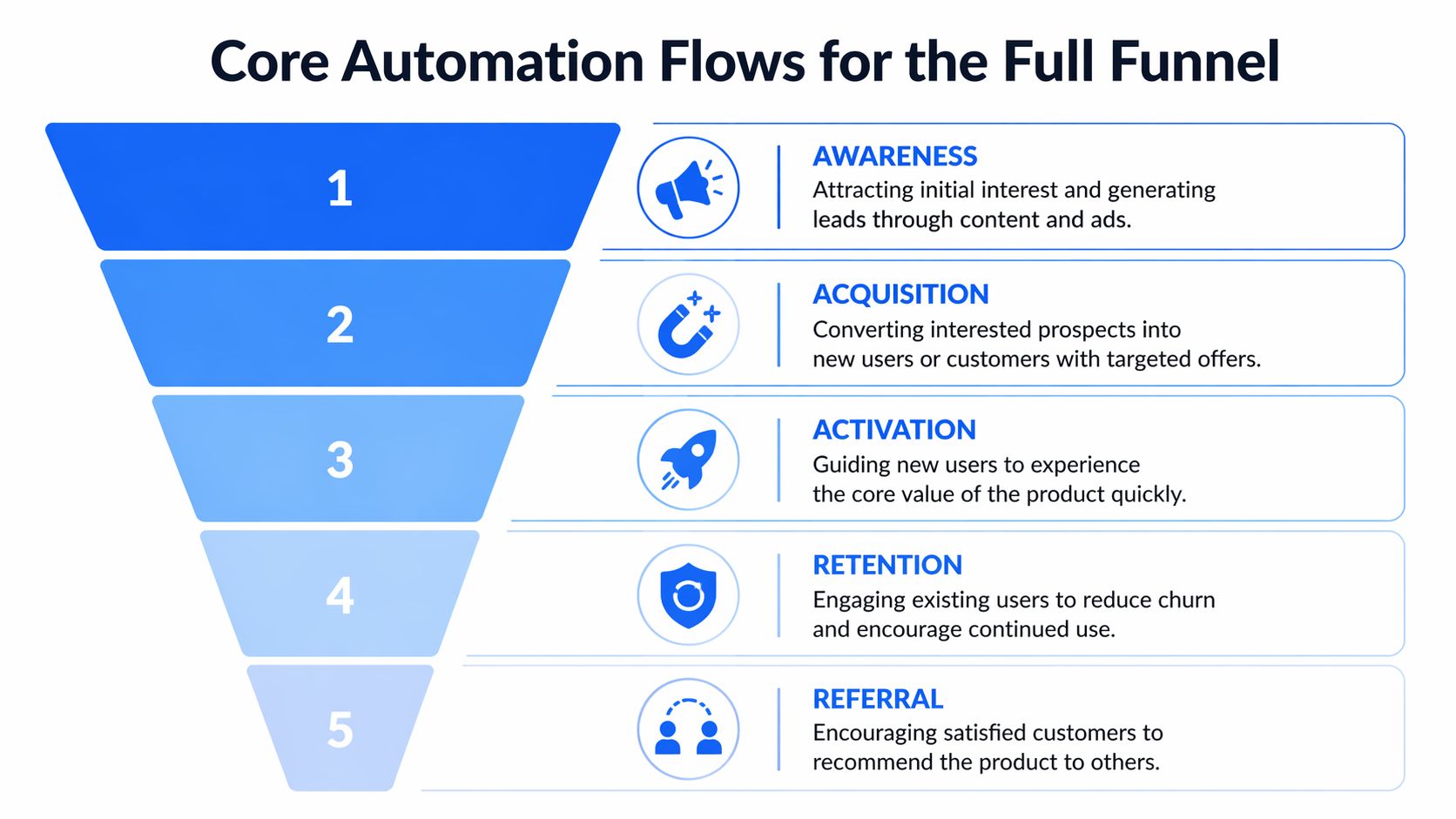
Awareness and acquisition flows
Top-of-funnel automation should do two jobs. Capture intent and sort that intent quickly.
If someone downloads a comparison guide, subscribes to a newsletter, or requests a webinar replay, the first follow-up shouldn’t be a generic “thanks for joining us” email. It should acknowledge the topic they raised their hand for and move them into a path that fits that topic.
A practical acquisition flow often looks like this:
- Trigger on source and topic: route leads based on what they converted on, not just that they converted.
- Enrich the record early: append company, role, and account context before the next message goes out.
- Branch by intent: pricing page visitor and blog subscriber should not enter the same sequence.
- Suppress conflicting messages: if an SDR books a meeting, stop the nurture flow automatically.
For a B2B analytics SaaS, a lead who signed up after reading a “CAC payback” article should receive follow-up tied to measurement and forecasting. A lead from a product tour page should get implementation and use-case messaging instead.
Onboarding and activation flows
Many SaaS teams experience a loss of users they already worked hard to acquire. They send welcome emails that explain the brand instead of helping the user do the next useful thing.
The onboarding sequence should push toward one outcome. The first meaningful action in the product.
For example, a project management SaaS might define activation as creating a workspace, inviting a teammate, and completing one workflow template. An onboarding flow then becomes event-driven:
- Signup event: send a concise welcome email with one next step.
- No setup completed: trigger checklist guidance with a short tutorial.
- Workspace created but no invite sent: prompt collaboration because solo setup often stalls.
- First workflow completed: reinforce progress and suggest the next higher-value use case.
If the product requires three setup actions before value appears, every onboarding asset should support one of those three actions.
A library of proven email drip campaign templates can help teams move faster, especially when adapting flows for trial users, self-serve signups, and sales-assisted onboarding.
Retention flows based on usage, not guesswork
Retention automation works best when it reacts to product behavior. Generic “we miss you” emails don’t usually solve the underlying problem. Most churn risk starts earlier, when users stop progressing or never adopt the right feature set.
A strong retention setup watches for signals like falling activity, skipped milestones, support friction, or stalled team adoption. Then it sends useful interventions.
Consider how this works in practice:
- Feature underuse: a user adopted the core dashboard but never set alerts. Send a short use-case email showing why alerts matter.
- Team stagnation: the account owner is active but no teammates joined. Trigger collaboration-focused content.
- Usage drop: product activity declines after a strong first month. Route the account into a re-engagement path with help resources or a customer success task.
- Support-heavy pattern: multiple support interactions around the same workflow. Trigger educational material before frustration becomes churn.
The message should match the failure point. Not every inactive user needs a discount. Many need clarity, proof, or a simpler next step.
Win-back and referral flows
When a user cancels or goes inactive long enough to be considered lost, don’t stop at a goodbye email. Use that moment to collect signal and create a recovery path.
A practical win-back flow often includes:
- An exit survey: keep it short and categorize the reason.
- A customized follow-up: send different messages for budget issues, missing features, or poor onboarding.
- A value reminder: highlight what changed, what they didn’t try, or what use case they missed.
- A delayed re-entry prompt: invite them back when there’s a relevant product update, new use case, or strategic timing hook.
Referral automation belongs later in the lifecycle than many teams think. Don’t ask too early. Ask when users have reached value and can describe it in their own words.
For teams designing that motion, this guide on how to Build a Referral Program is a solid reference because it focuses on the mechanics that turn happy users into a structured word-of-mouth channel.
What works and what usually fails
The flows above work when they’re triggered by actual movement. They fail when teams over-automate at the wrong layer.
Common failure modes look like this:
What works
What fails
Product-event triggers
Calendar-based drips with no behavior input
Stage-specific messaging
Same nurture for every lead source
CRM suppression logic
Marketing emails continuing after sales engagement
Short next-step emails
Long brand-heavy onboarding copy
Usage-based retention prompts
Generic reactivation blasts
A simple stack can run this well. The complexity comes from decisions, not software. Build the backbone first, then add sophistication after the handoffs are reliable.
Implementing Smart Lead Scoring and Routing
Lead scoring matters because not every hand-raiser deserves the same follow-up. Some contacts are curious. Some are researching for a colleague. Some are ready for a conversation now. Without a scoring model, sales gets noise and marketing keeps nurturing people who are already evaluating.
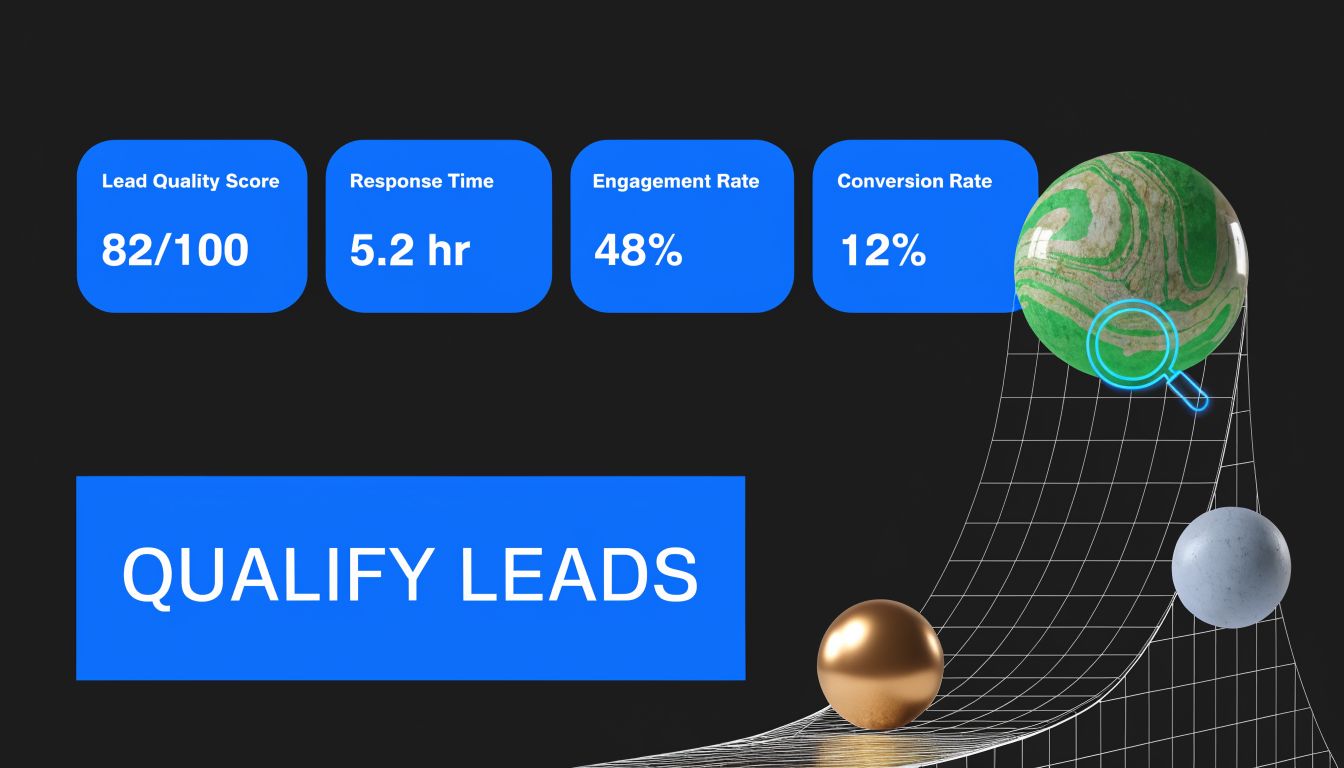
A good scoring model combines fit and intent. Fit tells you whether the account belongs in your market. Intent tells you whether the person is moving toward a buying decision.
Score fit and intent separately
Teams frequently oversimplify the model. They reward every engagement equally, which means a student reading five blog posts can outrank a qualified buyer who visited pricing once.
A cleaner system uses two dimensions.
Fit signals might include role, company type, or stack compatibility.
Intent signals come from behavior such as pricing page visits, demo requests, comparison content, or repeat product exploration.
The useful part is not the math. It’s the routing logic that follows. If fit is high and intent is high, route to sales. If fit is high and intent is moderate, place in a tighter nurture path. If fit is weak, don’t let content engagement alone push the lead into an SDR queue.
The scoring examples in this guide to building a lead scoring model that drives growth are a helpful reference when you’re pressure-testing the balance between demographic and behavioral scoring.
Keep the model simple enough to trust
Overbuilt scoring models usually break in one of two ways. Either nobody understands why a lead was qualified, or the model depends on data your stack can’t collect reliably.
A practical approach:
- Start with obvious high-intent actions: demo request, pricing page, integration page, repeat visit patterns.
- Layer in fit fields sales already uses: role, segment, and account type.
- Add negative scoring carefully: student email domains, job seekers, competitors, or unsubscribed contacts.
- Review with sales regularly: if sales rejects “qualified” leads, adjust the scoring inputs instead of arguing definitions.
Operator’s note: the best lead score is the one sales believes enough to act on immediately.
Routing matters as much as scoring. Once a threshold is met, the next action should happen automatically. Create the CRM record, assign ownership, notify the rep, and pause nurture that could conflict with a live sales conversation.
That handoff is easier to explain visually before you build it:
Route the rest with intent, not neglect
The leads that don’t qualify for sales shouldn’t disappear into a dead list. They need structured nurture based on why they didn’t qualify yet.
Three common buckets work well:
- Good fit, low intent
Keep these leads warm with use-case content, buyer education, and triggered follow-up when activity increases.
- Moderate fit, moderate intent
Use sharper segmentation. Push vertical-specific proof or implementation content to clarify whether there’s real potential.
- Low fit, high engagement
Limit SDR time here. Keep them in a lighter-touch program unless firmographic evidence changes.
That’s the value of lead scoring in SaaS. It doesn’t just prioritize sales activity. It protects the buyer experience from bad timing and protects the team from wasted effort.
Driving Growth with a Newsletter-Centric Engine
Most SaaS teams treat the newsletter as leftover inventory. They send product updates, a round-up of blog posts, and the occasional launch note. That leaves a lot of value on the table.
A better approach is to treat the newsletter as the center of the audience system. Not as a side channel. Not as a content dump. As the place where acquisition, nurturing, insight gathering, and monetization can operate together.
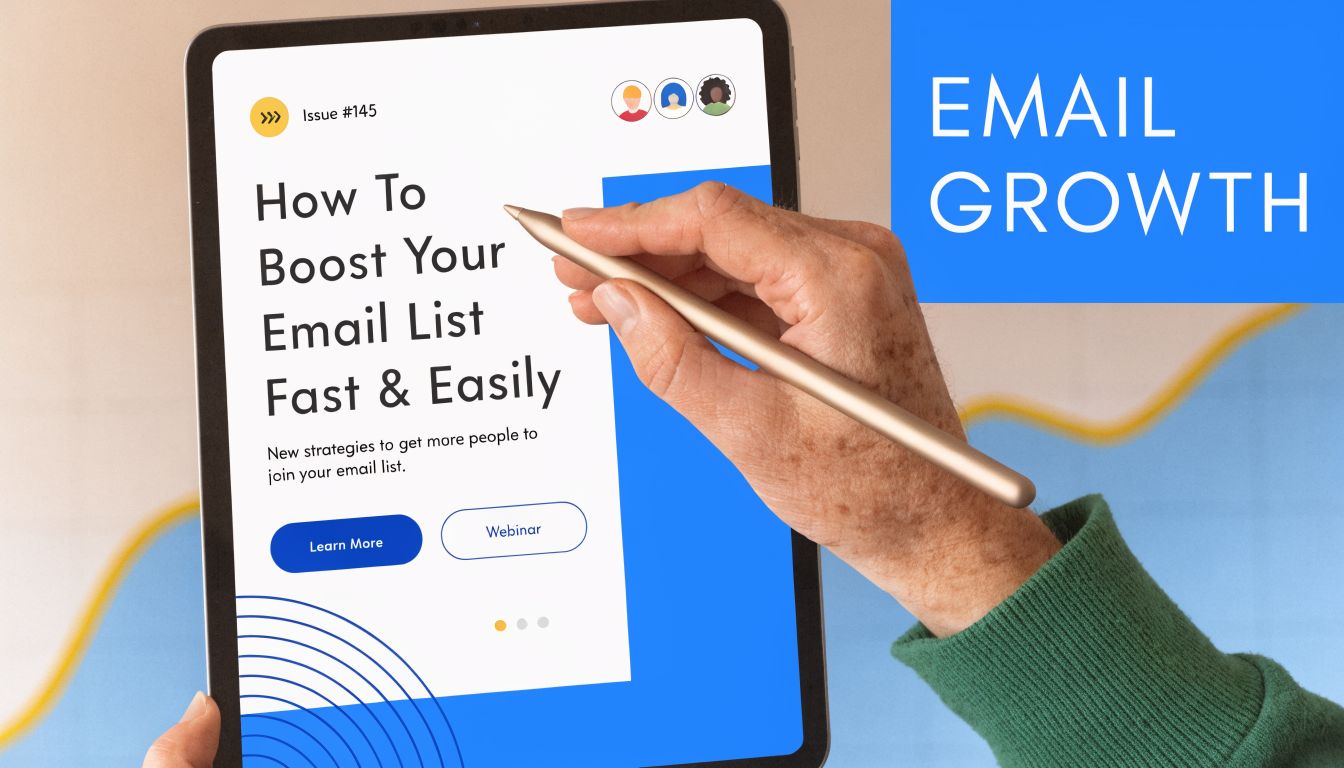
This matters even more for B2B SaaS because buyers rarely convert on first touch. They evaluate over time. A newsletter gives you repeated access to that evaluation window without forcing every interaction through paid retargeting or demo-heavy nurture.
The newsletter as an acquisition asset
Content still drives the earliest touch for many SaaS companies. Averi notes that automated content operations can help teams produce 2 to 4 posts per week, build topical authority 2 times faster, and generate organic traffic worth $1,500 to $5,000 per month in paid value after 6 months, as described in Averi’s guide to content marketing automation for SaaS. That content directly feeds newsletter growth.
The operational advantage is straightforward. Blog content brings in topic-specific interest. The newsletter captures it. Automation then turns that subscriber into a known contact with a structured path.
That only works if the newsletter is positioned correctly. It needs a clear promise. Not “company updates.” More like:
- A category digest: curated insight for a specific operator, such as RevOps leaders or product marketers.
- A tactical brief: short playbooks on a recurring pain point like activation, attribution, or onboarding.
- A market intelligence feed: trends, examples, and practical analysis for a narrow B2B audience.
If you’re building from scratch, this practical guide on how do you start a newsletter is useful because it forces the right early decisions around audience, positioning, and cadence.
Why the newsletter should connect to lifecycle automation
The newsletter becomes much more valuable when it isn’t isolated from the rest of the system.
Here’s what a connected model looks like:
Subscriber behavior
What the system should do
Joins from a product-aware article
Route into a use-case nurture track
Repeatedly clicks implementation content
Raise intent and surface to sales if fit is strong
Engages with advanced product topics
Flag for expansion or deeper product education
Stops engaging over time
Move into reactivation or list hygiene review
That setup gives the newsletter a second job beyond engagement. It becomes a listening mechanism. Every click says something about urgency, role, pain, or maturity.
Monetization without breaking trust
For some SaaS teams, especially media-adjacent brands or operators with a strong niche audience, the newsletter can also support revenue through sponsorships. That’s useful, but only when audience quality is protected.
The usual failure mode is easy to spot. Teams take sponsorship money, clutter the issue, and lower trust with the exact audience they need for pipeline and retention. The better model is selective. Keep sponsor alignment tight. Use newsletter automation to segment promotional inventory away from subscribers who need a cleaner nurture path. Protect the editorial value of the send.
A newsletter earns leverage when the audience would read it even if there were no product pitch in it.
That’s also why I prefer newsletter-centric automation for modern B2B programs. It gives you a durable top-of-funnel asset that doesn’t vanish when ad costs shift. It compounds with content. It produces first-party engagement signals. And when connected to your lifecycle flows, it does far more than “send emails every week.”
Mastering Integration and Data Hygiene
A well-written workflow won’t save you from bad plumbing. Most automation problems show up as messaging issues, but the underlying cause is usually broken integration, messy records, or stale data moving across tools.
This gets worse as the stack expands. Encharge notes that 70% of SaaS marketers struggle with multi-tool orchestration, and also points to setups with proprietary data enrichment and built-in hygiene reducing churn by 25% compared with standard automation setups, according to Encharge’s overview of SaaS marketing automation tools.
Build one source of truth for contact state
The cleanest automation systems answer one question consistently. Where does lifecycle status live?
In some companies, it belongs in the CRM. In others, the marketing automation platform owns early-stage status while the CRM owns sales stages. Either can work. What fails is split ownership without rules.
A practical integration model usually includes:
- CRM as account and opportunity source of truth: ownership, pipeline status, and sales activity.
- Automation platform as engagement engine: form submissions, email logic, nurture branching, suppression.
- Product analytics or event layer as behavior source: activation milestones, usage drops, feature adoption.
- Warehouse or BI layer for reporting: reconciled metrics across acquisition, product, and revenue.
When these systems aren’t aligned, odd things happen fast. A lead gets nurtured after booking a demo. A churned customer keeps receiving expansion prompts. A trial user hits activation, but the CRM still marks them as cold.
Standardize the fields before scaling workflows
Teams often wait too long to clean field structure. Then they wonder why segmentation is unreliable.
You need basic governance:
- Normalize key properties
Job title, segment, lifecycle stage, source, and country should follow one naming standard.
- Eliminate duplicate logic
Don’t keep “Lead Source,” “Original Source,” and “Acquisition Channel” all doing slightly different jobs without documentation.
- Set overwrite rules carefully
Some fields should update with every new action. Others should preserve first-touch context.
- Document event definitions
“Activated” should mean one thing everywhere, not one thing in product analytics and another in CRM.
Broken automation usually starts with a field that means three different things to three different teams.
Treat hygiene as an operating discipline
Data hygiene isn’t glamorous, but deliverability and reporting both depend on it. That means regular deduplication, suppression management, field audits, and email verification. If your database keeps contacts that should have been archived, merged, or removed, your segmentation degrades and your sender health usually follows.
A simple hygiene routine should cover:
- Duplicate reviews: merge or suppress records that split engagement history.
- Inactive segment handling: separate low-engagement contacts from active nurture pools.
- Email validation practices: reduce bad records before they pollute reporting.
- Integration audits: check whether key syncs are still firing as designed after tool changes.
The practical trade-off is clear. A tightly integrated stack takes more planning upfront, but it saves endless cleanup later. The opposite setup feels flexible at first and turns brittle as soon as volume increases.
Measuring True ROI and Optimizing Your Engine
Automation isn’t valuable because it sends messages automatically. It’s valuable when it improves revenue efficiency, activation quality, retention, and expansion. That’s why the reporting layer matters as much as the workflow layer.
The analytics side of this market is growing for a reason. Insia projects the SaaS-based business analytics market to reach $34.85 billion by 2032, driven by the need to track metrics like MRR, CAC, churn, and LTV, and notes that in B2B SaaS, using these analytics for ABM can generate 3x higher ROI, based on Insia’s analysis of essential SaaS analytics tools.
Track business outcomes, not channel vanity
Open rates and clicks can still help diagnose a weak message, but they shouldn’t be the center of automation reporting. In SaaS, the key questions are:
- Did this workflow lower acquisition cost?
- Did it improve trial progression into meaningful product usage?
- Did it reduce churn risk or support expansion?
- Did it move qualified accounts faster through the pipeline?
That means your dashboard should connect campaign activity to lifecycle movement. A welcome sequence should be judged by activation. Lead nurture should be judged by progression into qualified pipeline. Retention automation should be judged by continued product engagement, renewal strength, or expansion influence.
A useful reporting view usually includes these layers:
Reporting layer
What to watch
Acquisition
Source quality, CAC, lead-to-MQL movement
Sales conversion
MQL acceptance, SQL progression, pipeline influence
Product lifecycle
Activation, usage milestones, retention signals
Revenue impact
MRR contribution, churn patterns, LTV direction
Use testing where it changes decisions
A/B testing is still useful, but it’s easy to waste effort on tiny details that don’t affect revenue. Test the parts of the system that alter stage movement.
Good testing priorities include:
- Subject lines for high-value lifecycle emails
- CTA framing on onboarding and activation messages
- Send timing for sales-adjacent follow-up
- Content angle for role-specific nurture paths
- Offer positioning for win-back or referral asks
The key is to connect each test to the workflow’s actual job. If the email exists to drive setup completion, evaluate setup completion. If it exists to book a demo, measure booked conversations and downstream quality.
Build a feedback loop with sales and success
The best optimization process isn’t purely analytical. It’s operational.
Marketing sees click and conversion behavior. Sales hears objections and urgency. Customer success sees where new accounts stall. If those teams don’t share signal, automation gets optimized for partial truth.
I like a simple review rhythm:
- Review rejected MQLs with sales
- Review stalled trials with product and success
- Review churned segments for missed intervention signals
- Update scoring, routing, and messaging based on what changed
That’s what makes the engine improve over time. Not more workflows. Better decisions inside the workflows you already have.
A modern SaaS automation system works best when audience growth, lifecycle messaging, deliverability, and ROI tracking live in one connected engine. If you want a platform built around that model, Breaker is worth a look. It helps B2B teams grow engaged newsletter audiences, run campaigns, maintain list hygiene, and connect newsletter performance back to pipeline and revenue without stitching together a fragile stack.
Keep reading
All articlesNewsletter Agency Services: How Agencies Scale Client Newsletters
Managing multiple client newsletters? Learn what a true newsletter agency platform needs to prevent list mixing, voice drift, and invisible ROI.
Building Owned Audiences: Move Followers to Your Newsletter in 2026
Social platforms can vanish overnight. Learn how to convert Instagram, TikTok, and YouTube followers into a newsletter list you actually own.
Newsletter Analytics: Which Metrics Actually Matter in 2026
Open rate and clicks don't predict buyers. Learn the 7-step method to track click depth, recency, and topic affinity for a revenue-predictive intent score.