
RSS to Email: The Definitive Guide for 2026
Learn how to build a powerful RSS to email workflow. This guide covers setup, templates, automation, deliverability, and scaling with Breaker.
You’ve probably had this week already. One newsletter issue went out, the next one is half-written, your content queue is thin, and the “easy” automation you set up months ago is now sending a stream of links nobody on your team is proud of.
That’s where most rss to email programs stall. The mechanics are easy. Connect a feed, choose a template, set a schedule, done. The hard part is turning that pipe into something people want in their inbox and something your team can defend as a real growth channel.
Used well, rss to email is not a shortcut for avoiding editorial work. It’s an operating model for distributing timely, relevant content without rebuilding the newsletter from scratch every send. Used badly, it becomes a noisy forwarding machine that trains subscribers to ignore you.
Why RSS to Email Is Your Secret Content Weapon
The teams that get the most from rss to email stop thinking about it as “blog post automation.” They use it to reduce production drag.
If you run a B2B newsletter, you already know the problem. The demand for fresh content never pauses, but your best people shouldn’t spend their week copying links into drafts, cleaning summaries, and manually rebuilding the same issue format over and over. That work feels productive because it ships, but it rarely builds momentum.
RSS solved a version of this problem a long time ago. RSS was publicly announced by Netscape on December 9, 1999, and its later integration into email clients such as Outlook helped make it a practical distribution layer for business users, not just feed-reader enthusiasts, according to the BLS history of RSS. That longevity matters. Technologies that survive this long usually survive because they do one job well.

It removes repetitive production work
A strong rss to email workflow gives you a repeatable structure:
- A consistent source layer that pulls from your blog, partner publications, research hubs, or niche industry feeds
- A formatting layer that turns raw items into a readable digest
- An editorial layer where your team adds framing, commentary, and calls to action
- A distribution layer that sends on a predictable cadence
That’s very different from writing every email from zero. One approach depends on constant manual output. The other creates a system.
Practical rule: If your newsletter team spends more time assembling content than deciding what deserves attention, your workflow is upside down.
It keeps your newsletter current without becoming disposable
Freshness is the obvious appeal. The less obvious advantage is relevance. RSS works best when the content stream itself is already aligned with what subscribers asked for.
That’s why rss to email tends to feel stronger in B2B than many generic promotional broadcasts. It can deliver new product education, market updates, expert commentary, or selected industry analysis in a format subscribers expect to receive repeatedly. The inbox becomes the delivery mechanism, not the creative burden.
It gives small teams publishing stamina
Teams often don’t fail because they lack ideas. They fail because they can’t maintain the operating tempo required to publish consistently with quality.
RSS to email gives you a durable base layer. Your editorial team can spend its effort where human judgment matters most: selecting what belongs, adding context, cutting what’s weak, and shaping the message around a business goal.
That’s the key secret. Not automation for its own sake. Automation that preserves your attention for strategy.
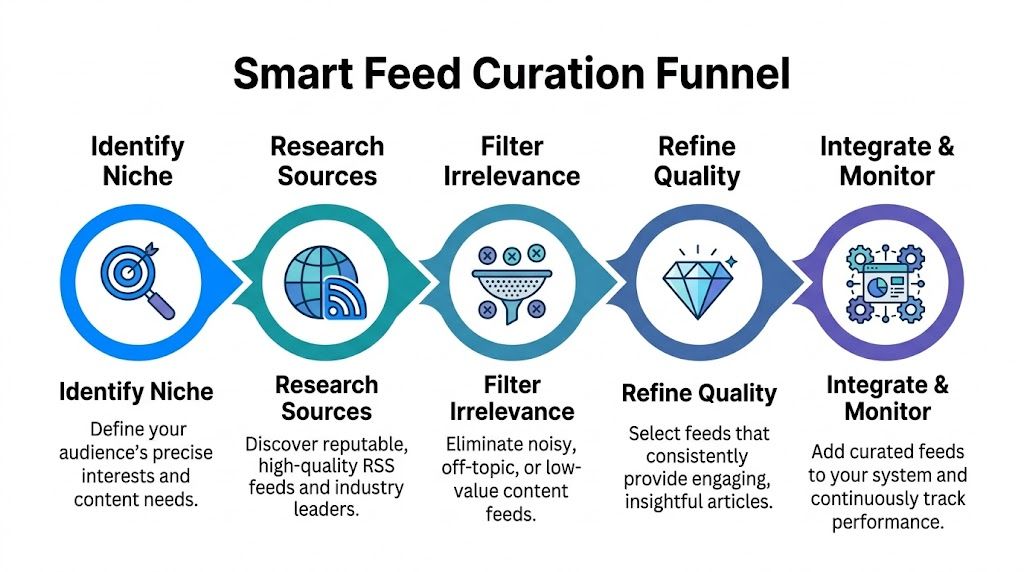
Building Your Content Engine with Smart Feed Curation
Most rss to email failures start with bad inputs. If you connect every available feed in your space and call it curation, you won’t build a newsletter. You’ll build clutter.
The subscriber experience usually breaks in a predictable way. At first the issue looks full. Then it starts to feel repetitive, off-topic, too frequent, or oddly generic. Existing guidance often skips this problem, even though unmoderated, high-volume RSS feeds can create inbox fatigue and drive unsubscribes, as noted in this guide on the trade-offs of RSS email automation.
Start with one audience, not one topic
A topic is too broad to guide feed selection. An audience is specific enough to filter.
“B2B marketing” is not a useful curation lens. “Demand gen leaders at SaaS companies who need better lifecycle and newsletter performance” is far better. Once you define the actual reader, source selection gets easier because you can reject content that is merely adjacent.
A practical feed library usually includes a mix like this:
Feed type
Why it belongs
Common mistake
Primary industry publications
Gives you timely updates and baseline news coverage
Including too many broad news feeds
Specialist operator blogs
Adds depth and practical tactics
Using sources that publish inconsistently
Company-owned content
Supports product education and onboarding
Letting self-promotional posts dominate
Data and research feeds
Gives credibility and trend context
Sending raw data with no interpretation
Partner and ecosystem feeds
Expands perspectives and referral opportunities
Featuring low-quality partner content out of obligation
Build a feed library, not a random list
Treat your sources like an editorial asset. Keep a simple document or database with each feed categorized by audience fit, content quality, publishing frequency, and typical use case.
Useful fields include:
- Audience match for who the content helps
- Content format such as analysis, tutorials, product updates, or commentary
- Signal quality based on how often you include items from that feed
- Volume risk to flag feeds that publish too often
- Editorial role such as “lead story,” “supporting link,” or “research source”
If you need a basic refresher on what an RSS feed is at the structural level, Breaker’s RSS feed glossary entry is a clean starting point.
Filter by editorial usefulness
A feed can be reputable and still be wrong for your newsletter. Authority is not enough. The source has to produce items that work in inbox format.
When I review a potential source, I look for three things first.
- Headline clarity
If feed items need rewriting every time, the source creates hidden labor.
- Summary quality
Many feeds output descriptions that are either too thin, too long, or full of formatting junk.
- Reader payoff
Ask one hard question: if a subscriber clicks this, will they feel smarter, faster, or better informed?
A feed earns its place when its average item is usable with light editing. If every send requires rescue work, the source is the problem.
Use a layered curation model
Not every feed should flow directly into your email.
A better operating model is to split feeds into layers:
- Core feeds
These are trusted sources that can appear often and form the backbone of the newsletter.
- Watchlist feeds
Strong sources that produce occasional gems but shouldn’t publish straight into your digest.
- Experimental feeds
New additions you monitor before giving them regular distribution.
That structure lets you test without polluting the reader experience. It also gives your team a way to retire feeds that have gone stale, become too promotional, or shifted away from your niche.
Combine feeds into themes, not dumps
The best curated newsletters don’t feel like endless link rolls. They feel shaped.
Instead of listing ten unrelated items, group content into mini-stacks:
- one key story
- one practical teardown
- one market signal
- one resource worth saving
This creates hierarchy. Subscribers understand why each item is there, and your editorial voice becomes more visible even when the underlying sourcing is automated.
What doesn’t work
A few patterns consistently underperform:
- Full-feed imports with no filtering because they make the newsletter feel machine-generated
- Too many sources with overlapping coverage because every issue starts to repeat the same idea
- Feeds chosen for prestige rather than reader utility because recognizable brands don’t guarantee useful content
- No removal policy because weak feeds stay active long after they stop helping
Smart curation is what separates rss to email from inbox spam with better formatting.
Designing Email Templates That Don't Look Automated
A good rss to email template shouldn’t look like a default export from an email platform. Readers can spot that instantly. They don’t use that language, but they feel it. The email looks assembled, not published.
That matters because a digest has a different job than a standard campaign. A promotional email usually pushes one action. An rss newsletter guides a reading session. It should help the subscriber scan quickly, understand why each item matters, and decide what to open.
Treat the layout like a publication
The strongest templates behave more like a briefing than a sales blast. They have rhythm.
A practical structure often looks like this:
Template area
What it should do
What to avoid
Header
Confirm brand identity and topic focus
Large hero blocks that waste space
Editor note
Add context and intent
Generic intros with no point of view
Lead item
Feature the most important story first
Equal visual weight for every item
Supporting items
Make scanning easy with short summaries
Dense paragraphs and multiple competing CTAs
Footer
Reinforce trust and subscription control
Cluttered legal and promotional blocks
Write the parts automation can't
The feed can populate title, date, summary, and link. It can’t provide taste.
That’s why even a lightly edited digest benefits from a short editor note at the top. One or two concise paragraphs can frame the issue: what changed, what deserves attention, and how to think about the links below. This single addition makes the email feel intentional.
Then shape each item so it reads consistently. Raw feed excerpts are often too long, too abstract, or loaded with formatting debris. Clean them up. If your tool allows dynamic tags, use them to pull the source elements, but don’t let those fields dictate the final reading experience.
Editorial test: Remove your logo for a second. If the email still sounds like your publication, the template is doing its job.
Optimize for scanning, not decoration
Most rss newsletters get uglier as teams try to “upgrade” them. They add banners, extra boxes, oversized images, social blocks, promo strips, and stacked CTAs. The result is visual drag.
A cleaner approach works better:
- Keep the header compact so the first content item appears quickly
- Use clear typography with strong contrast and enough spacing between stories
- Limit each item summary to the minimum needed to earn a click
- Use one primary CTA language style so the email doesn’t feel noisy
- Show source names clearly when curation credibility matters
Add brand without overwhelming the content
Branding in rss to email should create trust, not friction. The reader already opted in for information. Don’t make them fight through design to get it.
A polished branded digest usually includes:
- a recognizable sender name
- a stable visual system for headlines and links
- concise footer language explaining what kind of content they subscribed to
- preference and unsubscribe options that are easy to find
The more automated the backend becomes, the more important these trust signals are. They reassure the reader that a real publisher is still behind the issue.
Place your CTAs carefully
You can absolutely use curated content to drive business outcomes. The mistake is inserting CTAs in a way that interrupts the reading flow.
Better options include:
- a brief sponsor-style block between sections
- a single contextual CTA after the lead item
- a footer CTA tied to the newsletter’s broader purpose
What usually fails is dropping a hard sales pitch after every link. That changes the feel of the digest from useful to extractive.
Leave room for restraint
The best automated templates are usually the ones that look least automated because someone made disciplined choices about what to leave out.
If every element competes for attention, none of the content wins. Readers don’t need proof that your platform supports lots of modules. They need a digest that’s fast to process and worth opening again.
Automating Sends with Smart Scheduling and Personalization
The default rss to email setup is simple. Pick a feed, choose daily or weekly, and send at the same time to everyone.
That setup works technically. It just doesn’t work strategically.
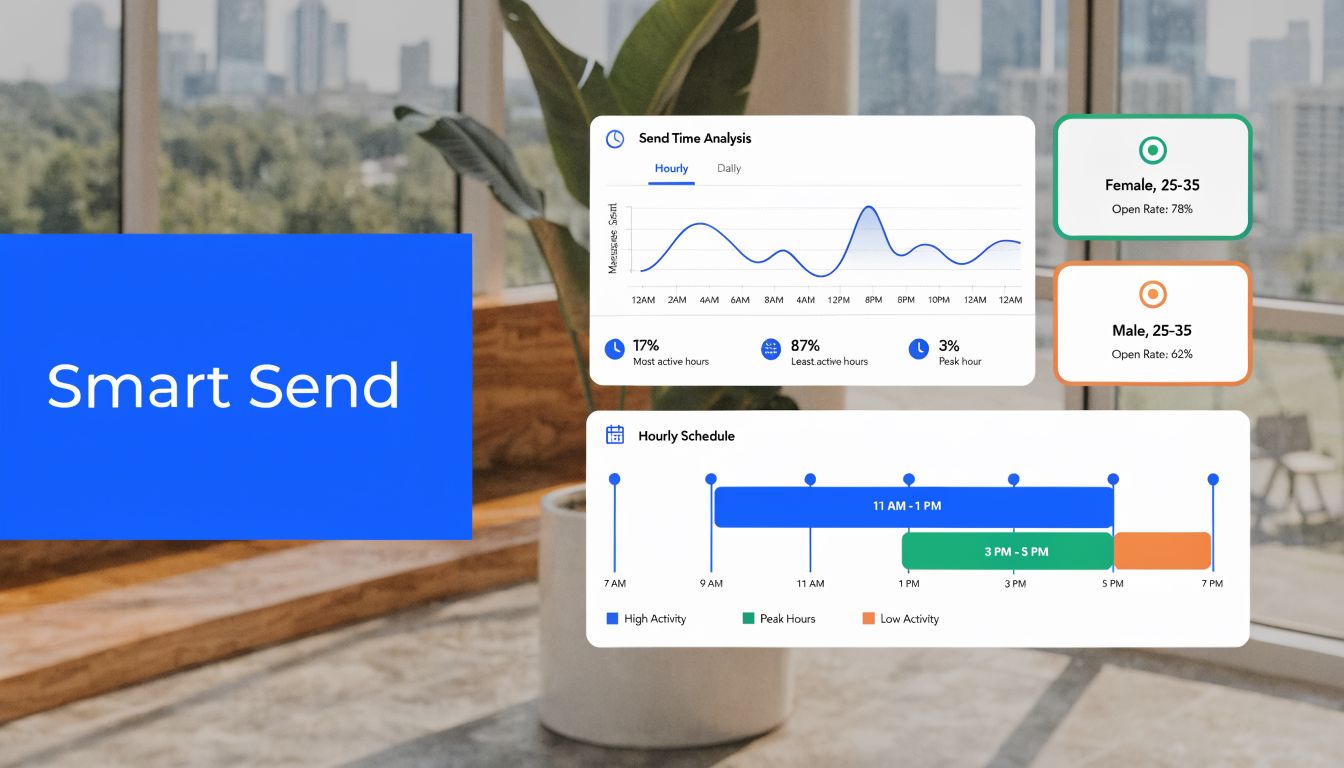
The problem is relevance timing. A fixed send assumes every subscriber wants the same content at the same cadence in the same moment. B2B audiences rarely behave that way. Product marketers, agency operators, founders, consultants, and sales leaders may all subscribe under one brand, but they don’t engage the same way.
Fixed schedules are convenient, not optimal
Behavior-based automation outperforms batch sending because it reacts to actual subscriber signals. Triggered emails achieve 70.5% higher open rates and 152% higher click-through rates than non-automated batch-and-blast messages, according to Landbase’s triggered email benchmark analysis.
That finding matters for rss to email because a feed is only one half of the system. The other half is send logic.
If someone clicks product education content repeatedly, they shouldn’t receive the exact same digest structure as a subscriber who mainly opens market trend roundups. If someone engages late in the week, a fixed Monday morning issue may consistently miss their best attention window.
Personalization starts with feed architecture
A lot of teams jump straight to template personalization. The stronger move is to personalize upstream.
Create separate content lanes based on interest clusters, then map subscribers into those lanes using behavior, signup source, role, or declared preferences. That can mean:
- a product update digest for existing users
- a strategy digest for operators and consultants
- a market intelligence digest for leadership audiences
- a niche vertical digest for a defined segment
This is still rss to email. It’s just organized around intent instead of convenience.
Send fewer, more aligned emails. A subscriber who sees their priorities reflected in the issue usually doesn’t care that a feed helped build it.
Frequency should protect attention
Many teams over-email as soon as automation makes it easy. That’s where fatigue starts.
The same triggered-email benchmark notes that email length and cadence matter. It recommends 50 to 125 words and sending 2 to 3 times weekly to balance engagement while avoiding the 44% unsubscribe rate associated with over-emailing, all in the same Landbase benchmark resource. The exact right cadence depends on audience and content type, but the principle is universal: if your feed volume rises, your send volume shouldn’t automatically rise with it.
That means adding control points such as:
- minimum quality thresholds before a send triggers
- digest rules that combine multiple qualifying items
- suppression windows after recent opens or clicks
- different cadences by segment
A high-output feed should not dictate inbox pressure.
What smart scheduling looks like in practice
A more mature rss to email workflow often follows these rules:
Scheduling rule
Why it helps
Trigger only when enough worthwhile items accumulate
Prevents thin, low-value sends
Delay sends based on recent engagement
Reduces fatigue for active subscribers
Segment by interest before scheduling
Improves content relevance
Cap sends within a rolling period
Protects sender reputation and user trust
Promote strongest items to lead position automatically
Preserves editorial hierarchy
Video walkthroughs can help if you’re rethinking your automation logic and want a visual model for send timing and workflow design.
Stop treating all subscribers like one list
List-wide sending is easy to manage, but it buries signal. Once you split subscribers by behavior and content appetite, rss to email becomes much more useful.
A subscriber who opens every tactical teardown may want a denser issue with more links. Another may only want one strong item with a short summary and a clear next step. Personalization doesn’t always mean custom copy. Often it means better content routing and better timing.
What doesn’t work is “set it and forget it.” Good automation still needs policy. You’re deciding who should receive what, under which conditions, and how often. The feeds provide supply. Your scheduling logic determines whether that supply becomes value.
Mastering Deliverability and Proving Your ROI
A functioning rss to email campaign can still fail in two quiet ways. It can miss the inbox, or it can reach the inbox and still remain impossible to justify.
Organizations often notice the first problem only after engagement drops. They notice the second when leadership asks whether the newsletter creates pipeline, qualified conversations, or revenue influence. If all you can show is opens and clicks, the program stays vulnerable.
Deliverability is operational, not cosmetic
Automated newsletters create a special kind of risk. Because the system keeps sending, small quality issues can compound before anyone steps in.
The essentials are familiar, but they matter more in a recurring feed-driven workflow:
- List hygiene
Remove disengaged, invalid, or low-quality contacts before they drag down sender reputation.
- Authentication
Make sure the sending setup is properly authenticated and monitored so mailbox providers trust the mail stream.
- Content consistency
Avoid wild swings in volume, formatting quality, and link behavior from one send to the next.
- Subscription clarity
Keep preference management visible so recipients can reduce volume instead of marking mail as spam.
For a broader operational checklist, Zanfia’s guide on how to improve your email deliverability is a useful companion read. For newsletter-specific guidance, Breaker’s post on email deliverability best practices is also worth bookmarking.
Your best curation work means nothing if mailbox providers stop trusting your stream.
RSS programs need a different ROI model
Many setup tutorials stop too early. For B2B teams, there’s a significant gap in how marketers measure rss-to-email performance for lead generation and revenue, because existing guides focus on setup but don’t provide attribution models or ROI frameworks, according to this analysis of the RSS newsletter measurement gap.
That gap exists because rss to email doesn’t fit neatly into the old campaign model. It’s not always a one-off promotion with one landing page and one conversion event. It’s often a recurring influence channel.
Measure influence at the content-item level
The practical fix is to stop evaluating the newsletter as one undifferentiated asset.
Track performance across three layers:
Measurement layer
What to track
Why it matters
Send level
Opens, clicks, unsubscribes, bounce patterns
Shows email health and send quality
Item level
Which links, themes, and sources generate engagement
Reveals editorial value
Business level
Form fills, demo requests, signups, meetings, influenced opportunities
Connects email behavior to outcomes
UTM discipline is vital. Each featured item should carry tracking that identifies the issue, item position, theme, and source. Once you do that, patterns emerge. You can see which content categories start journeys, which ones support conversion later, and which feeds generate activity but little business value.
Use assisted attribution, not only last touch
Curated newsletters often play an early or mid-funnel role. A subscriber may click an industry analysis piece today, return through direct traffic next week, and book a demo after reading a product page later. If you only count last touch, rss to email will look weaker than it is.
A more realistic model includes:
- first-touch capture when a newsletter introduces the visitor
- assisted influence when newsletter clicks precede later conversion
- segment-level comparison between subscribers and non-subscribers
- source-level performance by feed or content theme
Know what to cut
ROI isn’t just about proving wins. It’s also about identifying waste.
If a feed consistently drives opens but no meaningful downstream activity, it may still have branding value, but you should treat it differently from a feed that drives qualified action. Likewise, if a segment generates repeated unsubscribes after certain issue types, the problem may be fit, cadence, or content mix.
That’s how rss to email becomes manageable. Not by sending more. By turning each send into a measurable editorial and growth decision.
How to Scale Your RSS Newsletter with Breaker
Most newsletter stacks can handle rss to email at a small scale. They can pull a feed, render a template, and send on a schedule. The trouble starts when you need the program to do more than publish.
Scaling means you need one system that can support audience growth, targeting, send quality, and measurement without forcing your team to duct-tape together separate tools. That’s where a platform designed for growth starts to matter.
Scale breaks simple workflows first
The first thing that usually breaks is audience fit. A basic rss workflow can send content. It usually can’t help you build the right list around that content.
That distinction matters because curated newsletters perform best when the people receiving them actually want that category of information. In major markets, curated rss-to-email digests see 40% to 60% open rates, compared with 20% to 30% for promotional emails, according to RSS.app’s rss-to-email benchmarks. The same source notes this becomes especially important when scaling newsletters to 250,000+ sends for B2B audiences.
Those numbers tell you something important. The upside is not in blasting more people. It’s in preserving relevance while volume grows.
Breaker fits the operating model serious teams need
Breaker is built around the idea that a newsletter shouldn’t just distribute content. It should grow a qualified audience and show its business impact.
That changes how rss to email works in practice:
- Audience expansion is built into the platform
Instead of treating subscriber growth as a separate project, Breaker helps teams define an ICP and add engaged, exact-match subscribers using targeting, enrichment, hygiene, and compliance controls.
- The campaign builder supports structured digests
Marketers can move quickly when assembling curated issues, adding links, CTAs, and content without turning every send into a production sprint.
- Analytics are tied to growth outcomes
You’re not stuck digging through scattered reports to understand opens, clicks, subscriber growth, and ROI.
- Deliverability gets first-class attention
TruSend deliverability management and reputation monitoring matter more as send volume rises and as automated workflows become more frequent.
It connects the parts most teams separate
A lot of newsletter operations split the stack into disconnected jobs:
- one tool to send
- another to source subscribers
- another to clean data
- another to monitor engagement
- another to explain performance internally
That separation slows learning. It also creates blind spots.
Breaker works better as a command center for rss to email because the editorial workflow, targeting logic, and performance visibility live closer together. If one feed category attracts the right readers but another drives low engagement, you can respond faster. If one segment expands well but underperforms in clicks, you can adjust the content mix or send policy before list quality erodes.
A practical way to think about it is this:
Growth layer
What basic tools do
What a growth platform should do
Content ingestion
Pull feed items
Support curated, usable issue assembly
Audience growth
Capture whoever signs up
Expand toward your ICP
Segmentation
Split lists manually
Route content by fit and behavior
Analytics
Report email metrics
Show newsletter impact on growth and ROI
Deliverability
Send messages
Protect inbox placement while scaling
It also helps when your model changes
Some publishers start with a pure editorial newsletter. Others start with a company newsletter and evolve into media, partnership, or sponsorship plays. If you’re comparing business models for paid audiences and owned newsletters, this breakdown of Patreon vs Substack is helpful because it highlights how platform choice affects monetization and control.
That’s relevant here because rss to email often begins as a simple content distribution tactic, then grows into an asset with acquisition, retention, and monetization value. The infrastructure should support that progression.
Workflow maturity matters more than feature count
The best use of Breaker isn’t “connect feed and forget it.” It’s building a repeatable workflow that reflects the strategy behind your newsletter.
That usually includes:
- a feed library organized by audience and use case
- issue templates that preserve your editorial voice
- subscriber segments tied to content intent
- automation rules that control frequency and timing
- attribution views that show which content themes create business value
If you’re mapping this out from scratch, Breaker’s guide on how to create a workflow is a useful place to structure the system before you automate it.
The advantage is operational focus
Teams don’t need more complexity. They need fewer disconnected decisions.
A serious rss to email program asks for the same things any strong growth channel asks for: quality inputs, controlled distribution, measurable outcomes, and a way to scale without wrecking trust. Breaker’s model is designed around that reality. It combines newsletter sending with automatic list expansion, analytics, and deliverability support so the newsletter can act like a growth engine instead of a side project.
That’s the difference between using rss to email as a convenience feature and using it as a strategic asset.
If you want to turn rss to email into a real growth channel instead of a basic automation, Breaker gives you the pieces that are often absent in standard offerings: scalable sending, ICP-based list expansion, integrated analytics, and deliverability support built for B2B newsletters.
Keep reading
All articlesNewsletter Analytics: Which Metrics Actually Matter in 2026
Open rate and clicks don't predict buyers. Learn the 7-step method to track click depth, recency, and topic affinity for a revenue-predictive intent score.
Newsletter Segmentation Strategy: Increase Engagement in 2026
Build a data-driven newsletter segmentation strategy using behavior, intent score, and topic affinity to lift opens and clicks. Step-by-step guide.
How to Grow Newsletter Subscribers with Qualified Leads in 2026
Discover 8 channels to grow engaged newsletter subscribers in 2026, with real cost-per-engaged-subscriber data to focus your list-building strategy.