
Improve Your Domain Reputation Email Deliverability
Master your domain reputation email score. Discover how providers rank you and get actionable strategies to ensure your B2B emails always reach the inbox.

When it comes to email, your domain reputation is everything. Think of it as a trust score that mailbox providers like Gmail and Outlook assign to you. A great score gets you into the inbox. A poor one sends you straight to spam—or worse, gets you blocked completely.
This score isn't random. It’s built on your entire history of sending emails and, most importantly, how people react to them.
What Is Domain Reputation and Why Does It Matter

Let's use an analogy. Imagine your domain is a brand-new restaurant. The first few emails you send out are your grand opening. Mailbox providers act like the town's toughest food critics, watching every move.
If your first customers (your recipients) love the food (your content), leave positive reviews (open and click your emails), and keep coming back for more, your restaurant's reputation grows. Business booms.
But if those early patrons get food poisoning (mark you as spam), complain to the health department (report your emails), or never come back (high bounce rates), your reputation tanks. Before you know it, no one will even walk through your door. This is exactly how your domain reputation for email works in the real world.
Here's a quick look at the main signals that mailbox providers are watching.
Key Factors Influencing Your Domain Reputation
Factor
What It Means
Why It Matters
Spam Complaints
The percentage of recipients who mark your email as spam.
This is the most damaging signal. A high complaint rate tells providers your content is unwanted.
Recipient Engagement
How users interact with your emails (opens, clicks, replies, forwards).
Positive engagement shows your emails are valuable and desired, boosting your score.
Bounce Rate
The percentage of emails that fail to deliver because the address is invalid.
A high bounce rate suggests poor list hygiene and potentially spammy acquisition tactics.
Sending History
The age and consistency of your domain's email activity.
A new domain with sudden, high-volume sending looks suspicious. A long, stable history builds trust.
Authentication
Proper setup of SPF, DKIM, and DMARC records.
These technical standards prove you are who you say you are, preventing spoofing and phishing.
Ultimately, these factors all feed into one simple question that providers ask about every email you send.
The Shift from Technical Signals to User Behavior
For years, the game was mostly technical. If you had your email authentication protocols like SPF, DKIM, and DMARC set up correctly, you were generally seen as a legitimate sender. While those are still non-negotiable foundations, the rules have changed.
Today, mailbox providers care far more about how actual humans interact with your emails. Industry data shows a massive evolution: how recipients behave is now the top factor in deliverability. Engagement rates, spam complaints, and bounce levels have become more important than almost anything else. You can read more about this transformation and its impact on deliverability on UnifyGTM.
Recipient engagement is the new currency of email deliverability. Mailbox providers are asking a simple question with every email you send: "Does the user actually want this?" How they answer determines your fate.
This shift has huge implications, especially for B2B marketers. It’s no longer good enough to just have a technically sound sending setup. Your success now rides on your ability to earn positive engagement with every single campaign.
Why Your B2B Newsletter Is at Risk
B2B newsletters are uniquely vulnerable to reputation damage, and it’s important to understand why.
- List Attrition: In the B2B world, people change jobs all the time. This leads to a naturally higher rate of invalid email addresses and hard bounces if you aren't cleaning your lists constantly.
- Lower Engagement Signals: A busy executive might find your newsletter valuable and read it, but they may not have time to click links. This can send a weaker positive signal compared to a B2C email offering a discount.
- High Stakes: For B2B, every email that lands in spam is a lost opportunity. It’s a missed sales conversation, a lost lead nurturing touchpoint, and a potential loss of revenue.
For any B2B growth team, protecting your domain reputation for email isn't just a technical chore—it's a critical business function. A damaged reputation can silently sabotage your entire marketing funnel, making every other effort you put in far less effective.
How Mailbox Providers Judge Your Sender Score
Think of mailbox providers like Gmail and Microsoft 365 as the gatekeepers of your audience’s inbox. They have one job: protect their users from spam. To do that, they build a detailed profile on you as a sender, deciding whether your emails belong in the inbox or the junk folder.
Understanding how they judge you is the key to improving your domain reputation for email. It’s a bit like getting a loan. A bank doesn’t just look at one number; it considers your credit history, income, and existing debts. In the same way, mailbox providers analyze a few key pillars to decide if you’re trustworthy.
The Three Pillars of Sender Judgment
Mailbox providers assess your reputation by looking at three core areas. Each one tells a different part of your story and influences their final verdict.
- Technical Authentication: This is your basic ID check. Protocols like SPF, DKIM, and DMARC are there to prove you are who you say you are. If you fail this step, it’s like showing up to the airport without an ID—you’re not getting on the plane.
- Historical Sending Data: This is your track record. Providers look at the age of your domain, how many emails you send, and how consistent that volume is. A brand-new domain that suddenly blasts out 50,000 emails on day one looks incredibly suspicious.
- Recipient Engagement: This is the big one. It's essentially the public review of your emails, based entirely on how your subscribers interact with them. Positive signals like opens and clicks build trust, while negative signals like spam complaints tear it down fast.
These three elements work together, but their weight isn't equal. Technical checks are the cost of entry, but it's the engagement from your readers that truly defines your reputation.
The Restaurant Analogy for Domain Reputation
To put this in perspective, let's use a restaurant analogy.
Think of your technical authentication (SPF, DKIM, DMARC) as your health and safety inspection. It's a non-negotiable requirement just to open your doors. Nobody wants to eat at a restaurant that fails its health inspection, and no mailbox provider will deliver an email that fails authentication.
Your historical sending data is like your restaurant's operating history. Have you been in business for years with a steady flow of happy customers? Or did you just appear overnight and try to serve a thousand people at once? Stability builds confidence.
But the real measure of your restaurant’s success comes down to customer reviews. This is your recipient engagement. Positive reviews (opens, clicks, replies) tell the world your food is great. Negative reviews (spam complaints, deletes without opening) are a huge red flag telling everyone else to stay away.
Even if you pass your health inspection with flying colors, a flood of terrible customer reviews will eventually shut you down.
This is why building a strong domain reputation for email requires more than just a technical checkup. You have to consistently deliver content that your audience actually wants. To dive deeper into this topic, you can learn more about how a sender score is calculated and its impact on your campaigns.
At the end of the day, satisfying the algorithms of Gmail and Outlook is less about technical perfection and more about earning a real relationship with your subscribers, one email at a time.
Building a Strong Foundation with Email Authentication
Before you can build a stellar domain reputation for email, you have to prove you are who you say you are. This is where email authentication comes in. It’s the non-negotiable first step that acts as your domain’s official ID, signaling to mailbox providers like Gmail and Microsoft that your emails are legitimate and not from a phisher impersonating you.
Think of it as the security system for your house. It’s what verifies your identity at the front door and stops impostors from getting inside. Without it, anyone could claim to be you, wrecking your credibility and destroying the trust you’ve worked so hard to build. For email, this is handled by a trio of technical standards that work together to lock down your sending identity.
The Three Pillars of Authentication
To secure your domain, you need to implement three key protocols. Each one has a distinct job, but they all work together to verify that your emails are authentic.
- SPF (Sender Policy Framework): This is basically a public guest list for your domain. Your SPF record tells the world which IP addresses are authorized to send emails on your behalf. When a receiving server gets an email from you, it checks the sender's IP against this list. If it's not on the list, it’s an immediate red flag.
- DKIM (DomainKeys Identified Mail): This works like a tamper-proof digital seal on your message. DKIM attaches a unique, encrypted signature to every email. The receiving server then uses a public key to confirm that the email hasn't been altered on its way to the recipient, guaranteeing its integrity.
- DMARC (Domain-based Message Authentication, Reporting & Conformance): DMARC is the enforcer that ties SPF and DKIM together. It’s like the head of security who gives instructions based on the ID checks at the door. You set a policy telling providers exactly what to do with any email that fails SPF or DKIM—monitor it, send it to spam (quarantine), or reject it outright.
These protocols aren't just "nice-to-have" features. They’re the first hurdle you have to clear to build trust with ISPs. Without them, your path to the inbox is blocked before you even start.
Why Authentication Is Your First Priority
Getting your authentication right is the bedrock of a solid domain reputation email strategy. It directly proves your legitimacy and, more importantly, protects your brand from being used in phishing and spoofing attacks that can instantly poison your reputation. An unauthenticated domain is an open invitation for spammers to abuse your good name.
DMARC, in particular, is critical. Not only does it enforce your security policies, but it also sends back valuable reports that give you visibility into who is sending email from your domain—whether it's your own team or a malicious actor.
This technical layer is non-negotiable for modern email marketing. To solidify your domain's sending legitimacy and protect against spoofing, implementing strong email authentication protocols is essential. You can dive deeper into these measures and other vital aspects of security by reviewing essential email security best practices.
Fortunately, platforms like Breaker handle much of this complexity behind the scenes. They ensure your emails are correctly authenticated from day one, letting you focus on high-level strategy—like crafting great content and building an engaged audience—instead of getting lost in technical configurations. By getting this foundational step right, you create the secure, trusted base needed for long-term deliverability success.
Why List Hygiene Is Critical for Your Domain Reputation
Once your domain is secured with authentication, it’s time to turn your attention to the single most important factor shaping your domain reputation for email: your contact list. Think of your email list as the fuel for your sending engine. Put in clean, high-quality fuel, and it runs smoothly. Use dirty, contaminated fuel, and the whole system clogs up and eventually breaks down.
Sending emails to invalid or dead addresses is one of the fastest ways to tank your sender score. This tells mailbox providers like Gmail and Microsoft that you either bought a sketchy list or you simply don’t care about maintaining your data. In their eyes, that behavior is indistinguishable from a spammer, and they’ll treat your domain accordingly.
The Destructive Power of a High Bounce Rate
When an email can't be delivered, it "bounces." But not all bounces are created equal, and knowing the difference is vital for protecting your domain.
- Soft Bounces: These are temporary delivery failures. Maybe the recipient's inbox is full or their server is down for a bit. While not great, they are far less damaging.
- Hard Bounces: These are permanent failures. The email address is fake, misspelled, or has been shut down. Hard bounces are toxic to your domain reputation.
Every single hard bounce sends a direct signal to mailbox providers that you’re sending to people who can't possibly receive your message. A high hard bounce rate is a massive red flag—even more damaging than low open rates. It screams that you don't know who you're emailing, which is a classic spammer move. A single campaign sent to an old, unverified list can rack up enough hard bounces to destroy months of hard work.
While the technical protocols below prove you are who you say you are, your bounce rate proves your intentions are professional.
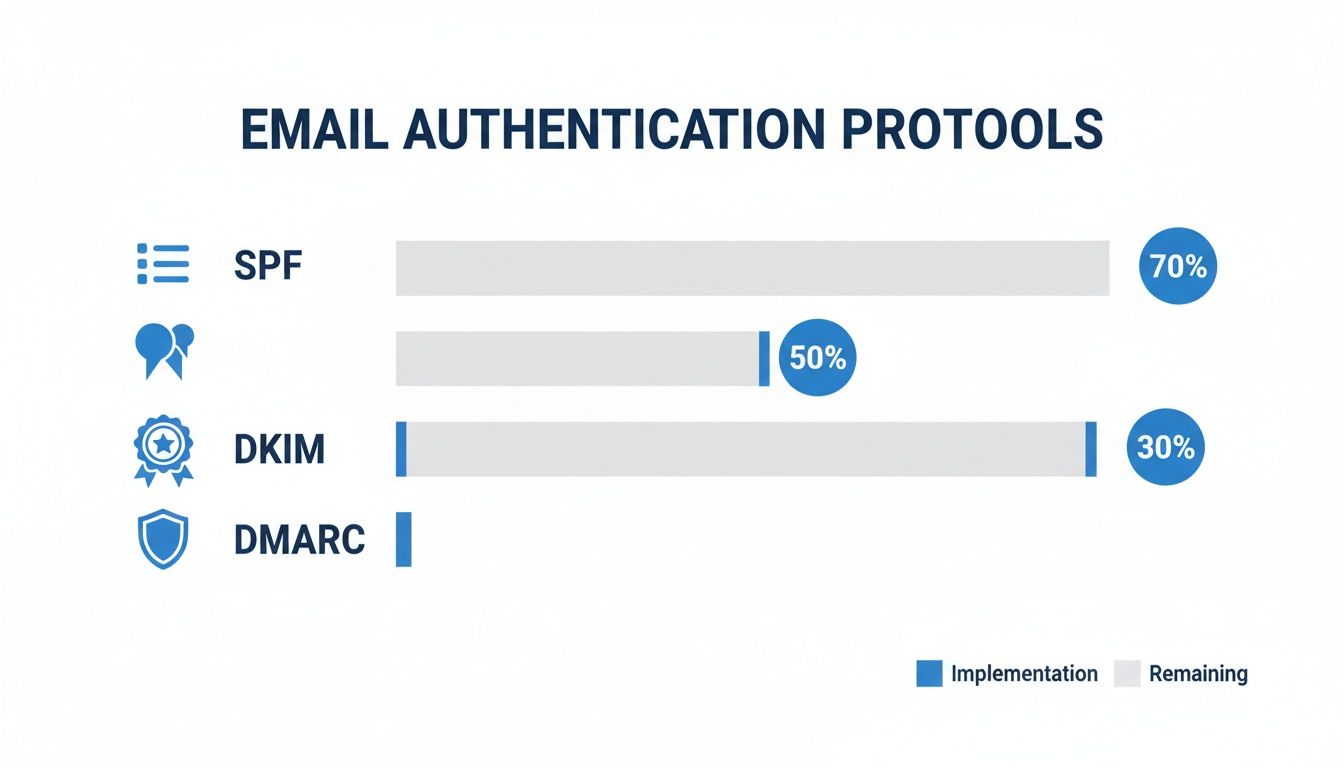
Think of it this way: SPF, DKIM, and DMARC are your ID. Your bounce rate is your character reference.
Why List Quality Beats Sending Volume Every Time
It’s a common trap for marketers to think a bigger list automatically means better results. The data shows the exact opposite is true. Time and effort invested in the quality of your list will always deliver a better return than just blasting out more emails. A smaller, highly engaged list will consistently outperform a massive, unverified one—and it will protect your ability to send emails in the first place.
Here’s a quick look at how the quality of your list directly impacts your results and reputation.
Impact of List Quality on Campaign Performance
List Type
Typical Bounce Rate
Expected Reply Rate
Impact on Domain Reputation
Verified & Engaged List
Below 1%
5% - 10%
Positive: Builds trust and inbox placement.
Unverified/Old List
5% - 15%
1% - 2%
Negative: Triggers spam filters and blacklists.
Purchased List
20%+
Below 1%
Severe: Can quickly destroy domain reputation.
As you can see, the source of your list has a dramatic effect. Verified lists not only protect you but also generate far better engagement.
Industry data makes this crystal clear. The average sender has a bounce rate around 5.1%, but top-performing teams keep theirs under 1.5% with obsessive hygiene. Frighteningly, a single campaign that pushes your hard bounce rate over just 2% can be enough to get your domain blacklisted, wiping out months of progress.
A single contaminated list can poison a domain's reputation for months, creating a domino effect that impacts all future sending. Your domain reputation is fundamentally built on the quality of your list, not the volume of your sends.
Actionable Steps for Pristine List Hygiene
Keeping a clean list isn't a one-and-done chore; it's a constant process that’s absolutely essential for a healthy domain reputation email strategy. Building these habits into your workflow is non-negotiable for long-term success.
- Verify Before Every Send: Use an email verification service to scrub your list before you hit send. These tools catch invalid addresses, fake domains, and known spam traps, pulling out the toxic contacts before they can cause a hard bounce.
- Implement Periodic Pruning: Regularly remove subscribers who aren't engaging. If someone hasn't opened an email from you in six months, they're probably not going to convert. Worse, they're sending negative engagement signals that hurt your reputation.
- Use Integrated Hygiene Tools: Modern sending platforms often build deliverability management right into the workflow. This ensures your lists are clean and your reputation is monitored automatically, so you’re always sending from a solid foundation.
By focusing on these proactive steps, you can slash your bounce rate and build genuine trust with mailbox providers. For a more detailed guide, check out our guide on email list hygiene best practices. This commitment to quality is the most effective way to make sure your emails actually land where they're supposed to: the inbox.
Strategic Sending Practices to Improve Your Reputation

Once your authentication is solid and your list is clean, your sending habits move into the spotlight. It turns out how you send is just as crucial as what you send. Mailbox providers are constantly watching your sending patterns to figure out if you're a trustworthy sender or just another spammer in disguise.
This is exactly why "warming up" a new domain is so vital for building a good domain reputation for email. Think of it like making a new friend—you don't lead with your deepest secrets. You build trust over time through small, positive interactions.
The Art of the Domain Warm-Up
A new domain has zero history, which automatically makes mailbox providers suspicious. Blasting thousands of emails from a brand-new domain is a massive red flag and looks exactly like classic spammer behavior. The warm-up process is how you prove you're one of the good guys by starting small and scaling up responsibly.
It’s like introducing yourself to a new neighborhood one house at a time. This methodical approach proves your legitimacy and helps you build a positive sending history right from the start.
The process boils down to a few key steps:
- Start with Your Most Engaged Users: Your first emails should go to a small group of your most active and loyal subscribers. These are the people most likely to open, click, and even reply, which sends immediate positive signals to the inbox providers.
- Gradually Increase Volume: After those first sends get good engagement, you can slowly increase your volume each day. For example, you might start with 50 emails, then go to 100, then 250, and continue doubling your volume as long as your metrics look healthy.
- Monitor Your Metrics Closely: You have to watch your open rates, click rates, and bounce rates like a hawk. If you see high bounces or get spam complaints, hit pause. Figure out what's wrong before you send another email.
A proper warm-up period is your first, best chance to make a good impression on mailbox providers. Rushing this process can lead to immediate deliverability problems that are difficult to undo.
Consistency Is Key to Building Trust
After your domain is warmed up, consistency is your new best friend. Erratic sending schedules—like blasting 50,000 emails on a Monday and then going completely silent for two weeks—look suspicious. Mailbox providers prefer predictable, steady sending patterns because it signals a legitimate, ongoing business.
Try to set a regular schedule for your newsletters, whether it's daily, weekly, or bi-weekly. This consistency builds a reliable sending history, a major factor in maintaining a strong domain reputation for email. Consistent volume shows providers you’re not a "burst" sender, which is a common spammer tactic.
Hyper-Segmentation for Maximum Engagement
Instead of sending the same generic email to your entire list, you need to break it down into smaller, targeted segments. Segmentation is your ticket to sending hyper-relevant content to specific groups based on their interests, past behavior, or other data points.
For a B2B newsletter, you could segment your audience by:
- Job Role: Send specific content to VPs of Sales that's different from what you'd send to marketing managers.
- Industry: Tailor your case studies for prospects in finance versus those in the healthcare sector.
- Engagement Level: Create special offers or re-engagement campaigns for your most active subscribers, and a different set for your least active ones.
Sending more relevant content to smaller groups has a powerful ripple effect. It drives up positive engagement signals like opens and clicks while pushing down negative ones like unsubscribes and spam complaints. This creates a positive feedback loop that constantly reinforces and improves your domain’s reputation over time.
How to Monitor and Troubleshoot Your Domain Reputation
Your domain reputation for email isn't a "set it and forget it" score. Think of it more like a live pulse that goes up or down with every single campaign you send. Staying on top of it means you can spot trouble early, long before it escalates into a full-blown deliverability disaster.
The good news is, you don't have to fly blind. A few powerful tools give you a direct line of sight into how mailbox providers like Google and Microsoft see your domain. By keeping a close eye on these, you can shift from putting out fires to preventing them in the first place.
Key Tools for Monitoring Your Sender Health
Watching your domain reputation is a lot like checking the dashboard on your car during a road trip. You need to know your speed, your fuel level, and whether any warning lights are flashing. These tools are your essential gauges for email deliverability.
- Google Postmaster Tools (GPT): If you send emails to anyone with a Gmail address, this is non-negotiable. GPT is Google’s free dashboard showing you exactly what it thinks of your domain and IP reputation. You get hard data on spam complaints, authentication, and delivery errors. A sudden drop in your domain reputation here is an immediate red flag.
- Microsoft SNDS (Smart Network Data Services): This is Microsoft’s version of Postmaster Tools, giving you a window into your sender health for Outlook, Hotmail, and other Microsoft-powered inboxes. It tracks traffic volume, complaint rates, and the status of your sending IPs.
- Sender Score: Provided by Validity, this tool gives you a simple 0-100 score that acts like a credit score for your email sending. A score above 80 is considered good, but if it dips into the 70s, you can bet that your emails are facing heavier filtering.
Checking these sources regularly gives you a complete picture of your sender health. A spike in spam complaints in GPT or a falling Sender Score are your early warning signals that something in your email process is broken. You can also dig deeper into how IP reputation tracking differs from domain reputation monitoring to get an even clearer view of your deliverability.
A Simple Framework for Troubleshooting
When a warning light comes on in your car, you don't just keep driving and hope for the best—you run a diagnostic. The same logic applies when your domain reputation for email takes a hit. Panicking isn’t a strategy, but having a step-by-step checklist is.
If you notice a drop in your reputation or a dip in your inbox placement, work through this simple troubleshooting process to pinpoint the cause.
- Check for Blacklistings: First things first. Use a tool like MxToolbox to see if your domain or IP landed on any major spam blacklists. Getting listed is a huge red flag, almost always tied to high spam complaints or a security issue.
- Review Campaign Performance Metrics: Dive into the reports from your latest campaigns. Are you seeing a sudden jump in your hard bounce rate (anything over 2%) or your spam complaint rate (anything over 0.1%)? These metrics are direct feedback from recipients and can sink your reputation fast.
- Analyze Your Email Content: Did you change up your subject lines or email template recently? Sometimes, overly aggressive sales copy, click-baity subject lines, or too many images can trip spam filters. Try reverting to a template that you know performed well to see if things improve.
- Verify Your Authentication: Double-check that your SPF, DKIM, and DMARC records are all set up and passing correctly. A sudden authentication failure is a major problem, as it can make your legitimate emails look like a phishing attempt to mailbox providers.
Think of yourself as a deliverability detective. By isolating each variable—blacklists, campaign data, content, and authentication—you can methodically find the culprit and fix the issue before it spirals.
Platforms with this kind of monitoring built-in, like Breaker’s TruSend deliverability management, help streamline the whole process. Getting real-time alerts means you can act on issues the moment they appear, protecting your hard-earned reputation and keeping your emails out of the spam folder.
Frequently Asked Questions About Domain Reputation
Even with a solid strategy in place, you're bound to run into some common questions when you get into the nitty-gritty of domain reputation for email. Getting the answers right from the start helps you make smarter moves and protect your deliverability. Let's clear up some of the most frequent questions we hear from B2B marketers.
What Is the Difference Between IP and Domain Reputation
It helps to think of your IP reputation as your office building and your domain reputation as your company's brand name.
- IP Reputation: This is tied to the server address your emails are sent from. If it gets a bad name, you can technically move. Switching to a new IP is possible, and you can often rebuild its reputation in a matter of weeks. It’s a short-term fix.
- Domain Reputation: This reputation is tied directly to your sending domain (e.g., yourcompany.com) and follows you no matter which email platform or IP address you use. A bad domain reputation is a much bigger deal because it sticks to your brand, and fixing it is a slow, painful process.
While both metrics matter, inbox providers like Google and Microsoft are paying more and more attention to your domain’s long-term behavior. Your domain history tells them who you really are.
A bad IP reputation is a problem, but a bad domain reputation is a crisis. Your domain is your brand's permanent record in the email world, so protecting it has to be your top priority.
How Long Does It Take to Repair a Bad Reputation
Fixing a damaged domain reputation for email is a marathon, not a sprint. It takes patience and a consistent track record of good sending habits. There's no magic button.
The timeline really depends on how bad the damage is. If you have a minor slip-up, like one campaign with a slightly high bounce rate, you might see things improve within a few weeks once you clean up your list and adjust your sending.
But for serious issues—like getting blacklisted or racking up high spam complaints—you could be looking at two to three months, or even longer, to earn back the trust of mailbox providers.
Do I Need a Dedicated Sending Domain
Yes, absolutely. Using a dedicated sending domain, which is usually a subdomain like news.yourcompany.com, is a non-negotiable best practice for B2B marketing. It’s like creating a firewall between your marketing emails and your corporate emails.
This simple step insulates your primary domain (yourcompany.com) from any deliverability hiccups. If a marketing campaign goes sideways and dings your reputation, the damage is contained to the subdomain.
This ensures your team's critical, day-to-day business emails sent from your main domain—the ones to customers, partners, and investors—keep landing in the inbox. It’s a straightforward but powerful way to protect your core business communications.
Breaker combines a powerful newsletter platform with automatic list expansion, helping you turn your B2B newsletter into a reliable engine for growth. Start your 7-day trial and see how it works.
Keep reading
All articlesBreaker Review: AI-Native ESP for Newsletter Growth
An unbiased Breaker review: pricing, features, deliverability data, and who this AI-native email platform fits best for newsletter growth.
Breaker for B2B, SME and Consumer Newsletter Senders
Learn how B2B, SME, and consumer audiences differ in newsletters, plus a framework for segmenting, messaging, and monetizing each without losing relevance.
What Is a B2B Content Engine
Learn what a B2B content engine is, how it differs from a content calendar or strategy, and why it's essential for AI-driven search in 2026.