
My Emails Are Going to Spam: Fix Deliverability Now!
My emails are going to spam, impacting your business. Learn to fix deliverability with our guide on authentication, reputation, and content strategy.
It’s a feeling every marketer dreads. You’ve poured hours into the perfect email campaign, hit send, and then… crickets. A quick check reveals the nightmare scenario: your messages are landing in the spam folder.
Before you panic, know that this is a common battle. Inbox providers like Gmail and Microsoft are constantly updating their filters to block a tidal wave of actual junk mail, and sometimes, legitimate senders get caught in the crossfire. The key is understanding why it's happening and how to fix it.
When your emails look unsolicited, low-quality, or technically unverified, they trigger the same red flags as real spam. To get back to the inbox, you have to prove you’re a trustworthy sender, which means mastering some core email deliverability best practices. This isn’t just about tweaking a subject line; it’s about building a solid foundation of trust with inbox providers.
The Sheer Scale of the Spam Problem
To understand why filters are so aggressive, you need to grasp the sheer volume of email flying around the globe. By 2026, it's projected that 376.4 billion emails will be sent every single day.
Here's the kicker: an astonishing 45.6% of that traffic is pure spam. That means inbox providers are deflecting over 160 billion junk messages daily, which explains why your campaigns face such intense scrutiny.
Your emails aren’t just being judged on their own merit; they're being compared against a constant flood of malicious messages.
Every time you hit 'send,' you're not just communicating with your audience—you're auditioning for inbox providers. Your goal is to prove you're a trustworthy sender, not just another piece of noise in an already crowded space.
The Three Pillars of Email Deliverability
When inbox providers like Gmail, Outlook, and Yahoo scan an incoming email, they look at hundreds of signals. But almost all of them fall into three main categories. Understanding these pillars is the first step to figuring out what’s wrong and how to fix it.
Before diving deep, run these quick checks. These three areas are the most common culprits when your emails suddenly start going to spam.
Quick Diagnostic: Your First Three Checks
Problem Area
What to Check
Quick Fix
Technical Authentication
Are your SPF, DKIM, and DMARC records set up correctly? Use a free online checker.
This is your digital passport. If it's missing or invalid, you look like an imposter. Work with your IT team or ESP to get these DNS records published immediately.
Sender Reputation
Have you checked your sender score on tools like Google Postmaster or SenderScore.org? Look for recent spikes in spam complaints.
A sudden drop often means a bad list segment or a problematic campaign. Pause sending, isolate the issue, and clean your list before resuming.
Content & Engagement
Did you recently change your email template, use spammy-sounding subject lines, or send to a disengaged list segment?
Revert to a previously well-performing template. A/B test subject lines to remove trigger words. Send a re-engagement campaign to a small, active segment first.
These are just the starting points. Now, let’s look at the foundational elements that govern whether you land in the inbox or the spam folder.
These are the main reasons why your emails are going to spam:
- Technical Authentication: Think of this as your email's official ID. Without proper setup (like SPF, DKIM, and DMARC), you don’t look legitimate. It’s the very first and most basic check that providers make.
- Sender Reputation: This is your credit score with inbox providers. It's built over time and is based on your sending history, including spam complaint rates, bounce rates, and how users engage with your emails. A poor reputation is a massive red flag.
- Content and Engagement: This covers everything from the words you use to how people react to your emails. Spammy phrases, misleading subject lines, and consistently low open rates all signal to providers that your content isn't wanted.
Throughout this guide, we'll dive deep into each of these pillars. We'll give you actionable steps to diagnose what's broken and a clear playbook to fix it. By addressing these core elements, you can stop asking, "Why are my emails going to spam?" and start confidently reaching the inbox again.
Build a Rock-Solid Technical Foundation
When your emails start hitting the spam folder, the first place I always look is the technical setup. It's not the most glamorous part of email marketing, but it’s the absolute foundation for everything else.
Think of it like this: email providers like Gmail and Microsoft are the gatekeepers. If you show up without the right credentials, they see you as a stranger and won't let you in. Those credentials are a set of technical standards called email authentication.
Without it, you look suspicious right out of the gate, and your chances of landing in the primary inbox plummet.
What Is Email Authentication?
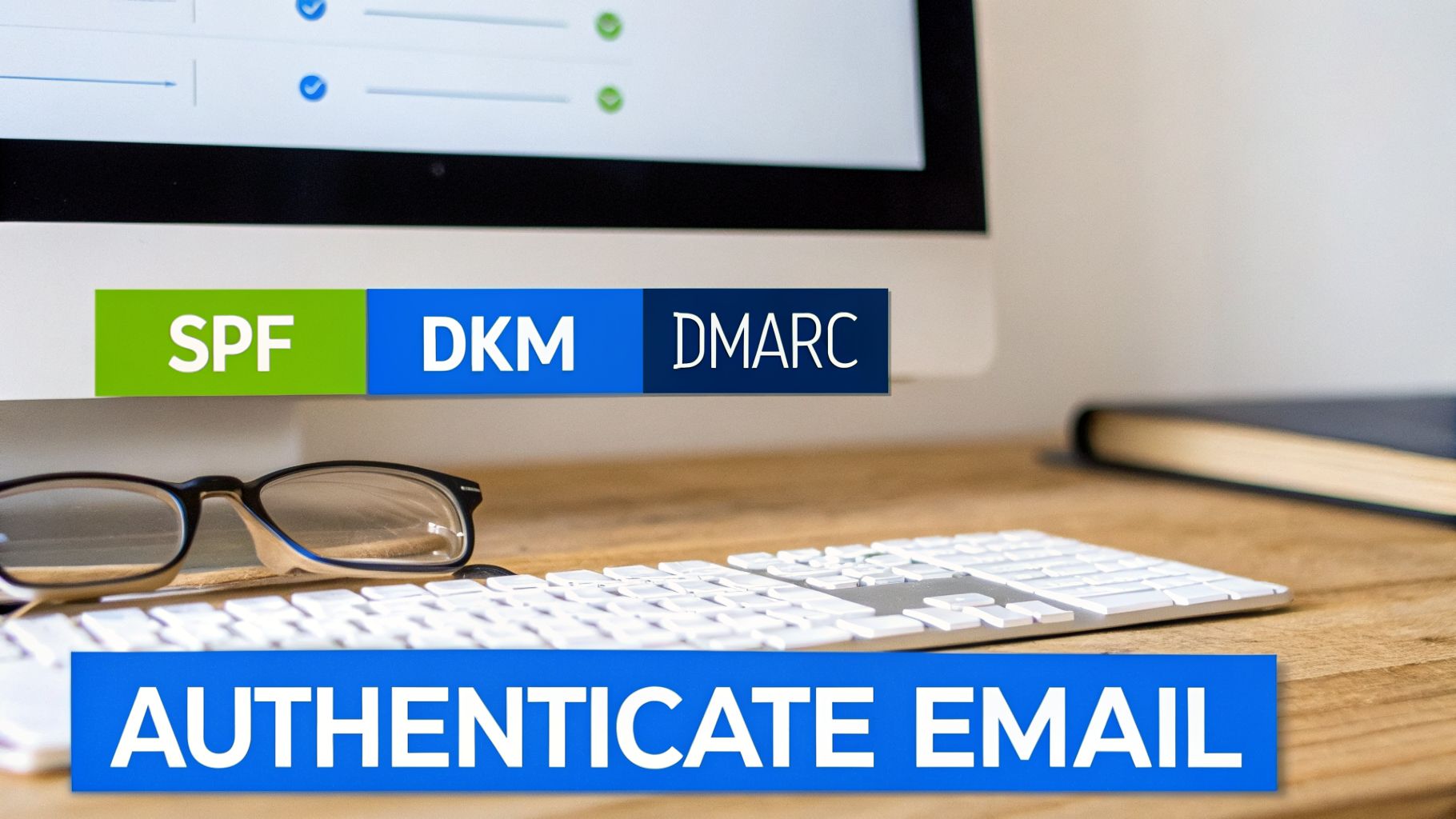
Email authentication is your digital passport. It’s a group of protocols that prove to receiving servers that your emails are actually from you, not a spammer trying to spoof your domain.
There are three key standards you have to get right.
- Sender Policy Framework (SPF): This is basically a guest list you give to the internet. It's a DNS record that lists all the IP addresses authorized to send emails on your domain's behalf. If an email comes from an IP not on the list, it gets flagged.
- DomainKeys Identified Mail (DKIM): Think of this as a tamper-proof seal on a letter. DKIM adds a unique digital signature to every email you send. The receiving server checks this signature to make sure the message hasn't been altered in transit.
- Domain-based Message Authentication, Reporting, and Conformance (DMARC): DMARC is the rulebook that ties SPF and DKIM together. It tells servers what to do if an email fails either of those checks and, just as importantly, sends you reports on what's happening.
These aren't just suggestions. As of early 2024, Google and Yahoo made these authentication methods mandatory for anyone sending bulk email. If you don't have them set up, your deliverability will suffer—period.
The Power of a Strict DMARC Policy
Just having SPF and DKIM isn't enough; you need DMARC to enforce the rules. Your DMARC policy tells inbox providers how to handle emails that fail authentication.
DMARC Policy
What It Means
Recommendation
p=none
Monitoring Mode: Unauthenticated emails still get delivered, but you get reports about them.
A good starting point, but offers zero protection.
p=quarantine
Quarantine: Failed emails are sent to the spam folder.
The necessary middle step toward full security.
p=reject
Reject: Failed emails are blocked entirely and never reach the recipient.
The gold standard. This is your ultimate goal.
Getting to p=reject is the goal. It tells the world that any email claiming to be from your domain that isn't properly authenticated is fraudulent and should be blocked. This one move slams the door on spammers trying to impersonate you and builds massive trust with inbox providers.
A p=reject DMARC policy is the single strongest signal you can send that you're a serious, security-conscious sender. It protects your brand from spoofing and dramatically improves your odds of hitting the inbox.How to Check Your Authentication Status
You don't need to be a developer to see where you stand. There are plenty of free online tools that will instantly check your domain's SPF, DKIM, and DMARC records. This is your first diagnostic step.
If you run a check and find anything missing or misconfigured, that's a huge red flag that needs to be fixed right away. Get with your IT team or email provider to get the correct records published in your DNS settings.
For anyone new to this, our guide offers a deeper dive into email authentication. Honestly, fixing these foundational issues is often the fastest way to see a major improvement in your deliverability.
Protect Your Most Valuable Asset: Your Sender Reputation
If your technical authentication is your digital passport, then your sender reputation is your credit score. It’s that simple. Inbox providers like Gmail and Microsoft are watching everything you do, building a profile that’s tied to your domain and IP address. This score is what ultimately decides if your emails make it to the inbox.
This isn't about one or two campaigns. It's a long-term reflection of your sending habits. A good reputation tells inbox providers you're a trustworthy sender that people actually want to hear from. A bad one gets you labeled as a spammer, making it incredibly difficult to ever escape the junk folder.
Key Factors That Shape Your Reputation
Your sender reputation is built from several critical metrics. When you're trying to figure out why your emails are going to spam, these are the numbers that tell the real story.
- Spam Complaint Rate: This is the most damaging metric of all. When someone manually marks your email as spam, it’s a massive red flag for inbox providers. A rate above 0.1% is a huge problem and will get you into trouble fast.
- Bounce Rate: Hard bounces, which come from invalid or dead email addresses, are toxic. A high hard bounce rate signals that you aren't managing your lists properly and might even be using purchased ones.
- User Engagement: This is where the good news happens. High open rates, click-throughs, and replies show that your audience values your content. Low engagement sends the opposite message.
- Spam Traps: These are pristine email addresses planted by anti-spam services to catch senders who scrape websites or use old, unhygienic lists. Hitting even a single one is a major problem.
All these factors combine to create the score that dictates your inbox placement. Consistently high engagement builds a rock-solid reputation, while high complaints and bounces can tear it down in no time.
The Dangers of Shared IP Pools
Many email service providers (ESPs) put smaller senders on shared IP addresses to keep costs down. The catch? You're sharing your sending reputation with hundreds, sometimes thousands, of other companies.
If another sender on your shared IP starts acting badly—like blasting a purchased list—their behavior can tank deliverability for everyone. You could be following all the best practices and still land in spam because of a "bad neighbor."
Your sender reputation is like a digital credit score that follows you everywhere. It’s built on trust and can be destroyed in an instant. Protecting it is not optional; it's the core of a successful email program.
This is a real challenge for U.S.-based companies in particular. Out of the top 50 companies most flagged for spam, a staggering 84% are based in the United States. With the U.S. projected to send over 9.7 billion emails daily by 2026—and 8 billion of those being spam—the environment is aggressive. This sheer volume of spam originating from the U.S. poisons shared IP pools and contributes to the 28% of unsubscribes that happen just because an email feels spammy.
How to Monitor Your Sender Reputation
You can't fix a problem you can't see. Monitoring your reputation is non-negotiable, and thankfully, the major inbox providers give you free tools to see how they view your domain.
The most important one by far is Google Postmaster Tools. It gives you a direct line into Gmail's data, showing you:
- IP and Domain Reputation: A clear rating from "Bad" to "High."
- Spam Rate: The percentage of users who reported your emails as spam.
- Authentication: Confirmation that your SPF, DKIM, and DMARC are passing.
- Delivery Errors: Specific reasons why your emails might be getting rejected.
Setting up Google Postmaster Tools is an absolute must. It's the closest thing you'll get to a direct conversation with Gmail about your sending practices. For a deeper dive, you can learn more about what sender reputation scoring is and how it works in our complete guide. By keeping a close eye on these tools, you can spot trouble before it turns into a full-blown deliverability crisis.
Master Your List Health and Email Content

So you’ve perfected your technical authentication and your sender reputation is spotless. But somehow, your emails are still ending up in spam. What gives?
The truth is, inbox providers care about one thing above all else: sending wanted mail to people who asked for it. If your content looks sloppy or your list is a mess, you’re failing their most important test.
Fortunately, you have complete control over who you email and what you send them. Let’s break down how to get these two fundamentals right and keep your emails where they belong—in the inbox.
The Golden Rule: Permission Is Everything
This is the simplest yet most frequently broken rule in email marketing. You absolutely must have explicit permission to email someone. Anything less, and you are, by definition, sending spam. No shortcuts.
Buying email lists is a one-way ticket to deliverability disaster. These lists are a minefield of inactive addresses, spam traps, and people who have no idea who you are. Sending to them guarantees high bounce rates and spam complaints, which will demolish your sender reputation in a heartbeat.
Your email list is not a commodity to be bought; it's a community to be built. Every subscriber should be there because they chose to be, creating a foundation of engagement and trust that spam filters can't ignore.
Keeping Your List Clean and Engaged
A healthy list isn’t just about getting permission; it’s about consistent maintenance. People change jobs, abandon old email accounts, or simply lose interest over time. Regularly cleaning your list isn't just a good idea—it's essential.
Start by segmenting subscribers based on engagement. You need to identify anyone who hasn't opened or clicked an email in the last 90-120 days. Don't just keep blasting them with your regular campaigns; that only drags down your metrics. Instead, run a targeted re-engagement or "sunset" campaign to either win them back or let them go.
On top of that, always use an email validation tool to scrub your list before you send. This simple step weeds out invalid or risky addresses and can slash your hard bounce rate overnight. For a clear walkthrough, check out our guide on how to validate email addresses.
Content That Triggers Spam Filters
Every piece of content you send is under a microscope. Certain words, formats, and linking practices can make your emails look suspiciously like a threat, even with the best intentions.
To put it in perspective, your legitimate campaigns are fighting for inbox space against a flood of scams. You need to do everything you can to prove you're one of the good guys.
To avoid being mistaken for a threat, steer clear of these common content mistakes:
- Deceptive Subject Lines: Never use "Re:" or "Fwd:" to fake a prior conversation. It’s a classic spam tactic that erodes trust and alerts filters.
- Spammy Trigger Words: Overusing words like "Free," "Act Now," or "Limited Time Offer"—especially in all caps—is a major red flag.
- Image-Only Emails: Emails made of one giant image are a huge red flag for spam filters, as it’s a common trick to hide malicious text. Always maintain a healthy text-to-image ratio.
- Sketchy Links: Using generic URL shorteners can look suspicious. Stick to your full domain for links or use a reputable branded shortener to maintain trust.
One of the most powerful changes you can make is implementing best practices for email subject lines. Your subject line is the first impression you make, and it's a critical signal to both your subscribers and the filters.
By focusing on building a permission-based list and creating valuable, thoughtful content, you're doing more than just dodging spam filters. You're building a loyal, engaged audience that actually wants to hear from you.
Implement a Smarter Sending Strategy
Your sending habits are telling inbox providers a story about you. If your sending patterns are all over the place—with sudden spikes in volume and no real rhythm—you’re raising major red flags. This is where so many marketers trip up, asking, "My emails are going to spam, what changed?" More often than not, the answer is in your sending cadence.
Building a smart, sustainable sending strategy is one of the most important things you can do for long-term deliverability. It’s not just about hitting "send." It's about proving to Gmail and Outlook that you're a predictable, trustworthy sender whose messages your audience actually wants to receive.
The Critical IP and Domain Warm-Up Process
If you’re launching a new domain or IP address, you absolutely cannot blast out 50,000 emails on day one. That’s a one-way ticket to the spam folder and a quick way to burn your reputation before you even get started. You have to "warm up" your sending infrastructure by increasing your email volume gradually over time.
Think of it like building a credit score. You start with small, consistent actions to prove you're reliable. This warm-up period gives inbox providers a chance to watch your early sending behavior and, hopefully, see positive engagement signals—like opens and clicks—from your most loyal subscribers.
A proper warm-up always starts with your most engaged users. These are your brand champions, the people who are almost guaranteed to open and interact with your emails. Their positive engagement sends all the right signals back to the inbox providers, building that initial layer of trust.
Rushing the warm-up process is like skipping the foundation when building a house. You might see some quick wins, but the whole thing will eventually come crashing down. Patience here pays off tenfold in your future deliverability.
Sample Warm-Up Schedule
Every sender's situation is a bit different, but a typical warm-up schedule follows a similar pattern. The name of the game is a gradual increase in volume, which you’ll adjust based on your list size and how your subscribers are responding.
Day
Sending Volume
Subscriber Segment
Day 1-2
50 - 100 emails/day
Your most active subscribers (opened/clicked in the last 30 days)
Day 3-4
200 - 500 emails/day
Expand to subscribers active in the last 60 days
Day 5-7
1,000 - 2,500 emails/day
Continue adding segments of recently engaged users
Week 2
Double volume every 2-3 days
Monitor spam complaint and bounce rates closely
Week 3-4
Continue gradual increases
Slowly introduce less-engaged segments while maintaining positive metrics
During this entire process, you need to be glued to your metrics in tools like Google Postmaster Tools. If you spot a spike in spam complaints or a jump in your bounce rate, hit the brakes immediately. Pause your sends, figure out what went wrong, and scale back your volume before you try again.
Send Smarter with Engagement-Based Segmentation
The principles of a good warm-up don't just disappear once your IP is fully seasoned. The most successful email programs are the ones that constantly use engagement data to guide their sending strategy.
This means you can’t treat every subscriber the same.
- Your Superfans (Engaged in last 30 days): These are your most valuable subscribers. Send them your best stuff and communicate with them frequently. They form the foundation of your sender reputation.
- Active Subscribers (Engaged in last 31-90 days): This is your healthy, core group. Keep them in the loop with consistent, valuable content to maintain their interest.
- Passive Subscribers (Engaged in last 91-180 days): Proceed with caution. Send to this segment less often. Targeted re-engagement campaigns designed to win them back are a great idea here.
- Inactive Subscribers (No engagement in 180+ days): Stop sending to these people in your regular campaigns. Move them to a suppression list to protect your reputation from the dead weight.
Adopting this approach does more than just help you fix the "my emails are going to spam" problem—it also provides a massive boost to your campaign ROI. When you focus your energy on the people who actually want to hear from you, you stop wasting sends and start building a more profitable, engaged email list.
Your Recovery Playbook From Spam to Inbox
Once you’ve figured out why your emails are hitting the spam folder, it’s time to move from diagnosis to action. This is your playbook for digging out of the junk folder and methodically rebuilding trust with inbox providers like Google and Microsoft.
The first move is always the hardest, but it's non-negotiable: stop all active campaigns immediately.
Continuing to send while your deliverability is shot only makes the problem worse. Hitting pause stops you from digging a deeper hole with your sender reputation and gives you the breathing room to do a proper audit. Go back through the issues we’ve covered—authentication, list health, content—and pinpoint every weak link. This turns a frantic crisis into a manageable project.
The Immediate Audit and Fix
With your campaigns on hold, your first job is to tackle the root causes. This isn't about slapping on a band-aid; it's about fixing the foundation.
- Authentication Check: Double-check that your SPF, DKIM, and DMARC records aren’t just set up, but are configured correctly and aligned. Your ultimate goal should be a
p=rejectDMARC policy. - Reputation Review: Get into Google Postmaster Tools. Look at your spam complaint rates and reputation scores to see exactly which campaigns or segments did the most damage.
- List Hygiene Deep Clean: This is where you have to be ruthless. Run your entire list through a validation service and cut out all the invalid addresses. Just as important, remove unengaged subscribers who haven't opened an email from you in over 90 days.
This initial cleanup is what sets the stage for a real recovery. You can’t build a good reputation on a broken foundation.
Recovering from a deliverability crisis is a test of discipline. It’s about having the patience to stop, diagnose, and fix the underlying issues before you even think about hitting 'send' again. Rushing this process will only lead you back to the spam folder.
After you’ve made these initial fixes, you can start to think about sending again—but carefully. This means a strategic warm-up plan. This process flow shows a simple but powerful way to approach it.
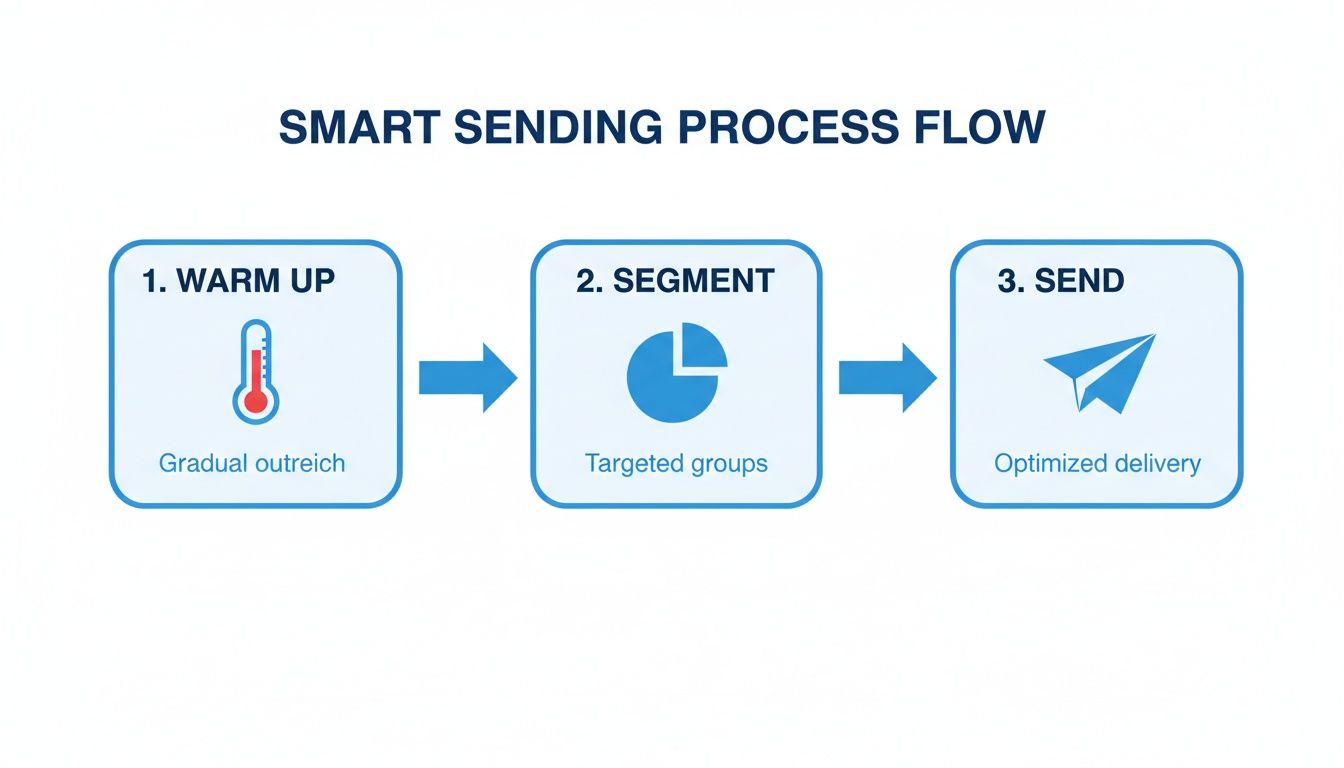
As you can see, a solid sending strategy starts with a gradual warm-up, followed by smart segmentation, before you even think about resuming your normal volume. This structured approach proves to inbox providers that you’re a good sender, which is key to rebuilding your reputation.
Your 30-Day Deliverability Recovery Plan
Getting back into the inbox isn't a quick fix; it's a deliberate, week-by-week effort. Use this 30-day plan as your guide to get from a spam folder crisis back to solid inbox placement.
This table breaks down the process into focused, weekly tasks with clear goals to keep you on track.
30-Day Deliverability Recovery Plan
Week
Focus Area
Key Actions
Success Metric
Week 1
Audit & Pause
Halt all campaigns. Fix authentication (SPF/DKIM/DMARC). Clean your entire email list with a validation service.
Hard bounce rate under 1%. DMARC passes 100%.
Week 2
Warm-Up Part 1
Begin sending to your most engaged segment (last 30 days). Keep volume extremely low (50-200 sends/day).
Spam complaint rate below 0.05%. High open rates (>30%).
Week 3
Warm-Up Part 2
Gradually increase volume. Slowly add subscribers who engaged in the last 60-90 days. Monitor metrics daily.
Stable, high open rates. Reputation in Google Postmaster improves to "Medium" or "High".
Week 4
Stabilization
Continue increasing volume. Reintroduce more segments while ensuring metrics remain strong.
Consistent inbox placement across major providers (use an inbox placement test).
Think of this 30-day plan not just as a way to fix a problem, but as a way to build better sending habits for the long run. By prioritizing engagement and quality over sheer volume, you can turn a deliverability nightmare into a major win for your entire email program.
Frequently Asked Questions
Even with the best playbook, you're bound to have a few nagging questions. Let's tackle some of the most common ones we hear from marketers who are deep in the deliverability trenches, trying to get back into the inbox.
How Long Does It Take to Fix Deliverability Issues?
The honest answer? It depends on the damage. If you’re just dealing with a few simple mistakes, like a spammy subject line or a broken link, you could see your open rates bounce back within a few days.
But if your sender reputation has taken a serious hit or you’ve landed on a blocklist, you’re in for a longer haul. You’ll need to prove you’ve changed your ways, and that takes time. Expect it to take 2-4 weeks of consistent, healthy sending to rebuild that trust with major inbox providers like Gmail and Outlook.
Will Switching Email Platforms Fix My Emails Going to Spam?
It's a tempting thought, but usually, no. Your email service provider (ESP) is just the tool; it's not a magic fix. If your problems are rooted in a bad domain reputation, a purchased list, or consistently weak content, those issues will absolutely follow you to a new platform.
Switching ESPs without fixing your sending habits is like getting a new gym membership but never changing your diet. You have to address the root cause to see any real results.
With that said, migrating to a platform with stronger deliverability infrastructure and better monitoring tools can give you the visibility and support you need to make a successful recovery.
Can I Get Permanently Blocked from an Inbox Provider Like Gmail?
Getting permanently blocked is the email marketing equivalent of a life sentence. It’s incredibly rare, but it can happen to the worst offenders—think malicious spammers who repeatedly ignore warnings and best practices.
What’s far more common is getting heavily throttled or having all of your mail filtered directly to spam by default. The key is to be proactive. If you spot deliverability issues, address them immediately and show the inbox providers you're a responsible sender long before things escalate to that point.
Stop wondering why your emails go to spam and start landing in the inbox. Breaker combines powerful sending with automatic list growth and built-in deliverability tools like TruSend to protect your reputation. See how Breaker can turn your newsletter into a reliable growth engine by visiting https://joinbreaker.ai.
Keep reading
All articlesBreaker for B2B, SME and Consumer Newsletter Senders
Learn how B2B, SME, and consumer audiences differ in newsletters, plus a framework for segmenting, messaging, and monetizing each without losing relevance.
What Is a B2B Content Engine
Learn what a B2B content engine is, how it differs from a content calendar or strategy, and why it's essential for AI-driven search in 2026.
8 Best Email Tracking Software Tools in 2026
Compare 8 top email tracking tools for 2026, how tracking pixels work, and why Apple's privacy rules make open rates unreliable. See our top pick.