
Mailing List Cleaning Services: Boost Your Email ROI
Boost deliverability, engagement, & ROI with mailing list cleaning services. Explore our 2026 guide for DIY checks, vendor evaluation, and automated solutions.
You're probably looking at a list that used to perform better than it does now.
Campaigns still go out on schedule. The copy is fine. The offer is solid. But open rates soften, bounce rates creep up, and each send feels less efficient than the last. Many react by rewriting subject lines or changing send times. Sometimes that helps. Often it doesn't, because the underlying problem sits underneath the campaign itself.
A dirty list acts like friction inside the whole email program. It wastes send volume, drags down engagement metrics, and weakens sender reputation with mailbox providers. That's why mailing list cleaning services matter. They're not just utilities for deleting bad records. They're part of how serious marketers protect inbox placement and preserve ROI.
What Are Mailing List Cleaning Services
Mailing list cleaning services are tools and workflows that verify, remove, suppress, or segment risky email addresses before those addresses hurt your performance. Think of list cleaning like a tune-up for your database. The point isn't to make the list look tidy. The point is to keep the engine running efficiently.
A healthy list usually excludes obvious failures like invalid addresses and malformed entries. It also deals with less visible problems, including typo domains, disposable inboxes, spam-trap risk, duplicate contacts, and subscribers who haven't shown intent in a long time. If those records stay in circulation, every campaign gets noisier.
What these services actually clean
At a practical level, mailing list cleaning services focus on a few categories:
- Invalid addresses that can't receive mail at all.
- Misspelled entries such as domain typos introduced through forms or manual imports.
- Disposable or low-trust addresses that rarely turn into durable subscribers.
- Role-based addresses like shared inboxes that often create weak engagement signals.
- Inactive contacts that may need re-engagement, quarantine, or suppression.
The important distinction is that cleaning isn't always deletion. Good operators don't throw away every questionable contact. They classify records so the team can decide whether to send, suppress, or try a lower-risk reactivation path.
Practical rule: If a contact isn't helping you reach the inbox or generate revenue, it should not stay in your primary send pool by default.
Why this became standard practice
List hygiene used to be expensive enough that many teams treated it as occasional cleanup. That changed when verification became automated. One market guide says traditional data brokers charge 4 to 8 cents per contact, or $400 to $800 for 10,000 contacts, while some modern automated services cost about $50 for 10,000 contacts, which compresses verification costs by more than 80% compared with broker pricing (market guide on email list cleaning economics).
That cost shift changed behavior. What was once manual scrubbing turned into routine maintenance. For growth teams, that's a major change because the economics now support frequent cleaning instead of one-off rescue projects.
What list cleaning is not
It's not a license to send to cold, low-intent, or poorly sourced records. Verification can tell you whether an address is technically usable. It can't create consent, relevance, or trust.
That's why the best use of mailing list cleaning services is simple. Use them to keep good acquisition channels healthy, stop weak records from polluting your sender reputation, and make sure every campaign starts with a list that deserves to be mailed.
How Email List Verification Works
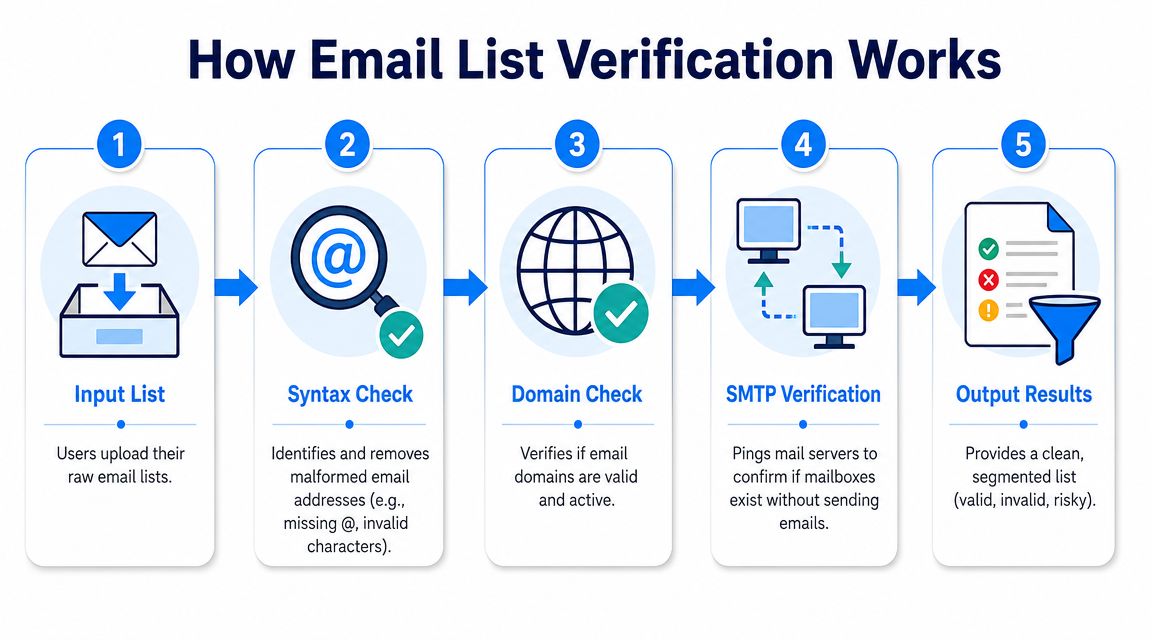
Verification sounds mysterious until you break it into stages. In practice, most systems move from simple checks to more nuanced risk analysis. The goal is to answer one question before you send: Is this address safe enough to include in a live campaign?
Stage one checks format and domain
The first pass catches structural problems. If an address is malformed, there's no reason to spend more processing time on it. This stage flags things like missing symbols, impossible formatting, and obvious domain mistakes.
After that, the verifier checks whether the destination domain is valid and configured to receive mail. During this check, many fake or broken records fail fast. It also becomes evident to marketers how much junk enters through forms, CSV imports, manual event uploads, and partner-sourced lists.
If you want a hands-on reference for what this looks like in a production tool, Mailadept's Email Verification Tool gives a useful example of the validation layers teams usually expect.
Stage two tests mailbox behavior
The next layer is more technical. Verification systems communicate with the receiving mail server without sending a campaign message. The purpose is to learn whether the mailbox appears deliverable.
A domain can be valid while the specific inbox is not. A list full of addresses at real companies can still bounce badly if employees have left, aliases were mistyped, or old records were never updated.
For marketers who need the mechanics in plain language, Breaker's guide to how to validate email addresses is a helpful operational walkthrough.
Some addresses look fine on the surface and still behave like dead weight in a campaign. That's why domain validation alone is never enough.
Stage three applies risk scoring and suppression logic
Stronger vendors distinguish themselves here. Basic tools stop at valid or invalid. Better systems classify addresses by risk and help you decide what to do with each segment.
Typical classifications include:
- Safe contacts that can stay in normal sends.
- Dormant contacts that may belong in a re-engagement flow.
- Toxic contacts that should be suppressed before they touch your sender reputation.
That last point matters a lot in B2B databases. Allegrow notes that contact-level verification is critical because catch-all domains can accept mail for non-existent inboxes, and advanced systems verify catch-all emails at the individual-contact level while applying signal-based risk scoring to classify an address as safe, dormant, or toxic (Allegrow on catch-all verification and risk scoring).
What marketers often miss
Many teams assume a “valid” label means “send freely.” It doesn't. Verification tells you whether delivery is plausible. It does not replace engagement data, complaint monitoring, or consent controls.
That's why the useful output from list verification isn't just a cleaned file. It's a sending decision. Keep, quarantine, re-engage, or suppress. The more clearly a service supports those decisions, the more valuable it is.
The Business Case for Regular List Cleaning
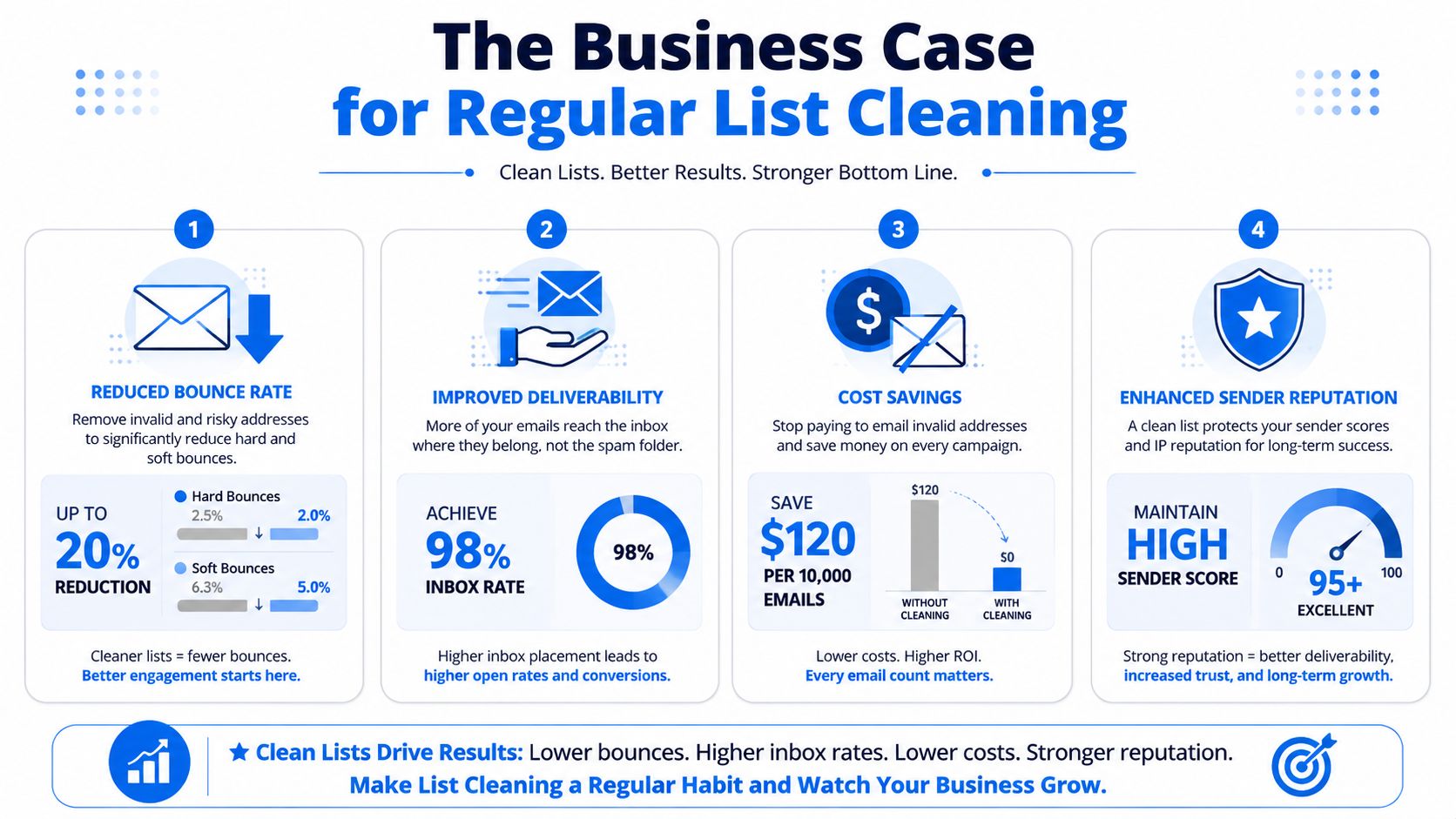
If list cleaning only improved database neatness, it would be easy to postpone. The primary reason to do it is financial. Dirty lists create direct costs and indirect losses at the same time. You pay to send to unusable addresses, and you make it harder for your good mail to reach the inbox.
Inbox placement changes revenue math
One of the clearest reasons to clean regularly is deliverability. An industry guide citing a Return Path study says senders with list hygiene scores above 95% averaged 97% inbox placement, while those below 85% averaged 76% inbox placement. That 21-point gap is large enough to materially change campaign revenue. The same source also notes that bounce rates above 2% can trigger provider scrutiny, while rates above 5% can lead to throttling, spam filtering, or blacklisting (email list cleaning best practices and deliverability thresholds).
That's the business case in one sentence. A cleaner list doesn't just remove bad contacts. It helps good contacts see your email.
Cost control is part of the ROI
Reputational impact is a significant factor, but cost efficiency is also important. One guide says organizations using thorough cleaning solutions report 35% lower ESP costs, 45% higher open rates, 60% fewer spam complaints, and 80% fewer blacklisting incidents. Those outcomes matter because they affect both top-line campaign performance and the cost of operating the channel.
Here's the practical lens I use with growth teams:
- Fewer wasted sends means you stop paying to email records that can't produce value.
- Better engagement concentration means your most active audience makes up a larger share of each campaign.
- Less complaint and bounce pressure gives your domain a better chance of staying trusted.
- More stable reporting makes optimization easier because your metrics reflect real audience behavior instead of list decay.
For teams using embedded signup flows, this is also where collection quality matters. Tightening intake with tools like seamless Mailchimp form automation helps reduce bad entries before they become a cleanup problem later.
A strong deliverability primer can help when you need to explain this internally. Breaker's article on email deliverability best practices is a good reference for connecting hygiene work to inbox outcomes.
A short explainer is useful if your team needs a visual summary before changing process:
When a list gets dirty, marketers usually blame the campaign. Mailbox providers blame the sender.
A Practical DIY List Hygiene Checklist
You don't need a paid platform to improve list quality today. A lot of the foundational work is operational discipline. If your house is messy, adding another tool won't fix it.
Start with the records you already know are bad
Every campaign gives you cleanup data. Use it.
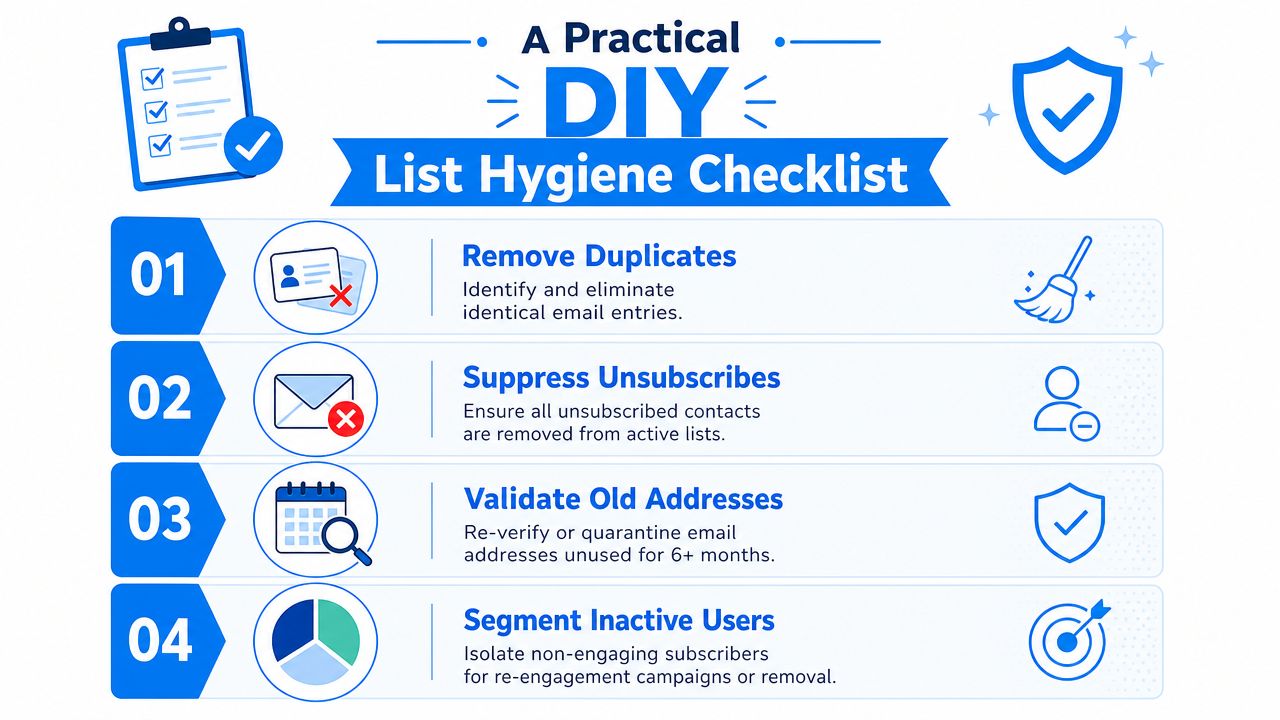
- Remove hard bounces fast. Don't keep retrying permanently undeliverable addresses. If your ESP isn't suppressing them automatically, fix that first.
- Suppress unsubscribes everywhere. Make sure unsubscribed contacts don't survive in side lists, CRM exports, or manual upload files.
- Deduplicate records. Duplicate contacts distort reporting and can create a bad subscriber experience if your workflows aren't perfectly synced.
These actions aren't glamorous, but they stop obvious damage.
Clean collection points before cleaning the database
A surprising amount of list decay starts at acquisition. Forms, imports, partner lists, and sales handoffs often introduce more trouble than the sending platform itself.
Use this checklist:
- Check for typo domains. Review recurring mistakes and correct what's safely fixable.
- Use confirmation steps for new signups. Double opt-in adds friction, but it improves list intent and reduces bad data.
- Protect signup forms from junk entries. Many fake addresses come from low-friction forms and poor validation.
- Review source quality by channel. Webinar leads, events, co-marketing imports, and sales-sourced uploads don't all behave the same.
If your team needs a plain-English primer on suspicious accounts and low-quality identities, understanding what a spam account is helps frame what you're trying to keep out.
Segment inactives instead of mailing them forever
At this stage, many teams hesitate. They're afraid to shrink the list, so they keep sending to people who stopped caring a long time ago. That usually makes the problem worse.
A practical approach looks like this:
- Create an inactive segment. Move non-engagers out of your core send path.
- Run a re-engagement attempt. Give them a clear chance to stay.
- Quarantine old non-responders. Don't let them keep diluting your engagement baseline.
- Remove the ones who never return. The goal is a responsive list, not a flattering one.
A smaller list with clear intent usually outperforms a bigger list full of uncertainty.
DIY hygiene won't replace advanced verification, especially for older B2B databases. But it gives you a cleaner operating baseline. That alone can stop a lot of avoidable deliverability erosion.
How to Evaluate Email Cleaning Vendors
Once you've handled the obvious housekeeping, vendor choice becomes less about flashy dashboards and more about operational fit. The wrong service creates false confidence. The right one fits your list sources, your sending volume, and your workflow discipline.
The criteria that matter most
The first thing to evaluate is classification quality. A service that only says valid or invalid is useful, but limited. In practice, marketers need shades of risk. Catch-all handling, mailbox uncertainty, role account detection, and suppression guidance matter more than a simplistic pass-fail label.
The second is throughput and turnaround. If you process large uploads, speed stops being a convenience and becomes a workflow requirement. Twilio notes one vendor handling up to 150,000 verifications per hour, which shows that high-throughput validation is feasible for teams running large hygiene pipelines. If a vendor can't keep up with your send calendar, the feature set won't save you.
The third is integration depth. Cleaning works better when it's wired into forms, CRMs, and ESPs. A service that forces constant CSV exports often gets used once and forgotten.
Vendor evaluation criteria
Criterion
What to Look For
Why It Matters
Verification depth
Support for syntax checks, domain validation, mailbox verification, and nuanced risk states
Prevents teams from treating every “valid” address as equally safe
Catch-all handling
Contact-level evaluation rather than domain-only assumptions
B2B lists often contain catch-all domains that can hide non-existent inboxes
Processing speed
Turnaround that fits your campaign workflow and list size
Slow processing creates delays and encourages teams to skip hygiene
Integrations
Native connections or dependable API access for forms, CRM, and ESP workflows
Reduces manual exports and keeps bad data from re-entering the system
Reporting
Clear reasons for suppression, segmentation, and risky categories
Helps marketers make send decisions instead of just downloading a cleaned file
Security and compliance
Data handling policies, retention controls, and regional compliance support
Email data is customer data. Mishandling it creates legal and reputational risk
Pricing model
Transparent per-record, credit-based, or subscription pricing
The cheapest plan can become expensive if it doesn't match your usage pattern
Operational fit
Real support for your list sources, campaign rhythm, and team process
A technically strong vendor still fails if the team won't use it consistently
Questions worth asking before you buy
Don't ask only about accuracy claims. Ask how the service behaves in messy real-world conditions.
- How does it classify catch-all addresses?
- What happens to unknown results?
- Can it support both bulk cleaning and form-level validation?
- How long does it retain uploaded data?
- Will marketing ops use it every week, or only during emergencies?
The best vendor is usually not the one with the longest feature list. It's the one that fits how your team collects, validates, suppresses, and sends.
Automating List Hygiene with Breaker
A key challenge with list hygiene isn't understanding it. It's maintaining it without turning marketing ops into a manual cleanup job.
Teams start with good intentions. They clean a list before a launch, suppress obvious bounces, and promise to review inactive segments next month. Then new leads arrive from forms, paid acquisition, webinars, CRM imports, and partner workflows. Without automation, hygiene drifts again.
Why integrated hygiene changes behavior
A separate verification tool can work well, especially when you need bulk cleanup or point-in-time audits. But integrated systems have one big advantage. They reduce the number of moments where a human has to remember to do the right thing.
That matters because list quality problems rarely come from one catastrophic mistake. They come from small repeated misses. Old records stay active. weak inputs pass through forms. risky contacts stay mixed into the main audience. By the time campaign metrics show the damage, the sender reputation issue is already underway.
Where Breaker fits
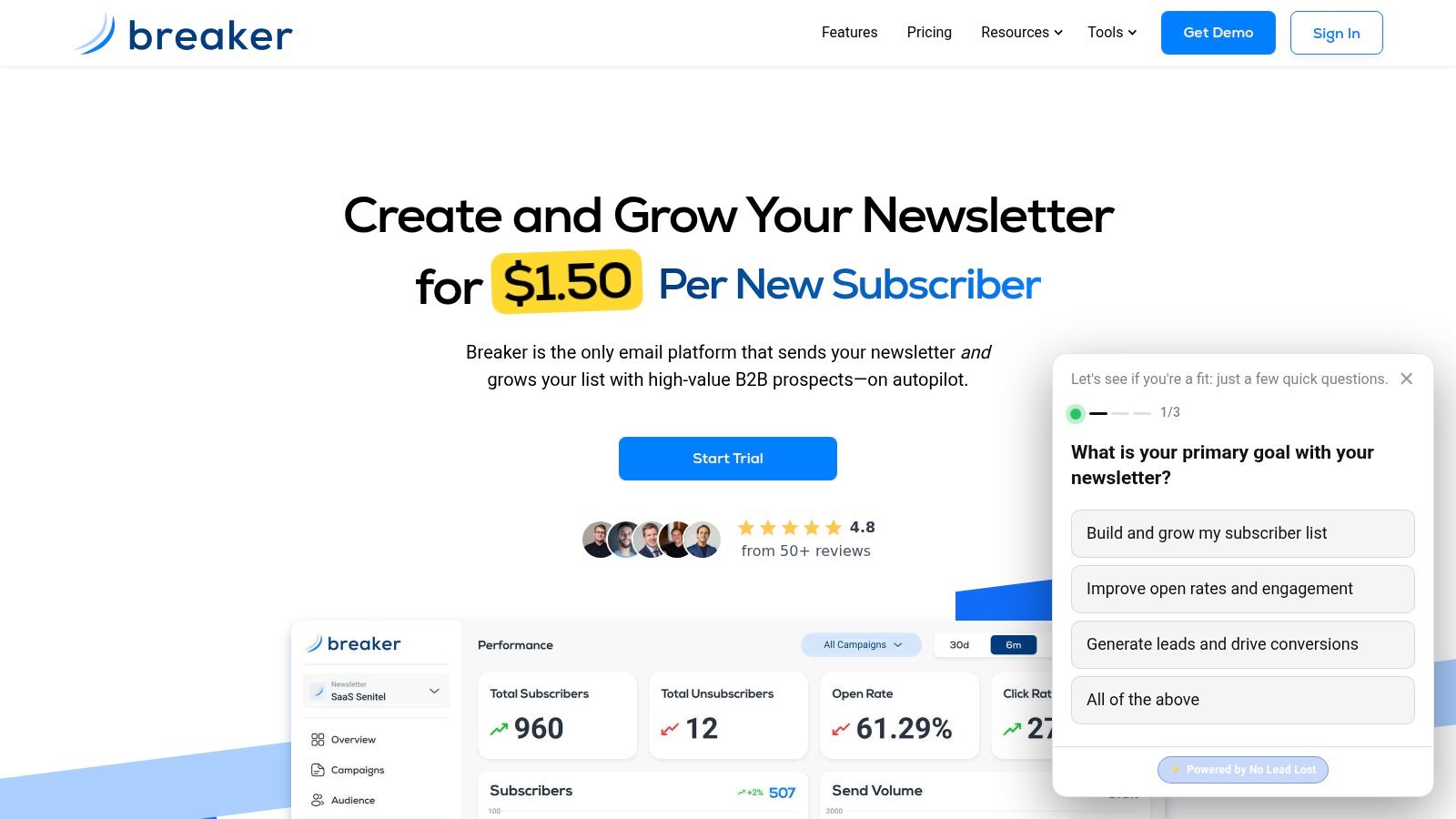
For teams that want this built into the sending environment, Breaker approaches the problem as part of deliverability management rather than as a standalone cleanup utility. Based on the publisher information provided, its TruSend system includes automated data hygiene, validation, and reputation monitoring for subscribers in the platform.
That setup is useful when your operational goal is consistency. Instead of cleaning only before major sends, the system can keep hygiene attached to acquisition and campaign execution. If your team also manages onboarding and nurture logic in-platform, Breaker's guide on how to create a workflow shows the broader automation context around that approach.
What to expect from an automated approach
An automated hygiene layer won't solve bad targeting, poor consent practices, or irrelevant messaging. You still need strong list acquisition and sensible segmentation. But it does help in the places where manual process usually breaks:
- Incoming data gets screened earlier
- Risky records are less likely to reach live sends
- Reputation monitoring stays closer to campaign activity
- Marketers spend less time exporting, cleaning, and re-importing lists
That's the key value. Mailing list cleaning services work best when they become part of the system, not an occasional repair task.
List hygiene is never a one-time fix. It's a recurring control. The more your platform handles that control automatically, the less likely your team is to lose ground between campaigns.
Breaker helps B2B teams run newsletters with built-in deliverability management, automated list hygiene, and subscriber growth workflows in one platform. If you want a sending setup that treats list quality as an ongoing operational layer instead of a periodic cleanup project, take a look at Breaker.
Keep reading
All articlesBuilding Owned Audiences: Move Followers to Your Newsletter in 2026
Social platforms can vanish overnight. Learn how to convert Instagram, TikTok, and YouTube followers into a newsletter list you actually own.
Newsletter Analytics: Which Metrics Actually Matter in 2026
Open rate and clicks don't predict buyers. Learn the 7-step method to track click depth, recency, and topic affinity for a revenue-predictive intent score.
Newsletter Segmentation Strategy: Increase Engagement in 2026
Build a data-driven newsletter segmentation strategy using behavior, intent score, and topic affinity to lift opens and clicks. Step-by-step guide.