
Signup forms
Create an embeddable signup form, pick the Full or Mini style, match your colors, and paste the embed code into your website.
Signup forms let readers subscribe from your own website. Each form you create has its own embed code and its own signup count, so you can tell which page or placement is working.
Open Settings, then the Web tab under Publishing.

The list shows every form with its Name, number of Signups and Created Date. Click a row to edit it. The form named after your archive is created automatically and used on your public archive page, so it cannot be deleted. See Web publishing.
Create a form
Click New Signup Form (top right).
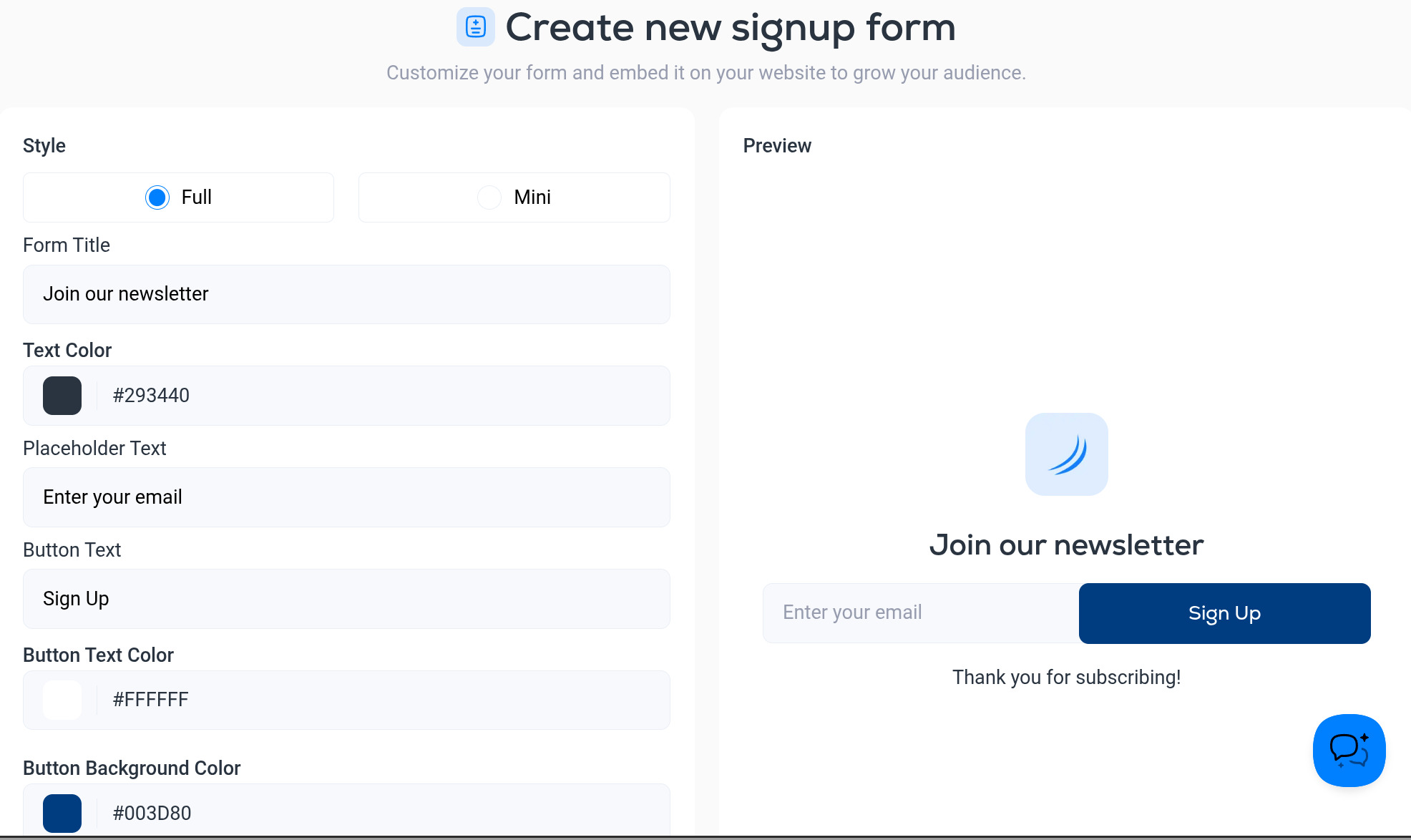
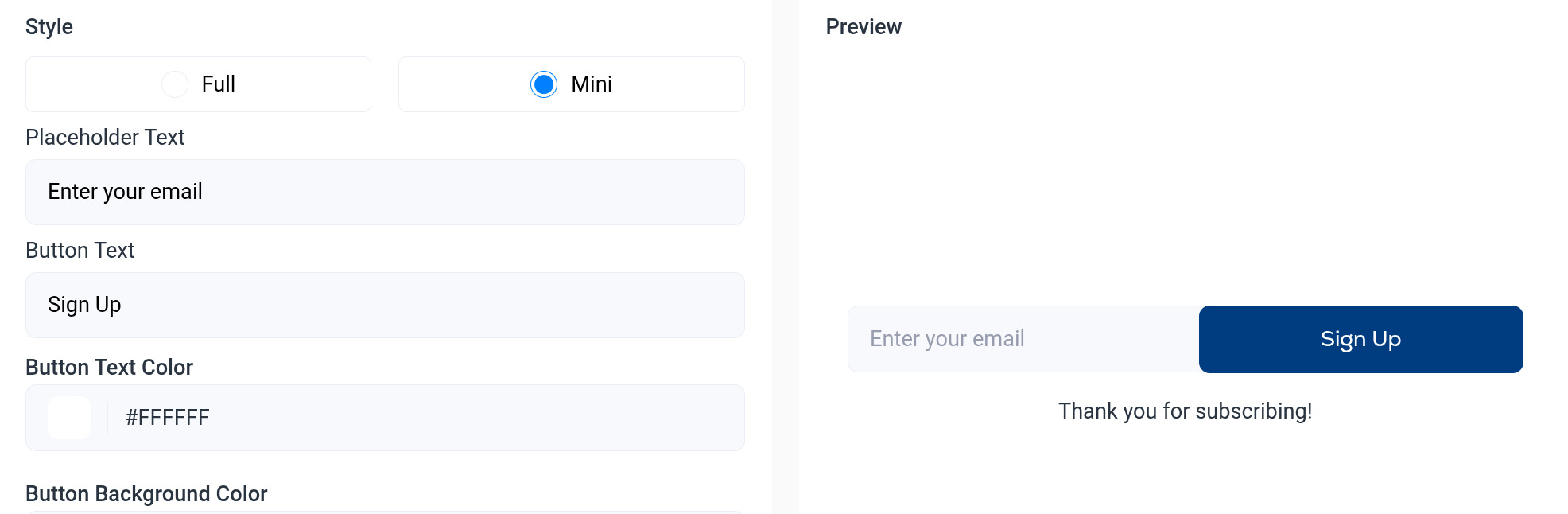
- Style. Full shows your logo, a title and the email field. Mini is just the email field and button, for footers and sidebars.
- Form Title. The heading above the field (Full style only).
- Text Color. Color of the title text.
- Placeholder Text. The gray hint inside the email field, for example Enter your email.
- Button Text. The label on the button, for example Sign Up or Subscribe.
- Button Text Color and Button Background Color. Match them to your site. Click the swatch to pick a color or type a hex code.
- Success Message. What the reader sees after subscribing.
The Preview on the right updates as you type. Click Create when you are happy.
Add the form to your website
Open the form from the list. Below the preview you will find Signup form code: an iframe snippet. Click the copy icon and paste it into your page where you want the form to appear. It works in any site builder that lets you add custom HTML (Webflow, WordPress, Squarespace, Framer and so on).
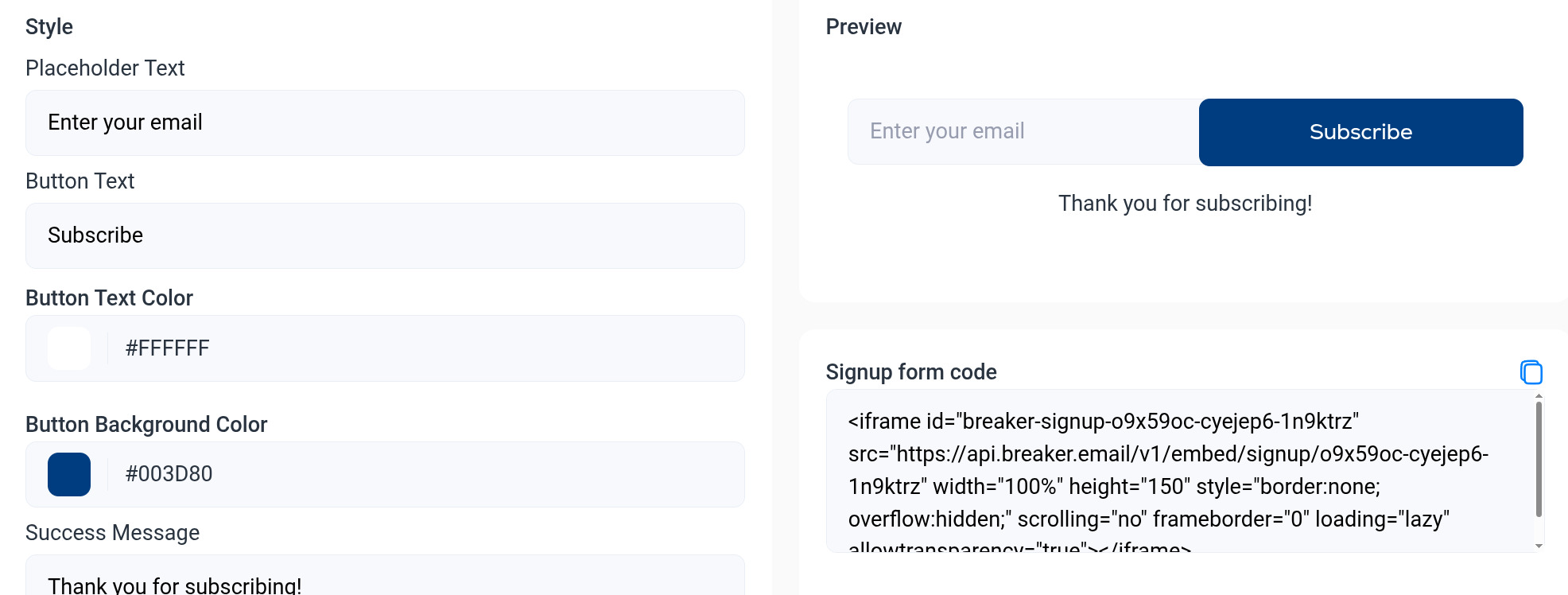
Changes you save to the form later apply everywhere it is embedded. You do not need to paste the code again.
Where the subscribers go
Everyone who subscribes through a form is added to this newsletter's contacts as an active subscriber. Use the Subscribes to newsletter trigger to send them a welcome email automatically. See Automation triggers.