
Billing and plans
See your active plan, emails and AI generations remaining this period, billing history and receipts, and how to switch plans, change payment methods or cancel.
Open Settings, then the Billing tab.
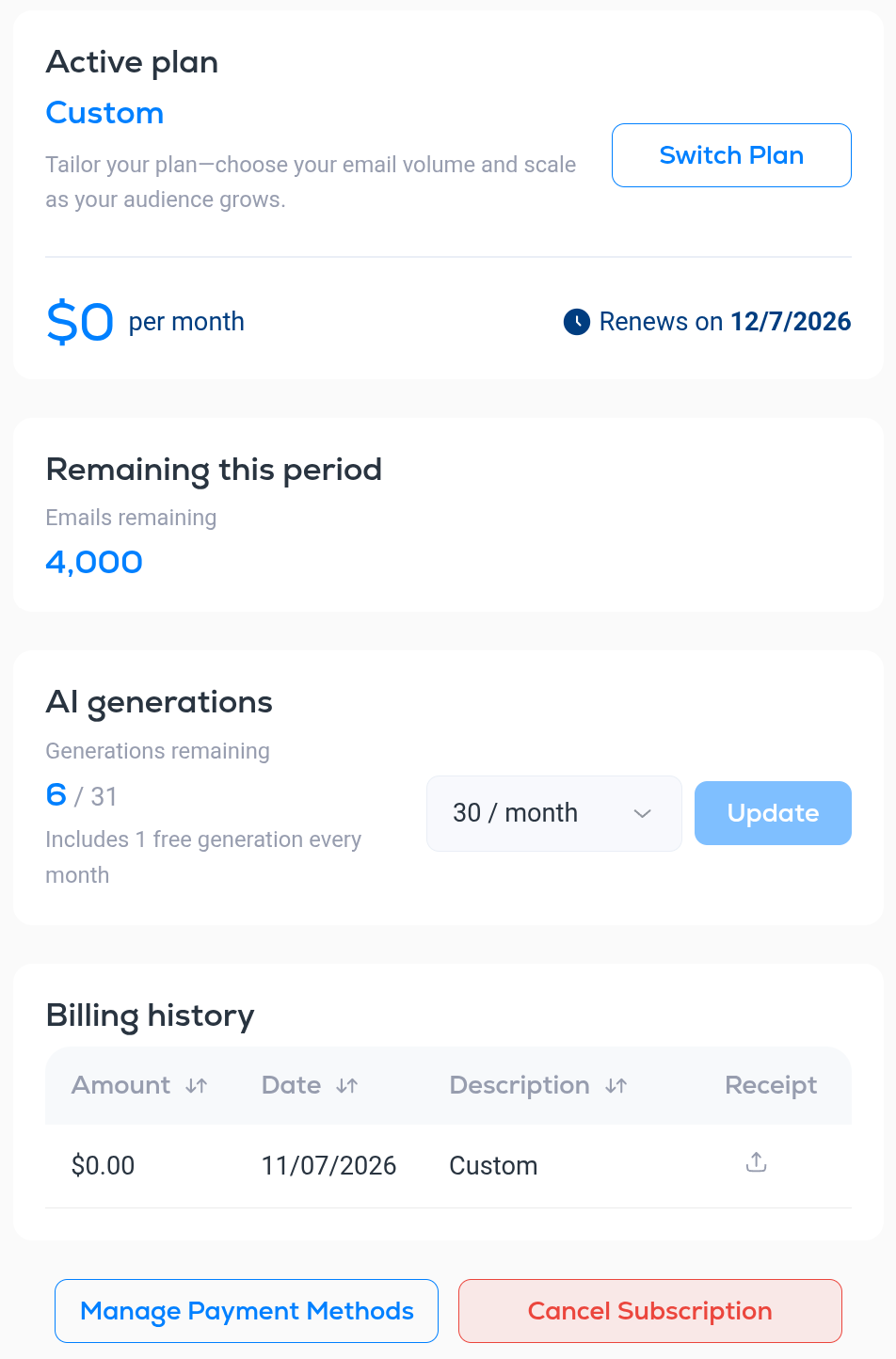
Active plan
The card at the top shows the plan you are on, its monthly price and the date it Renews on. Click Switch Plan to move to a different plan. Billing for the new plan starts immediately. If you are coming off a free trial, the subscription starts right away; otherwise the change is pro-rated.
Remaining this period
Emails remaining is how many emails you can still send before the plan renews. Every campaign send and every automation email counts against it. Email credits reset each billing period. Subscriber credits do not expire.
AI generations
AI generations are the credits used by Breaker's AI writing tools. One generation is used each time you generate a draft with the Draft with AI block, each time a scheduled AI draft is created, and each time you run a spelling and grammar check. See AI content generation and spelling check.
- Generations remaining shows how many you have left out of your allowance for the period, for example 6 / 31.
- 1 free generation is included every month.
- To get more, pick a monthly amount from the list (30 / month, 60 / month or 200 / month) and click Update. Choose None to go back to the free generation only.
The same count appears next to the Generate button in the email builder.
Billing history
Every charge is listed with its Amount, Date and Description. Click the icon under Receipt to download the invoice.
Payment methods and canceling
- Manage Payment Methods opens the secure billing portal where you can add or replace a card and update your billing details.
- Cancel Subscription stops future charges. Your access stays active until the end of the period you have paid for, and your remaining credits stay usable until then. Your account and data remain in place unless you delete the account.
If you need the invoice email changed or have a question about a charge, use the support chat in the bottom-right corner of the app.