
RSS feeds
Pull articles from RSS feeds into your emails with the RSS block, and publish your own newsletter as an outbound feed.
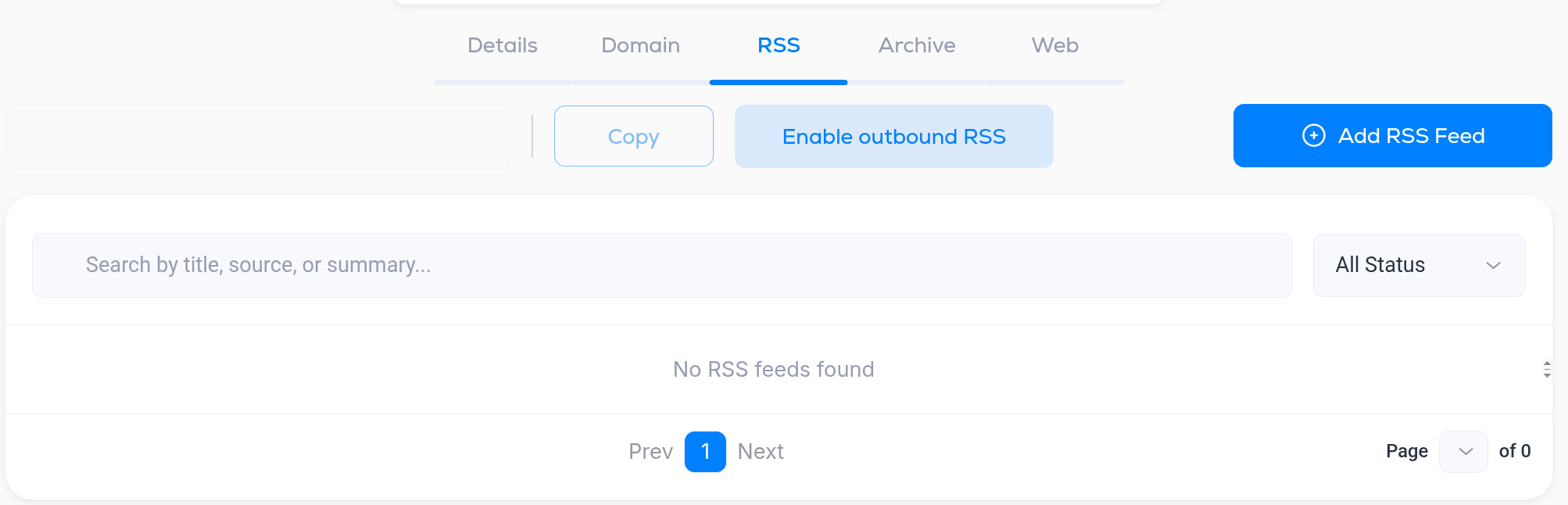
Open Settings, then the RSS tab under Publishing. The tab does two separate jobs: feeds you read from, and the feed Breaker publishes for you.
Feeds you pull content from
Add the feeds of your blog, podcast, YouTube channel or any site you curate. Once a feed is added, the RSS block in the campaign editor can drop its latest items into an email, formatted the way you choose here. See Campaign editor and builder.
Click Add RSS Feed (top right).
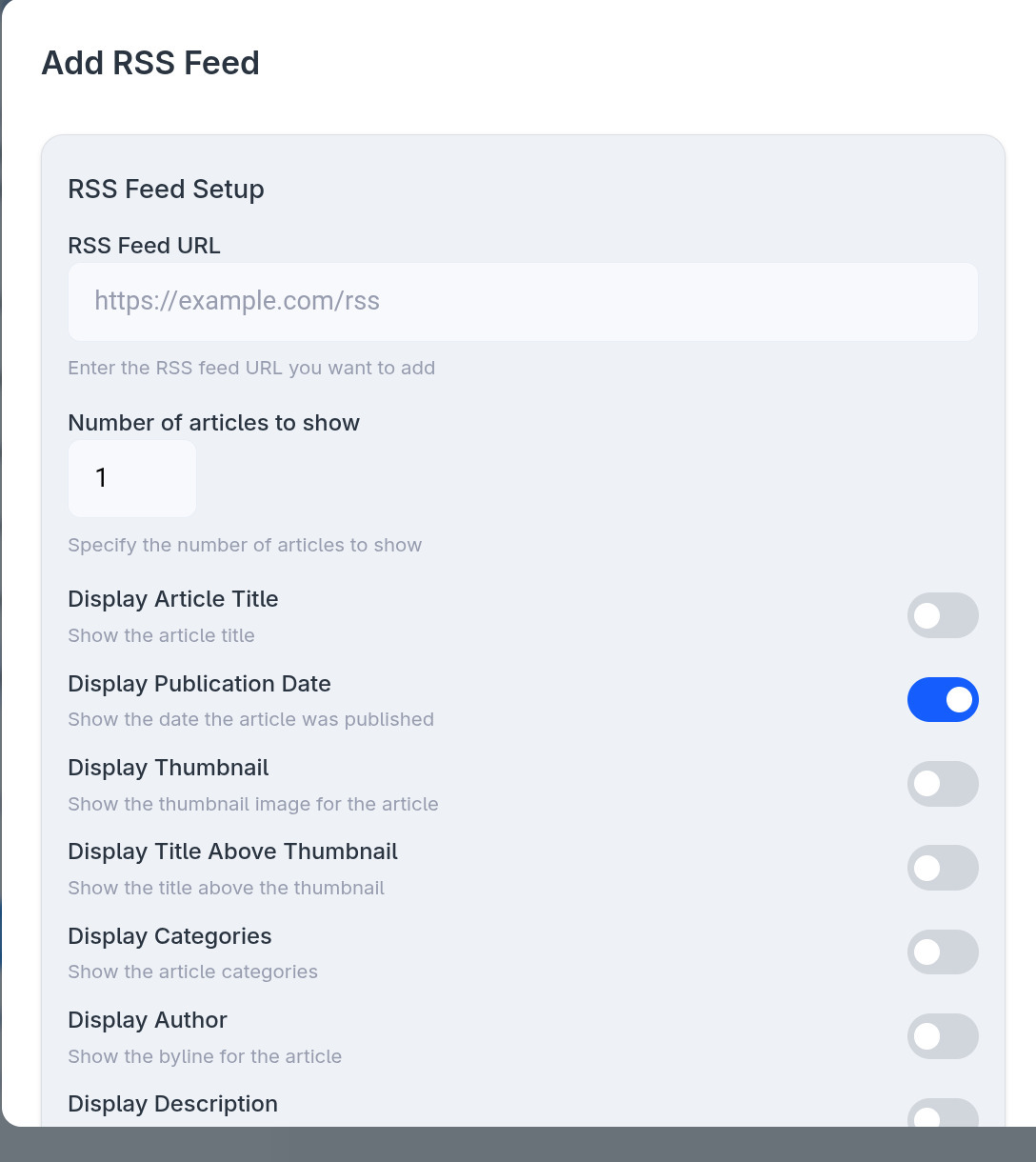
- RSS Feed URL. The address of the feed, for example https://example.com/rss.
- Number of articles to show. How many of the most recent items the block inserts.
- Display switches control what each item shows: Article Title, Publication Date, Thumbnail, Title Above Thumbnail, Categories, Author, Description and Full Article. Turn on only what you want in the email. Most newsletters use title, thumbnail and description, and leave full articles off so readers click through.
- Preview on the right renders the feed with your settings once it has articles.
Click Add Feed to save. Feeds you have added appear in the list, where you can search by title, source or summary and filter by status.
Outbound RSS
Enable outbound RSS publishes your own sent campaigns as an RSS feed. The feed address appears in the box next to it with a Copy button. Readers can follow it in a feed reader, and other tools can pick up your newsletter automatically.