
Team members and roles
Invite colleagues to a newsletter, choose between the Admin and User roles, and see who has access.
Each newsletter has its own team. Open Settings, then the Team tab. You can also click Add Team Members in the left-hand menu.
The table lists everyone with access: Name, Email, Role and Status. The person who created the newsletter is the Owner.
Invite someone
Click Invite Member.
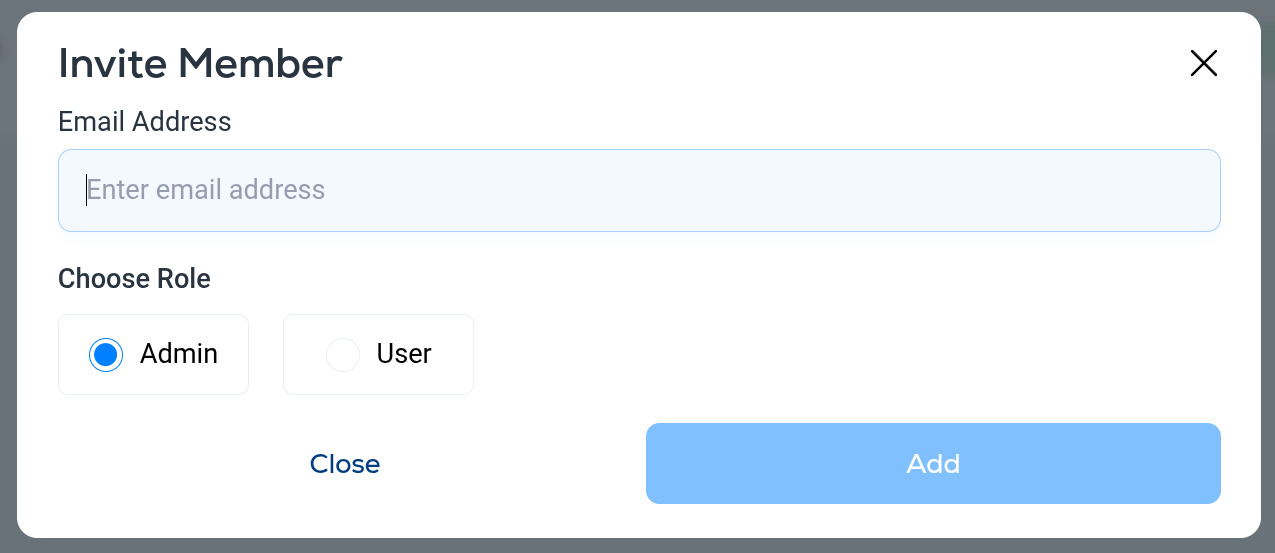
- Enter their Email Address.
- Choose a role: Admin or User.
- Click Add. They receive an invitation email and appear in the list as soon as they accept.
Roles
- Owner. The person who created the newsletter. Full access.
- Admin. Full access to the newsletter's content, audience and settings.
- User. A more limited role for people who work on the newsletter day to day.
Give people the lowest role that lets them do their job, and remove anyone who leaves. Team membership is per newsletter: if you run several newsletters, invite people to each one they need.
More in Settings
All help articlesProfile settings and test recipientsEdit your name, photo and password, and confirm the addresses that are allowed to receive test emails.Newsletter details and sender settingsThe Details tab in Settings: publication name, from handle, physical address, website, reply-to, sender name and the default UTM parameters added to your links.Custom sending domainConnect a sending domain, add the DNS records, and let the automatic warm-up move your sending from Breaker's shared domain to yours.Web publishingPublish a web page of your past newsletters, control its address and description, block AI training crawlers, and serve it from your own domain.RSS feedsPull articles from RSS feeds into your emails with the RSS block, and publish your own newsletter as an outbound feed.Signup formsCreate an embeddable signup form, pick the Full or Mini style, match your colors, and paste the embed code into your website.Billing and plansSee your active plan, emails and AI generations remaining this period, billing history and receipts, and how to switch plans, change payment methods or cancel.Referral programShare your referral link and earn 10% of what the people you refer spend on Breaker.
Support