
Automation triggers
The events that can start an automation, and what each one does and does not react to.
Every automation starts with a Trigger. Click the trigger node at the top of the builder to choose one under Starts when.
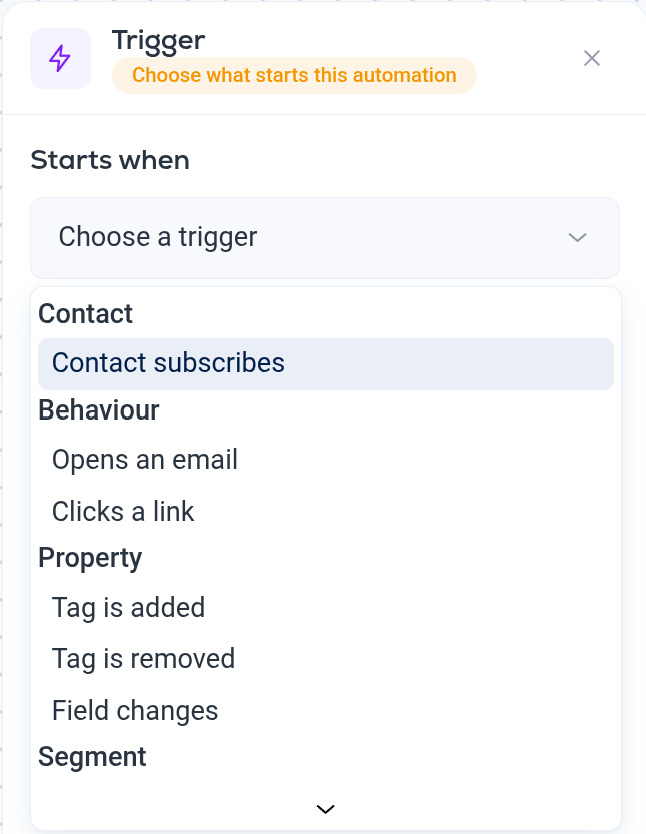
Contact
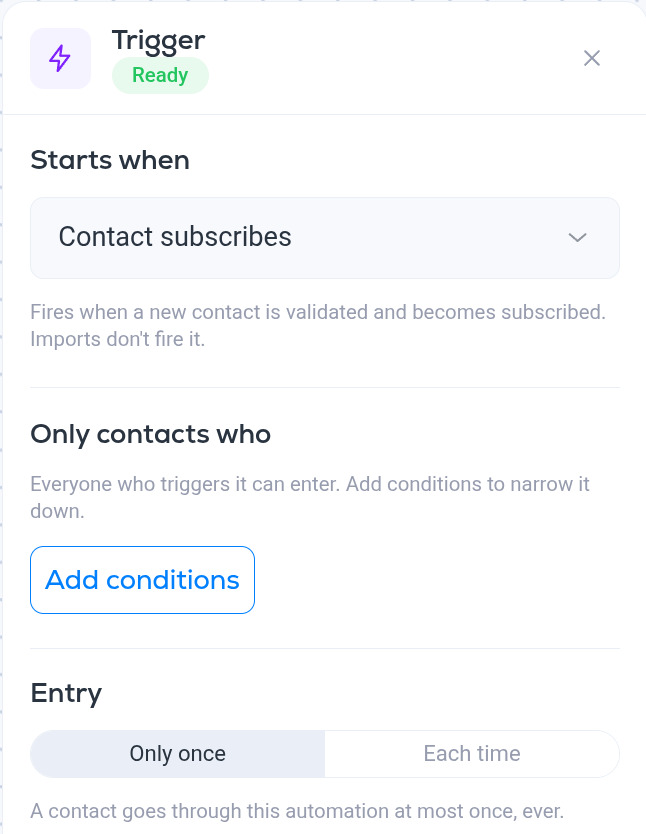
- Contact subscribes. Fires when a new contact is validated and becomes subscribed, for example after signing up through one of your signup forms. Imports do not fire it, so a welcome automation will not send to a list you upload. If you want imported contacts to get an email, send them a campaign or use a tag-based trigger instead.
Behavior
- Opens an email. Fires when the contact opens an email. Under In you choose Any email or one specific campaign. Any email includes emails sent by automations. Opens reach automations within about five minutes.
- Clicks a link. Fires when the contact clicks a link in an email. As with opens, you can limit it to a specific email, and clicks arrive within about five minutes.
Property
- Tag is added. Fires when a chosen tag is added to the contact, whether by you, by an import, by another automation or by the API. This is the most flexible way to start an automation on demand.
- Tag is removed. Fires when a chosen tag is removed from the contact.
- Field changes. Fires when a chosen field on the contact changes value.
Segment
- Enters a segment. Fires when the contact starts matching a chosen dynamic segment.
- Exits a segment. Fires when the contact stops matching it.
Segment triggers let you react to anything a segment can express, for example "open rate drops below 10%" or "company employee count is now above 500". See Segment conditions reference.
Narrowing who gets in
Picking a trigger decides when the automation can start. The Only contacts who conditions and the Entry setting on the same panel decide who gets in and how many times. See Automation entry rules and conditions.
More in Automations
All help articlesAutomations overviewWhat an automation is, how the builder works, and the difference between a draft and an active automation.Automation entry rules and conditionsUse trigger conditions to narrow who gets in, and the Entry setting to decide whether a contact can go through an automation once or every time.Automation stepsEvery step you can add to an automation, from sending an email and waiting to branching, split testing, tagging, updating fields, unsubscribing and calling a webhook.Automation split testsAdd a Split test step to send contacts down two branches at random, compare the branches by open rate, click rate or RealClick™ rate, and move everyone to the winner.
Support