
Segment conditions reference
Every field you can filter on when building a dynamic segment, the operators that go with it, and how AND, OR and groups combine.
A dynamic segment is a saved set of rules. Breaker re-evaluates the rules continuously, so the segment always contains exactly the contacts that match right now. This article lists what you can build the rules from. For the walkthrough of creating a segment, see Creating and using segments.
Static or dynamic
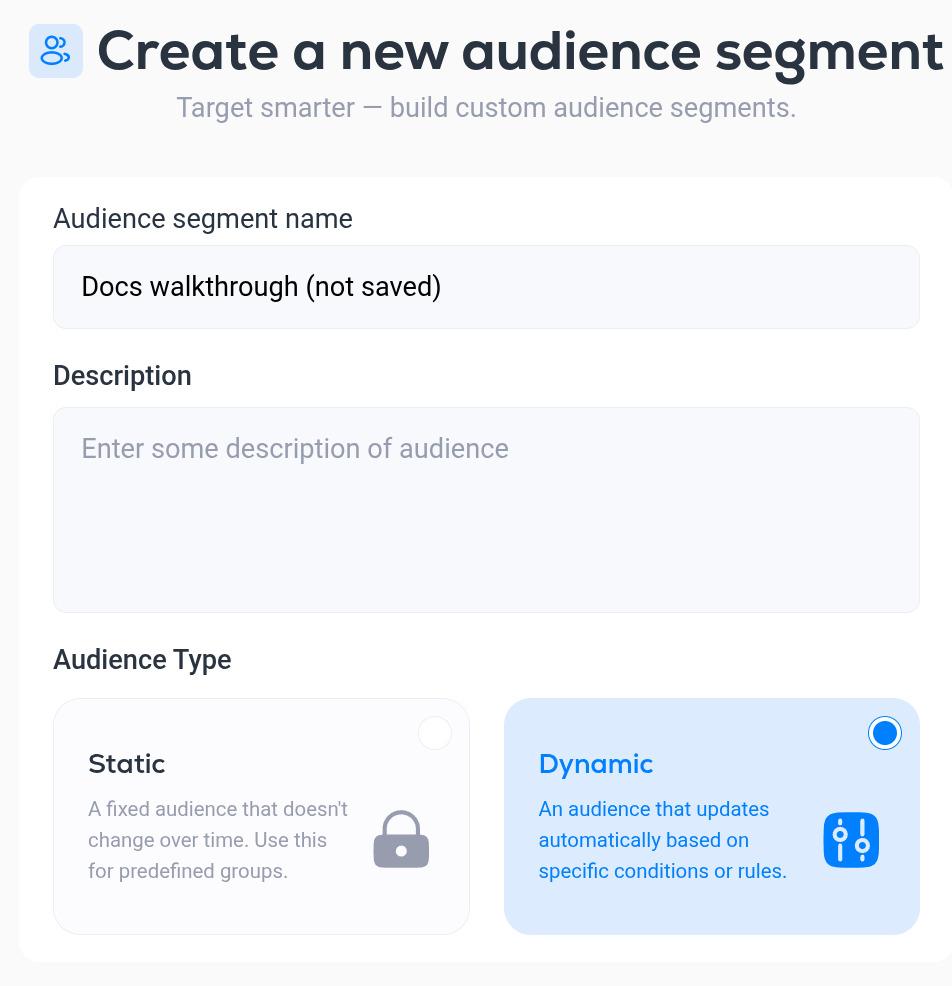
- Static. A fixed list of contacts that does not change on its own. Use it for hand-picked groups.
- Dynamic. Updates automatically from conditions. The rest of this article is about dynamic segments.
The conditions editor
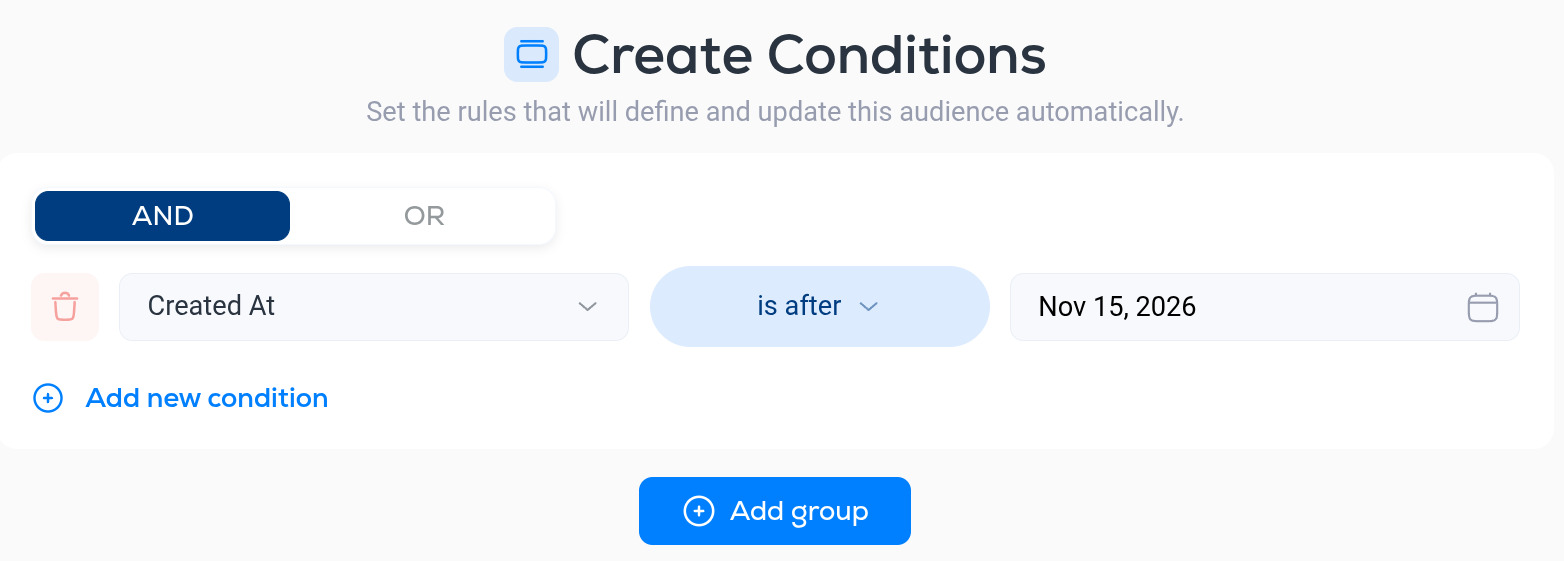
A segment is made of one or more groups. Inside a group, each row is a condition: a field, an operator and a value.
- AND / OR at the top of a group decides whether a contact must match every condition in the group (AND) or any one of them (OR).
- Add new condition adds a row to the group.
- Add group adds another group, so you can combine "any of these" with "all of those".
- The red bin icon removes a condition.
- Save stores the segment. Cancel discards your changes.
Use the same list of fields and operators when you add conditions to an automation trigger or an If / else step. See Automation entry rules and conditions.
Fields
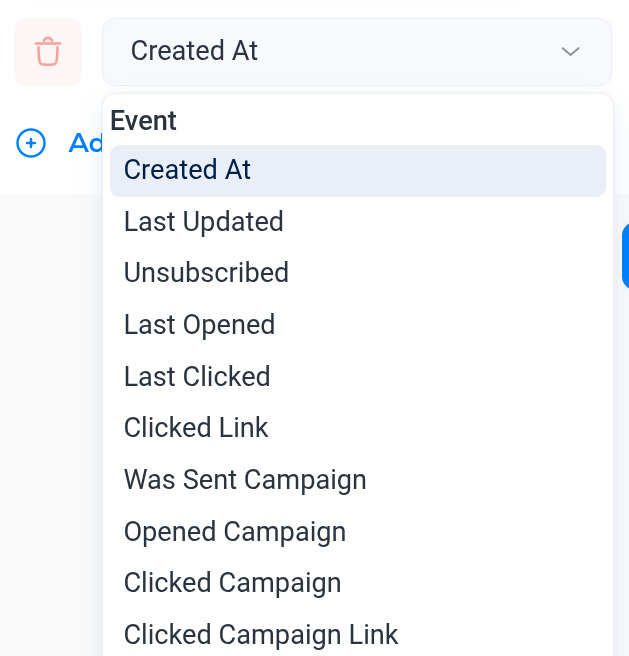
Event (dates and campaign activity)
- Created At
- Last Updated
- Unsubscribed
- Last Opened
- Last Clicked
- Clicked Link
- Was Sent Campaign
- Opened Campaign
- Clicked Campaign
- Clicked Campaign Link
Statistics (lifetime totals and rates for the contact)
- Total Sent, Total Delivered
- Total Opens, Total Unique Opens
- Total Clicks, Total Unique Clicks
- Open Rate, Unique Open Rate
- Click Rate, Unique Click Rate
- Total RealClick™, Unique RealClick™
- RealClick™ Rate, Unique RealClick™ Rate
- Opened, Clicked, Sent
RealClick™ is Breaker's measure of clicks made by a person rather than by a security scanner or a bot. See Engagement metric definitions.
Attribution (where the contact came from)
- UTM Source
- UTM Medium
- UTM Campaign
- UTM Term
- UTM Content
Contact
- Contact Email
- SMTP Provider (the contact's mailbox provider, for example Gmail or Outlook)
- Contact First Name, Contact Last Name
- Contact Phone
- Contact Job Title
- Contact LinkedIn
- Contact Country, State, City
- Contact Street Address 1 and 2, Postal Code
Company
- Company Name
- Company Website
- Company Industry
- Company Employee Count
- Company Estimated Revenue
- Company Country, State, City
- Company Street Address
Custom Fields and Contact Tags are at the end of the list: any custom field you have created, and any tag, included or excluded.
Operators
The operators offered depend on the type of field.
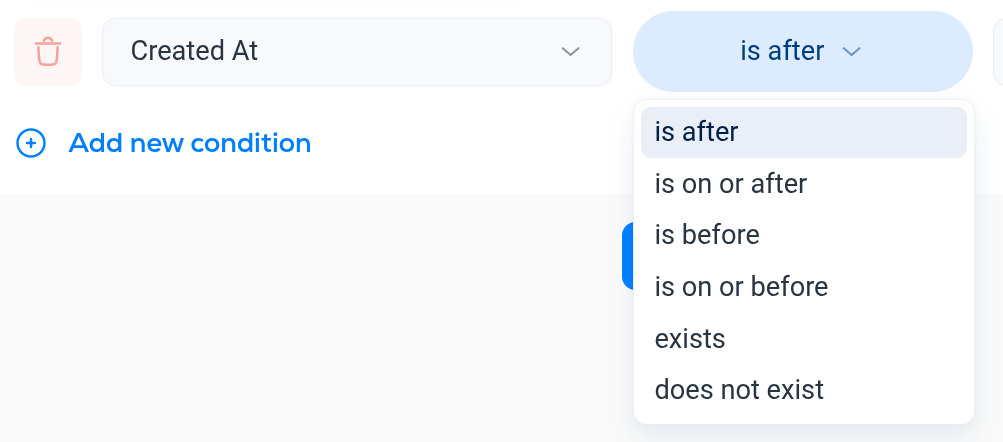
- Dates (Created At, Last Opened and so on): is after, is on or after, is before, is on or before, exists, does not exist.
- Numbers (totals and rates): equal, does not equal, greater than, greater or equal, less than, less or equal, exists, does not exist. Rates are whole numbers, so 30 means 30%.
- Text (email, names, UTM values, addresses): exact matches and "contains" matches, so Contact Email contains @acme.com finds everyone at one company.
- Campaign events (Was Sent Campaign, Opened Campaign, Clicked Campaign): pick the campaign from a list.
exists and does not exist are useful for "has ever" questions. For example, Last Opened does not exist finds contacts who have never opened anything.
Worked examples
- Engaged readers: Last Opened is after (90 days ago) OR Last Clicked is after (90 days ago).
- Never engaged, imported last year: Created At is before (date) AND Last Opened does not exist.
- Signed up from LinkedIn: UTM Source is linkedin.
- Readers at large companies: Company Employee Count greater than 500.