
Best Alternatives to Active Campaign in 2026
Find the best alternatives to Active Campaign for B2B, ecommerce, and creators. Compare features and pricing to choose your perfect fit.

You're staring at a platform that's powerful, familiar, and maybe starting to feel heavier than it should. ActiveCampaign can still do a lot, but if your team is paying for depth it doesn't use, fighting a workflow that's harder to maintain than it should be, or trying to keep costs sane as your list grows, the question isn't whether alternatives exist, it's which one fits the way you work.
The market has shifted. Many of the strongest alternatives to ActiveCampaign now come with free plans or lower-cost entry points, which makes switching less painful for small teams and creators. The best choice isn't always the one with the longest feature list; it's the one that matches your business model, keeps deliverability steady, and doesn't create a messy migration.
If you're deciding fast, start with your use case. B2B teams usually need CRM alignment, subscriber state, and reliable inbox placement. E-commerce brands need event-driven flows tied to orders and browsing. Creators need speed, monetization, and a simple way to launch without learning a giant system.
1. Breaker
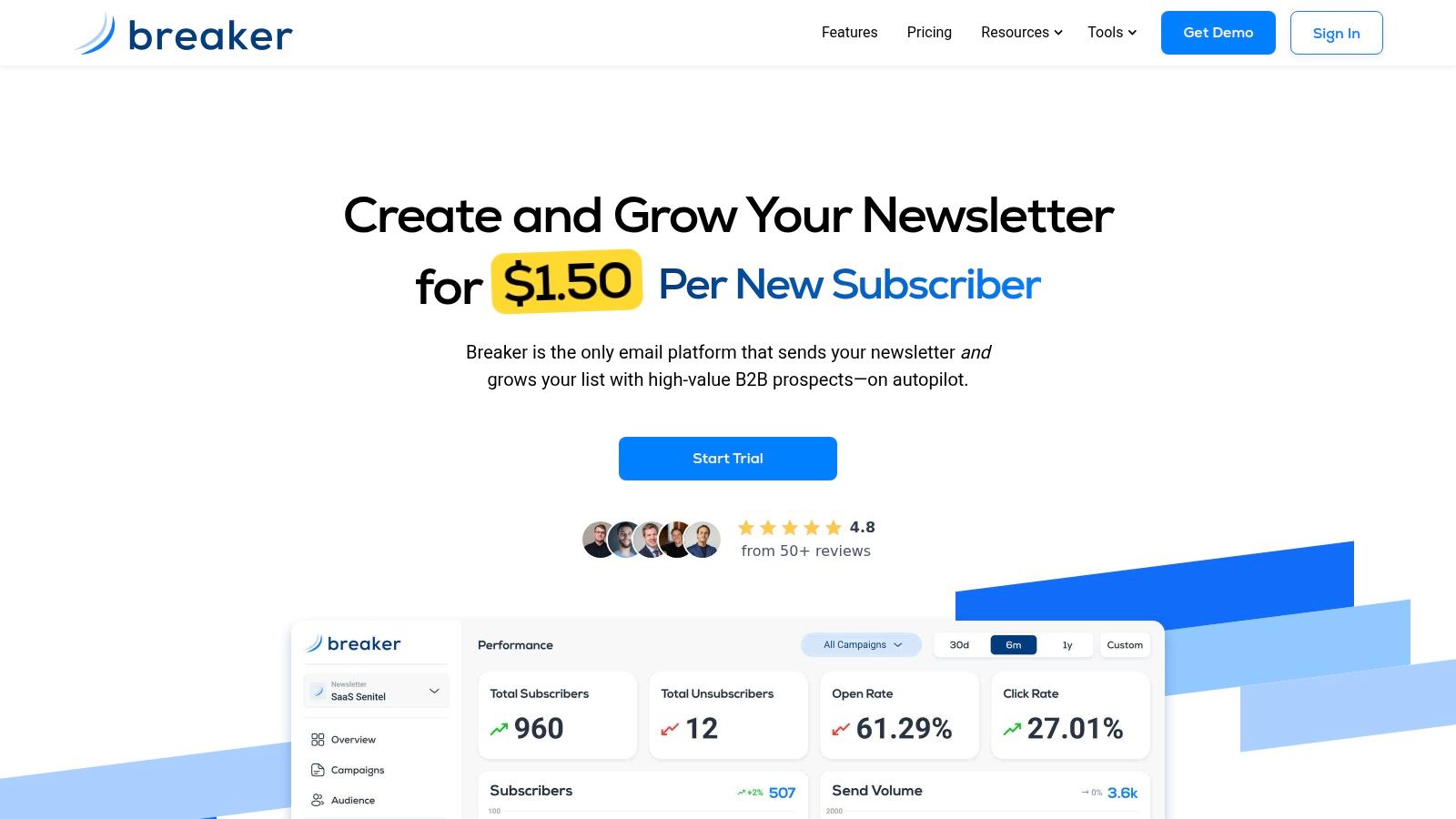
A B2B team feels the difference fast when a newsletter has to support revenue, not just distribution. Breaker is built for predictable audience growth, real-time analytics, and a deliverability-first sending stack, so it fits teams using email for lead generation, sponsorship revenue, or pipeline creation. If your current setup forces you to manage acquisition, list hygiene, and sending in separate tools, Breaker gives you a cleaner operating model.
Why it stands out for B2B growth
Breaker handles both subscriber acquisition and campaign sending in the same workflow. Its audience-growth engine targets engaged B2B subscribers based on your ICP, then adds data enrichment, hygiene, and compliance so the list stays cleaner as it scales. That approach is different from tools that only help you send to the audience you already own.
The operational side matters too. Breaker's TruSend stack handles sending logic, reputation monitoring, and list hygiene, which reduces the manual deliverability work that often gets pushed aside until inbox placement starts slipping. For B2B newsletters, agency campaigns, or lifecycle programs where subscriber state changes over time, that support is practical, not decorative.
There are trade-offs. Breaker is not a content-writing service, so you still need a real editorial process. Its pricing model is usage-driven, which works well when you are growing engaged B2B subscribers, but it may be a weaker fit for very small creators who want a flat-fee sending tool.
Practical rule: choose Breaker when list growth, deliverability, and monetization matter more than a long feature checklist.
Breaker also fits well with CRM workflows and sponsorship tools, and its guidance is useful if you are setting up a structured send program. For a practical setup walkthrough, the workflow guide is a useful companion read. If your team wants to move quickly without building a fragile stack, Breaker is one of the clearest alternatives to ActiveCampaign for B2B audience growth.
2. HubSpot Marketing Hub
HubSpot is the obvious choice when the core requirement isn't email alone, it's one system for marketing, sales, and service. If your team lives in CRM data, route-based automation, attribution, and pipeline reporting, HubSpot gives you a lot of that in one place. That's why it's such a common short list item for larger B2B buyers.
Where it wins, and where it gets expensive
HubSpot's strength is data cohesion. Forms, landing pages, ads, email automation, lead scoring, and reporting all sit inside the same environment, which cuts down on the integration work that slows teams down. For larger organizations, the governance layer matters too. Roles, permissions, and the broader ecosystem make it easier to bring marketing, sales, and service into the same operating model.
The trade-off is cost and complexity. HubSpot's packaging can feel layered, and pricing rises as you add contacts, seats, and higher-tier features. That makes it powerful, but not always lean. If you're a small team trying to keep the stack light, HubSpot can be more platform than you need.
For organizations that already know they need CRM depth, the real question isn't whether HubSpot can do the job. It's whether you're ready to pay for the convenience of not stitching tools together.
HubSpot is best for B2B teams that want governance, shared data, and a path from first touch to closed-won without moving between systems. If your current ActiveCampaign setup is being used like a mini-CRM anyway, HubSpot is often the cleaner move.
You can also use it as a benchmark if you're comparing alternatives to ActiveCampaign by operational maturity rather than just email features. For a deeper comparison of CRM-centric setup, the HubSpot free CRM guide is worth a look. If your team needs a broad marketing hub instead of a newsletter tool, HubSpot belongs near the top of the list.
Website: HubSpot Marketing Hub
Brand insight: HubSpot brand sponsorship insights
3. Mailchimp
Mailchimp is the easiest recommendation when the priority is speed of setup. It's popular for a reason. The interface is approachable, the template library is broad, and teams can get campaigns out the door without a long onboarding ramp. That makes it a practical choice for small businesses and newer marketers who want email marketing to feel less technical.
Good for simple marketing, less ideal for deep lifecycle work
Mailchimp's value is its accessibility. It covers the basics well, including email builder, customer journeys, landing pages, forms, and a large integration marketplace. If your team wants to launch fast and avoid heavy implementation work, that simplicity matters more than advanced orchestration.
The downside is that advanced automation is not its strongest lane. If you need complex lifecycle branching, deep subscriber-state logic, or B2B routing tied tightly to sales systems, Mailchimp can start to feel shallow compared with more specialized platforms. It's also easy to underestimate the effect of add-ons and contact-based pricing over time.
Best fit scenarios
- Small teams that need a fast launch and don't want a long learning curve.
- Founders and generalist marketers who need a familiar interface and broad integrations.
- Brands with straightforward journeys, like welcome series, promotions, and basic nurture.
If your current ActiveCampaign account feels overbuilt, Mailchimp can be a simpler operational reset. If your automations are already complex, it may feel like a downgrade in flexibility.
Mailchimp is one of the most recognizable alternatives to ActiveCampaign for teams that value ease over depth. For a practical note on deliverability and sending infrastructure, see the ESP guide. If your work is mostly newsletters, launches, and straightforward journeys, Mailchimp still makes a lot of sense.
Website: Mailchimp
4. Klaviyo
Klaviyo is the right answer when revenue depends on commerce events. It is built for stores that need to react to browsing behavior, order history, product-level signals, and customer timing, then turn those signals into personalized flows. For e-commerce brands, that level of data detail is what makes the platform feel very different from a general-purpose automation tool.
A good way to judge Klaviyo is to ask a simple question. Do your campaigns live or die on what shoppers do inside the store?
Built for stores that need precision
Klaviyo's strongest area is segmentation. It can turn purchase and engagement data into very specific audience logic, which helps with abandoned cart, post-purchase, and win-back campaigns. It also supports multi-channel messaging, so email does not have to carry the whole revenue job by itself.
That strength comes with a clear trade-off. Klaviyo is very strong for e-commerce, but less natural for complex B2B account journeys, services businesses, or teams that do not have strong product-event data. If your model is not commerce-led, you may end up paying for sophistication you will not fully use.
For stores with active shopping behavior, that trade-off is usually acceptable. For teams that want broad marketing administration, it can feel like more system than they need.
Use Klaviyo when
- Your store has meaningful browse, cart, and purchase behavior that can trigger automations.
- You need personalization tied to SKU or order data.
- You want email and SMS to work from the same customer record.
Klaviyo is one of the clearest alternatives to ActiveCampaign for online retail because it organizes around revenue events instead of general marketing operations. That distinction matters in day-to-day execution. ActiveCampaign can support ecommerce, but Klaviyo is more native to how stores work.
If you are comparing tools by how well they connect customer behavior to revenue, Klaviyo deserves serious attention. It is less useful as a generalist platform and more valuable inside one model. That focus is why many ecommerce teams settle on it.
Website: Klaviyo
5. Customer.io
A SaaS team feels the pain fast when users take different paths after signup. Some activate quickly, some stall after the first session, and some need a re-engagement message tied to a specific action. Customer.io is built for that kind of work. It is strongest when your automations depend on product behavior, because events, attributes, and workflows sit at the center of the platform.
For product-led teams, that focus changes the day-to-day job. You can shape journeys around what people do inside the product, then send the right follow-up through email, push, in-app messages, SMS via partners, or webhooks. The result is better fit for lifecycle work where timing and behavior matter more than broadcasting the same message to a broad list. It is a practical choice for teams that measure progress in activation, upgrade, and retention signals.
Where Customer.io fits
Customer.io gives you more control over how data flows into messaging. That makes it useful for lifecycle programs that need flexible routing and precise triggers. If you want to respond to product usage, account activity, or stage changes without forcing everything into a broad CRM model, it handles that well.
The trade-off is setup discipline. Customer.io works best when your event tracking is clean and your lifecycle rules are already defined. If the data model is inconsistent, the platform can feel harder to manage than it should. A general marketing team that wants to ship campaigns quickly may find the operational overhead heavier than expected.
For that reason, it is usually a better fit for teams that already have product analytics habits and technical comfort around event design. It is less about dragging and dropping a newsletter and more about making each message fire from a meaningful signal.
Best fit for
- Product-led growth teams that rely on behavioral triggers.
- SaaS lifecycle marketers who need highly specific routing.
- Teams with strong data hygiene and enough technical comfort to maintain it.
Customer.io is less about sending prettier emails and more about making each message happen at the right moment. That is the point.
If your ActiveCampaign use case is really product lifecycle automation, Customer.io can be a stronger fit than a broader marketing suite. It gives you room to act on the signals that matter instead of forcing those signals into a more general CRM-shaped model. For teams with real event data, that difference is hard to ignore.
Website: Customer.io
6. Brevo
Brevo fits teams that need a practical communications stack without committing to a heavy setup or enterprise-style complexity. It brings email, SMS, WhatsApp, chat, and transactional messaging into one place, which helps smaller teams cover more touchpoints without piecing together several tools. That matters if budget pressure is real and the use case is broader than a simple newsletter workflow.
Brevo also makes sense as a decision point. If your priority is low-friction deployment and broad channel coverage, it gives you a clear path. If your priority is deep customization, layered permissions, or detailed reporting across a large org, the trade-off becomes visible quickly.
Why budget-conscious teams keep it on the shortlist
The appeal starts with access. Brevo offers a free plan, and its paid entry point sits near the low end of the market for this category, which lowers the barrier to getting started. For teams comparing alternatives to ActiveCampaign, that price structure often matters as much as the feature list.
Its automation and multi-channel tools are useful for everyday marketing work. They handle basic flows, campaign sends, and transactional email without asking for a long implementation project. The limit is depth. Brevo is built for practical execution, not for the kind of governance, branching complexity, or analytics depth that larger teams sometimes require.
That trade-off is straightforward. If your team needs a dependable system for everyday communication, Brevo does the job. If you need detailed role controls, advanced reporting, or a highly customized automation architecture, you may hit the ceiling sooner than you expect.
Where Brevo fits best
- Budget-sensitive SMBs that want room to grow without paying enterprise rates.
- Teams that need email, transactional messaging, and SMS in one platform.
- Organizations that prefer simple implementation over elaborate configuration.
Brevo suits businesses that want a stable, affordable communications stack more than a highly customized automation machine. That is a practical choice, especially for smaller teams that need to move quickly and keep overhead under control. Not every team needs email software to function like a full operating system.
For teams comparing alternatives to ActiveCampaign, Brevo stands out because it reflects how much of the market has shifted toward simpler pricing and easier adoption. If your first question is how to reduce cost without giving up core sending capabilities, Brevo deserves a close look.
Website: Brevo
7. Drip
A DTC brand with rising repeat orders often hits a familiar problem. The team needs automation that follows shopper behavior closely, but a full enterprise suite would add more overhead than value. Drip fits that middle ground. It is built for ecommerce teams that care about cleaner segmentation and revenue attribution, and it stays closer to the customer journey than a general-purpose platform. That narrow focus is useful if your business depends on repeat purchases and lifetime value.
Why Drip works for ecommerce teams
Drip's strongest feature is behavior-based automation. It turns browsing, purchasing, and other store activity into campaigns and journeys that reflect what customers do. For ecommerce teams, that makes performance easier to read because revenue tracking sits closer to the actions that triggered the message.
It also helps marketing and merchandising teams stay aligned. If a store needs abandoned cart flows, post-purchase follow-up, and segment updates tied to buying behavior, Drip handles that without forcing a complicated implementation. The trade-off is that its value drops when the business needs broader orchestration across sales, service, and multiple departments. Drip is not built to function like a multi-department CRM, and it is less compelling for teams that want several channels beyond email and onsite messaging.
Where Drip fits best
- Ecommerce brands that want revenue-focused automation.
- Teams that segment by behavior, not just static lists.
- Marketers who want a focused tool instead of a broad platform.
Drip is a practical choice for brands that know their automation needs are tied to store activity. It keeps the setup centered on commerce, which can make ongoing management simpler for teams that do not need every extra layer found in a larger suite.
Compared with ActiveCampaign, Drip usually feels more specialized and easier to keep aligned with product and purchase behavior. That does not make it the right answer for every team, but it does make the fit clearer for ecommerce businesses that want automation built around how customers buy.
Website: Drip
8. MailerLite
A small team that needs to move fast usually does not need a heavy marketing stack. MailerLite fits that reality well. It gives creators, nonprofits, and small businesses a cleaner way to run email marketing with modern email marketing without complexity, while keeping the setup simple enough for day-to-day use. If your team values straightforward execution, clear pricing, and enough automation to support real campaigns, it deserves a close look.
A practical fit for simple campaigns
MailerLite covers the core workflow without piling on extra layers. You get a drag-and-drop builder, automations, landing pages, pop-ups, and digital product support, which is enough for teams that want to publish, sell, and nurture from one lightweight system. That mix matters when the goal is to keep the tool easy to run, not to build a sprawling operation around it.
The trade-off is depth. MailerLite does not try to replace a full CRM or an advanced account-based system, and it offers less native governance and attribution than larger suites. That makes it easier to manage, but it also means teams with more complex reporting or cross-functional workflows may eventually need something broader.
MailerLite is a strong alternative to ActiveCampaign for teams that feel their current setup is larger than their actual needs. It works well when the job is list growth, campaign execution, and simple automation, and it avoids the extra overhead that can slow smaller teams down.
Where it fits best
- Creators running newsletters, lead magnets, or digital products.
- Lean marketing teams that want a fast, friendly interface.
- Nonprofits and small businesses that care about value and lower friction.
Use MailerLite if your process is mostly straightforward. If you need a tool that stays out of the way while you manage campaigns and basic automations, it does that well. For a lot of small teams, that is the right trade-off.
Website: MailerLite
9. Campaign Monitor
A team can outgrow ActiveCampaign for different reasons than it outgrows a CRM. Sometimes the issue is simpler: the emails need to look better, the client handoff needs to be cleaner, and the workflow needs less clutter. Campaign Monitor fits that situation well. It is built for marketers and agencies that want polished templates, straightforward execution, and team management that does not get in the way of the work.
Strong visual control with practical agency features
Campaign Monitor is strongest in email design. The builder is easy to work with, the journeys are straightforward, and segmentation stays accessible without forcing technical setup. Agency features also help if you are juggling multiple brands or clients, since the platform keeps account management organized without adding unnecessary complexity.
That focus comes with a clear trade-off. Campaign Monitor is not a CRM-heavy suite, so it will not replace tools built for sales pipelines, service handoffs, or deeper revenue operations. If your team needs those connected workflows, you will need a broader platform. If your priority is sending polished campaigns, running basic automation, and keeping delivery tidy, Campaign Monitor fits the job.
Where it makes the most sense
- Agencies that manage several client accounts and need clean approvals.
- Brands with strict design standards that cannot afford messy templates or inconsistent output.
- Teams that want automation without a steep learning curve and prefer a tool that stays easy to run.
Campaign Monitor is often the better fit when presentation and client experience matter as much as the automation itself. It keeps the focus on clear execution, which is useful for teams that care about speed, consistency, and fewer internal headaches.
Among alternatives to ActiveCampaign, Campaign Monitor stands out because it trims away extra complexity while keeping the core email workflow intact. For teams that do not need a larger CRM layer, that trade-off is often the right one.
Website: Campaign Monitor
10. Kit
A solo creator who wants to grow an audience, sell products, and keep email at the center of the business usually needs something lighter than a full CRM. Kit, formerly ConvertKit, is built for that setup. It focuses on newsletters, digital products, paid subscriptions, and straightforward automation, so the workflow feels aligned with creator-led businesses instead of adapted for them.
Kit works well when speed and monetization matter more than layered structure. You can launch quickly, keep the interface simple, and connect audience growth to revenue without stitching together a larger stack. That makes it a practical fit for writers, podcasters, educators, and independent operators who want to spend more time publishing and less time configuring software.
The trade-off is clear. Kit is not built for complex B2B account journeys, multi-team permissions, or the kind of sales and service coordination larger organizations often need. Teams that rely on approval layers, deeper governance, or tightly connected revenue operations will likely outgrow it. Kit stays narrow by design, which is useful for creators and limiting for bigger marketing teams.
Where Kit fits best
Kit makes the most sense for a personal brand or newsletter business, especially if the goal is to turn attention into income without adding operational weight. It also fits creators who want to sell digital products or paid subscriptions from the same place they send email. For teams that prefer a lightweight workflow with minimal setup overhead, that simplicity is the advantage.
Among alternatives to ActiveCampaign, Kit stands out because it matches how creator businesses run. ActiveCampaign can support creator use cases, but it is built around a broader automation model that can feel heavier than necessary for independent publishing and monetization.
The practical question is not whether Kit can automate email. It can. The better question is whether your business needs creator-friendly monetization tools more than CRM depth and enterprise controls. If the answer is yes, Kit is a strong fit. If the answer is no, a wider platform will be easier to live with.
Website: Kit
Top 10 Alternatives to ActiveCampaign, Comparison
Platform
Core features
UX & quality
Pricing & value
Target audience
Unique selling point
Breaker 🏆
Newsletter builder, automated audience growth, TruSend deliverability, real‑time analytics
★4.8 (50+ reviews)
💰 Usage‑based: ~$1.50/new engaged sub; Starter ≈ $200/mo
👥 B2B growth teams, agencies, creators
✨ ICP‑matched subscriber acquisition + end‑to‑end deliverability; 🏆 Recommended
HubSpot Marketing Hub
CRM‑native automation, forms, landing pages, attribution
★★★★ (mature)
💰 High; scales with contacts & seats (complex tiers)
👥 Mid‑market to enterprise B2B
✨ Unified CRM + advanced attribution & governance
Mailchimp
Email builder, customer journeys, landing pages, commerce, SMS add‑ons
★★★☆ (easy to learn)
💰 Free tier; contact/add‑on pricing can climb
👥 SMBs, small teams, creators
✨ Fast setup, large template & integration marketplace
Klaviyo
Event/product‑driven flows, native SMS/WhatsApp, deep segmentation
★★★★ (revenue‑focused)
💰 Usage‑based; strong ROI but costly at scale
👥 Ecommerce / DTC brands
✨ Predictive segments + commerce‑level personalization
Customer.io
Visual journeys, event‑driven messaging, flexible data model
★★★★ (powerful; steeper curve)
💰 Usage/add‑on pricing; custom quotes recommended
👥 Product‑led SaaS & engineering teams
✨ Granular behavioral triggers & developer‑friendly APIs
Brevo (Sendinblue)
Email, SMS, WhatsApp, transactional, CRM‑lite
★★★☆ (accessible)
💰 Very budget‑friendly; generous free tier
👥 Budget‑sensitive SMBs
✨ Cost‑effective multi‑channel toolkit
Drip
Visual workflows, tag segmentation, revenue dashboards
★★★★ (ecommerce oriented)
💰 Clear SMB pricing; optional SMS billing
👥 DTC / ecommerce SMBs
✨ Out‑of‑the‑box ecommerce automations & attribution
MailerLite
Drag‑drop email, sites, landing pages, digital product sales
★★★★ (simple & modern)
💰 Transparent subscriber‑based pricing; nonprofit discounts
👥 Creators, nonprofits, lean teams
✨ High value for low cost; easy migrations
Campaign Monitor
Designer‑focused templates, journeys, agency sub‑accounts
★★★★ (design first)
💰 Mid‑tier; contact‑based pricing
👥 Design‑driven brands & agencies
✨ Premium templates + agency billing controls
Kit (formerly ConvertKit)
Newsletters, forms, paid subscriptions, simple automations
★★★★ (creator‑friendly)
💰 Creator pricing; scales with subscribers
👥 Independent creators & lean teams
✨ Fast creator monetization & community support
How to Choose Your ActiveCampaign Alternative
The best platform depends on what you need the tool to do. Start with your business model, then rank your requirements in order of importance. For B2B, the biggest questions are CRM alignment, lead routing, and deliverability. For e-commerce, it's behavioral data, segmentation, and revenue attribution. For creators, it's speed, simplicity, and monetization.
Use the migration risk question as a filter too. A lot of comparison pages talk about features, but migration pain is often a hidden cost. If you're moving years of tags, automations, forms, and subscriber states, the best tool is the one that lets you switch cleanly without damaging the logic you already depend on. That's especially important when email is central to revenue, since 41% of marketers say email is their most effective channel in Litmus' reporting, which means a bad migration can hurt more than convenience. CampaignMonitor's discussion of migration risk is useful here because it frames the issue as switching cost, not just feature comparison.
A practical decision framework looks like this.
- Choose Breaker if B2B growth, list quality, and inbox placement are your top priorities.
- Choose HubSpot if you need a unified CRM and can live with a more complex platform.
- Choose Klaviyo if you sell products and need commerce-driven automation.
- Choose MailerLite, Mailchimp, or Kit if simplicity and speed matter most.
- Choose Brevo, Drip, or Customer.io if you need a more specific balance of cost, ecommerce, or product automation.
Deliverability should stay in the conversation the whole time. Inbox placement is still not solved, and recent benchmarks show that only 83.1% of opt-in emails landed in the inbox in Validity's 2024 research, so the platform you choose needs to help you protect sender reputation, not just build campaigns. Before you move, test email deliverability with a real inbox-checking process and a small send set, then migrate in stages instead of all at once.
If you want the safest route, build a shortlist of two or three tools, run a real trial, and map your current automations before you touch the account. The right alternative to ActiveCampaign is the one that fits your business model, protects deliverability, and reduces operational drag instead of adding to it.
If you're looking for a B2B-first platform that combines newsletter growth with inbox protection, Breaker is built for that exact problem. It helps teams grow engaged audiences, manage deliverability, and turn campaigns into revenue without bolting together separate tools. Visit Breaker to see how it fits your migration and compare it against the other alternatives to ActiveCampaign on your shortlist.
Keep reading
All articlesEmail Automation Workflow & Drip Campaign Data Structure
Learn the database schema behind email drip campaigns—tables, workflow states, and event logs that power reliable marketing automation.
Breaker Review: AI-Native ESP for Newsletter Growth
An unbiased Breaker review: pricing, features, deliverability data, and who this AI-native email platform fits best for newsletter growth.
Breaker for B2B, SME and Consumer Newsletter Senders
Learn how B2B, SME, and consumer audiences differ in newsletters, plus a framework for segmenting, messaging, and monetizing each without losing relevance.