
Duplicating and deleting campaigns
Copy a campaign to reuse its content and settings, or delete one you no longer need.
Both actions live in the row menu of the Campaigns list.
- Open Campaigns.
- Click the round ... button at the right end of the campaign's row.
- Choose Duplicate or Delete. Edit in the same menu opens the campaign.
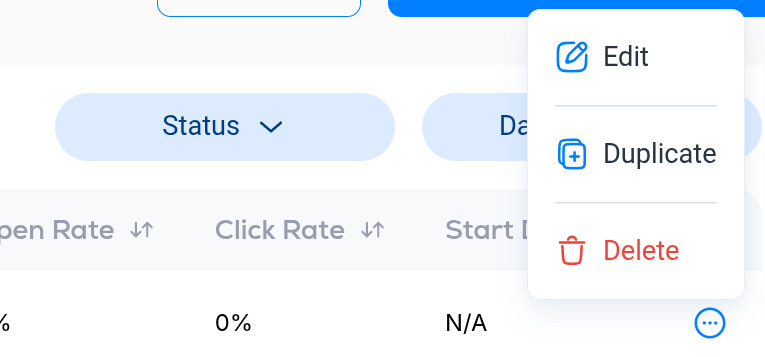
Duplicate
Duplicate creates a new draft with the same content and settings. Use it to reuse a layout: duplicate last week's issue, change the title and subject line, and replace the content. The copy is a draft, so nothing is sent until you publish it.
Delete
Delete asks you to confirm, then removes the campaign and all of its data for good. This cannot be undone. If you only want a campaign out of the way, leave it as a draft instead.
For searching, filtering and exporting the list, see Search, filter and export campaigns.
More in Campaigns
All help articlesCreate and send a campaignThe whole path from a new campaign to a sent one: details, writing in the builder, managing blocks, design, preview, test emails, audience and send time.Campaign editor and builderEverything in the Details and Builder steps of a campaign: subject line and preview text, content blocks, text formatting, design options, preview and test emails.AI content generation and spelling checkDraft an email with the Draft with AI block, have Breaker prepare drafts from your RSS feed or YouTube channel on a schedule, and check spelling and grammar before you send.Subject line split testingTest two subject lines on part of your list, let Breaker pick the one with the higher open rate, and send the winner to everyone else.First campaign review by the Breaker teamThe first campaign on a new newsletter is reviewed by the Breaker team before you can publish. What that means and what to expect.Search, filter and export campaignsSearch, filter and export your campaigns, and use the row menu to edit, duplicate or delete one.Campaign performance reportsOpen a sent campaign to see who received it, who opened and clicked, which links did best, and what each subscriber did.Monetize with PatternIQEarn from your newsletter with AI-targeted ad blocks from PatternIQ, placed in your Breaker campaigns.
Support