
Client Management Software: A Practical Guide for B2B Teams
Discover how client management software helps B2B teams organize relationships, streamline workflows, and drive growth. Compare tools, features, and ROI
A renewal is at risk because the account manager can't find the client's latest priorities. The sales rep has useful notes in a personal spreadsheet, delivery has updates in Slack, and the contract sits in an email thread that nobody can search quickly. By the time someone reconstructs the account history, the client has already decided that the team doesn't understand the relationship.
That situation is common in B2B organizations with plenty of software but no dependable operating record. Client management software can provide that record, but only when teams use it consistently and maintain the data behind it. The hard part isn't buying another dashboard. It's creating a shared system that sales, delivery, support, and success teams trust enough to use every day.
Why Client Management Software Matters for B2B Growth

Consider a mid-market B2B services firm preparing for a strategic renewal. The client has spoken with several people over the relationship. One stakeholder mentioned a new business priority during a call, another raised a delivery concern in a support conversation, and the commercial owner captured a possible expansion opportunity in a spreadsheet. None of those details appear together in the team's primary system.
The account manager enters the renewal conversation with an incomplete picture. Delivery repeats questions the client has already answered. Sales sends an upsell message to a stakeholder who has recently complained about service. The client doesn't experience these as separate system failures. They experience them as a team that isn't coordinated.
Practical rule: If a client has to repeat important context to different departments, your internal systems are making the relationship harder than it needs to be.
Client management software centralizes client records, contacts, communication history, commercial details, tasks, documents, and relationship activity. The useful distinction is operational rather than purely technical. A contact database stores information. A client management system helps people act on that information across the lifecycle, from prospecting and onboarding through delivery, renewal, and expansion.
The category grew out of earlier customer record systems. SAP's history of CRM traces the progression from paper filing cabinets in the 1950s, through the Rolodex introduced in 1956, database marketing systems in the 1980s, and sales force automation software in the 1990s. ACT! launched in 1987 as a digital Rolodex, while Siebel Systems was founded in 1993 as a sales force automation provider that helped pioneer modern CRM.
The adoption gap hides inside the tool stack
Many companies already have a CRM, project tracker, shared inbox, document repository, and collaboration tool. That doesn't mean they have a unified source of truth. If each system contains a different version of the client relationship, employees still rely on memory, private notes, and manual messages to connect the pieces.
The problem is especially expensive in B2B because relationships involve multiple stakeholders and longer decision cycles. A missing decision-maker, outdated contract term, or unrecorded objection can affect the next conversation long after the original employee has moved to another account.
The market reflects how important this software category has become. One market summary projects global CRM software growth from $101.41 billion in 2024 to $262.74 billion by 2032, at a 12.6% CAGR. Another report puts the market at $287.26 billion in 2025, projecting $334.48 billion in 2026 at a 16.4% CAGR. These figures come from the market overview collected in the CRM market summary, and they describe a large software segment, not proof that every implementation succeeds.
The differentiator is operational discipline. Teams that connect clean records to clear ownership can identify risks earlier, coordinate handoffs, and spot opportunities without asking five people for context. Teams that only install the platform create a more expensive place to store incomplete information.
For teams assessing the data layer behind their client records, data enrichment practices can help clarify which information belongs in the system and how it should be maintained. The platform should become the backbone connecting sales, delivery, and success, not another screen that employees update only before a forecast meeting.
Core Features That Drive Real Business Value
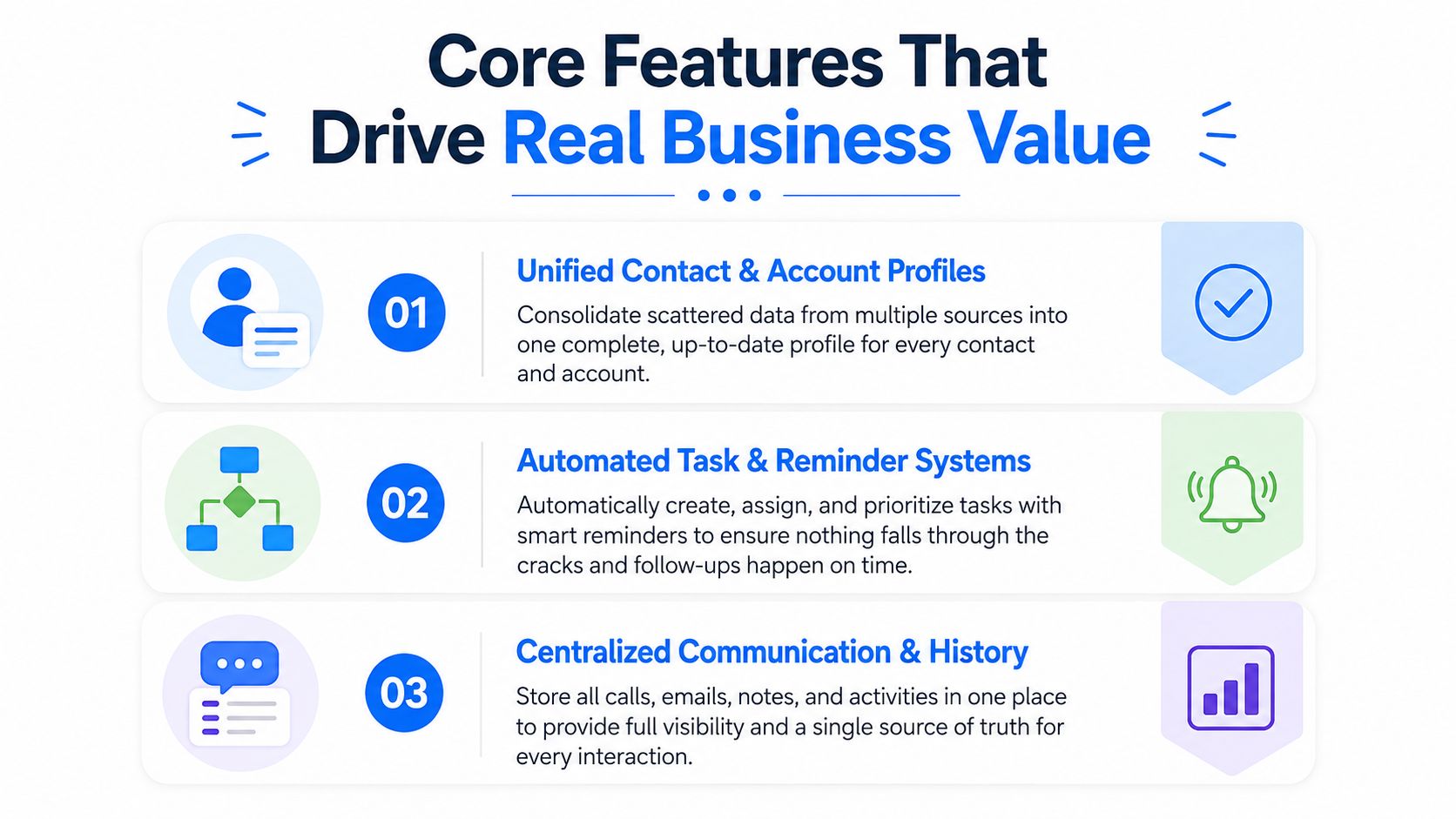
The right feature set starts with workflow friction, not vendor checklists. Ask what people currently reconstruct by hand, what information disappears during handoffs, and where a delay affects revenue or client confidence.
Unified profiles create usable context
A strong account record links the company, contacts, roles, opportunities, contracts, open issues, meetings, and recent activity. Before implementation, an account manager may need to search a CRM, inbox, shared drive, and project tool before a client call. After implementation, the account view should answer basic questions quickly: who owns the relationship, who influences the decision, what was promised, what is active, and what needs attention next.
This feature matters because B2B relationships rarely belong to one person. A stakeholder map helps teams distinguish the economic buyer, daily users, procurement contacts, executive sponsors, and potential blockers. Without those connections, a company record is just an address book.
Interaction tracking preserves the client story
Email, call, and meeting activity should attach to the relevant account or contact with as little manual effort as possible. Automatic logging usually works better than asking representatives to recreate every interaction after the fact. Manual entry is easy to postpone, and postponed entry becomes incomplete history. For teams that live on the phone, call management software can capture that activity automatically and push it into the account record.
A reliable timeline also changes the quality of internal conversations. Instead of asking, “What happened with this client?”, a delivery lead can review the latest commitment, the owner, and the next action. That reduces duplicated outreach and makes escalation more precise.
Pipeline and opportunity management expose commercial risk
A pipeline view should show more than deal stage. It should connect opportunity value, decision criteria, stakeholders, next steps, blockers, and expected handoff requirements. Leadership gets visibility without forcing representatives to maintain a shadow spreadsheet.
A sales team might previously discuss pipeline health from exported files that disagree with the CRM. A governed opportunity workflow makes the current stage, close conditions, and ownership visible in one place. It won't create accurate forecasts automatically, but it makes missing information easier to identify.
Automation protects handoffs
Tasks and reminders matter most at transition points. When a deal closes, the system should assign onboarding actions, notify delivery, attach the commercial context, and create follow-up checkpoints. When a renewal approaches, it should surface the account owner's responsibilities and unresolved risks.
That's where sales automation software fits into the broader operating model. Automation should remove repetitive coordination, not replace judgment. A reminder to review an account is useful. An automatic client message sent without context can damage trust.
Documents and contracts remove avoidable searching
Proposals, statements of work, amendments, security responses, and signed contracts should connect to the client record with clear permissions and version control. Before centralization, legal may search email while procurement asks sales for a document that delivery already has. After centralization, the responsible people can find the current file and understand its status.
The business value comes from fewer delays and fewer contradictory answers. Document storage alone isn't enough. Teams need naming rules, ownership, approval status, and a clear source for the executed agreement.
Client Management vs CRM vs Project Management Tools
The categories overlap, but their operating assumptions differ. A traditional CRM usually centers on leads, opportunities, and closing activity. Project management software organizes work, dependencies, deadlines, and deliverables. Client management software aims to connect the relationship context across those activities.
Dimension
Client Management Software
Traditional CRM
Project Management Tools
Primary users
Sales, account management, delivery, and success teams
Sales and revenue operations teams
Delivery, operations, and project teams
Data model focus
Accounts, stakeholders, interactions, contracts, health, and lifecycle activity
Leads, contacts, opportunities, and pipeline stages
Tasks, projects, dependencies, milestones, and resources
Lifecycle coverage
Prospecting through onboarding, retention, and expansion
Primarily lead-to-close, with post-sale features often added
Delivery period, with limited commercial history
Relationship context
Central to the record
Often organized around the deal
Usually secondary to the work item
Revenue visibility
Links client activity to renewals and growth opportunities
Strong for pipeline and forecasting
Usually limited unless integrated
Integration needs
CRM, email, support, finance, documents, and delivery tools
Marketing, sales engagement, finance, and service systems
CRM, time tracking, billing, communication, and file storage
Where each category earns its place
A traditional CRM may be enough when the main problem is inconsistent qualification, pipeline visibility, or sales activity. It becomes less effective when post-sale teams need a complete account history and must work from the same relationship record. A project tool may be ideal for managing a complex implementation, but it typically won't tell an account executive which executive sponsor has gone quiet or whether an expansion conversation is commercially appropriate.
Account-based marketing and engagement platforms solve a different problem. They coordinate campaigns and engagement around target accounts, but they don't necessarily manage the daily obligations, delivery context, contracts, and relationship risks that account teams handle.
For a practical comparison focused on revenue workflows, the guide to CRM for B2B SaaS founders offers useful context on choosing a CRM around business needs rather than feature volume.
Use the revenue gap as the decision test
Don't ask which category is objectively best. Ask where the most expensive failure occurs. If opportunities stall before close, improve the CRM. If delivery misses commitments because account context is scattered, strengthen client management. If work is late despite good client visibility, fix project operations.
Many teams should layer tools rather than replace everything. The condition is that one system must own each critical record, and integrations must pass clean, governed data between systems. Otherwise, the stack only spreads duplication across more interfaces.
How to Choose the Right Platform for Your Team
The best platform is the one people can use correctly during a busy client week. A polished demo can hide the true test: whether a representative can update an account after a call, whether delivery can find the latest commitment, and whether an operations manager can correct bad data without opening a support ticket.
Evaluate adoption before advanced functionality
Validity's CRM benchmark materials report that only 20% to 50% of users have fully adopted CRM systems, and its data management research defines quality as accurate, complete, reliable, relevant, timely, and valid. The Validity CRM benchmark infographic supports a practical conclusion: login activity isn't enough.
A team can open the application regularly while leaving key fields blank, creating duplicates, or failing to update stale contacts. Evaluate whether the platform makes the correct behavior easy. Test mobile updates, email capture, search, record ownership, required fields, and reporting with real workflows.
High-Impact Criteria
Commonly Overvalued Features
Fast account updates after calls and meetings
A long list of rarely used modules
Clear field ownership and validation
Decorative dashboards with no operational owner
Flexible workflow configuration
Customization that requires specialist support
Reliable integrations and sync controls
A large marketplace without tested connectors
Useful mobile experience
AI features applied to incomplete records
Permissions that match responsibilities
A complex interface presented as enterprise depth
Practical onboarding and support
A demo environment with perfect sample data
Treat data architecture as a buying criterion
A flexible system can fit your process, but unlimited customization creates its own maintenance burden. Every field needs a definition, a reason to exist, an owner, and a reporting purpose. If your team creates multiple versions of “renewal date,” the platform becomes harder to trust.
CRM synchronization needs the same discipline. Guidance on CRM data consistency and integration emphasizes field mapping, normalization, master-data rules, deduplication, and assigned data stewards. In practice, connected tools should write to governed records instead of creating parallel copies.
The choice between an all-in-one suite and specialized tools depends on your operating capacity. An all-in-one platform reduces handoffs but may force compromises in project delivery or service workflows. A specialized stack can fit each team better, but every integration adds failure points and ownership questions.
Use a real buying process. Document the business case before vendor demos, then ask each provider to demonstrate your actual scenarios, including a messy import, a reassigned account, a failed sync, and a post-sale escalation. Vendors that only show ideal workflows haven't shown you how the system behaves in production.
Implementation and Onboarding That Actually Works
Implementation failures often look technical from the outside, but the root causes are usually unclear ownership, poor migration discipline, and a workflow that doesn't match how people work. A successful rollout gives the team a reason to change behavior and removes the old shortcuts that kept fragmented systems alive.
Start with a process and data audit
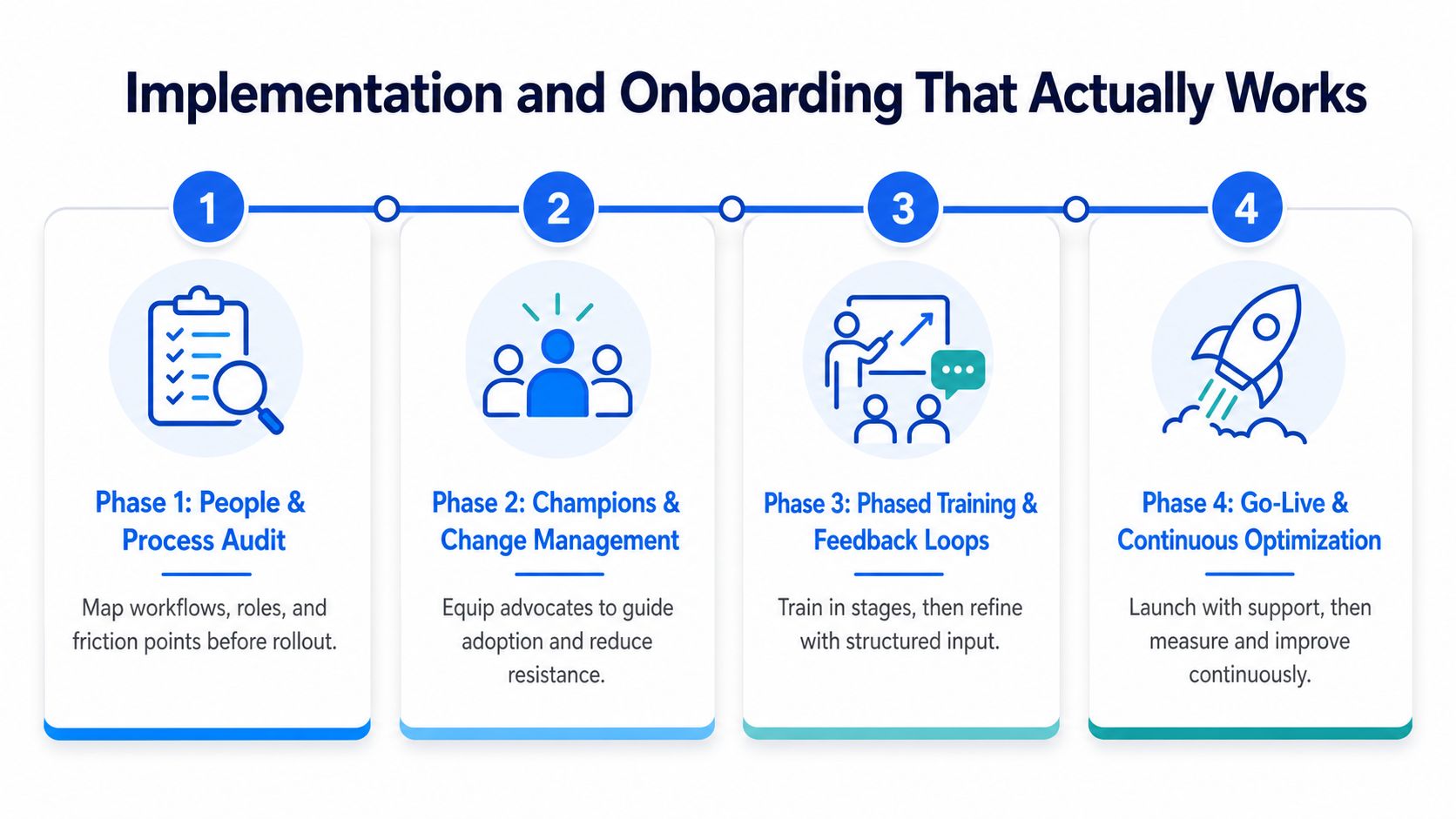
List the records that matter, where they currently live, who owns them, and which fields drive decisions. Separate active client data from obsolete records, duplicate contacts, incomplete accounts, and information nobody can validate.
Don't migrate every column because it exists. Define the minimum viable account record, then establish rules for names, industries, lifecycle stages, ownership, renewal dates, and contact roles. The cleaner the source data, the less distrust the new platform creates.
Build the rollout around people
Choose champions from the teams that will use the system, not only from operations or IT. Give them responsibility for testing workflows, identifying exceptions, and translating policy into daily practice. Champions need authority to reject unnecessary fields and escalate defects before go-live.
A pilot group is safer than a big-bang launch. Use a representative slice of accounts and a complete workflow, from opportunity handoff through client follow-up. Capture what users skip, where they create workarounds, and which automation creates noise.
Train through real work
Training should use actual account scenarios, not generic slides. Show a representative how to prepare for a client meeting, record a decision, assign a follow-up, and hand an account to delivery. Show managers how to review data quality without turning every report into a policing exercise.
The same principle applies to client-facing communication workflows. Teams that collect and act on public customer conversations may find tips for turning Reddit threads into sales useful as a separate content resource, but those insights still need clear ownership and documented follow-up inside the operating system.
Launch with feedback and governance
At go-live, publish a short set of rules: what must be updated, when it must be updated, who owns each field, and how exceptions are handled. Review duplicate rates, forecast-critical field completeness, and record freshness rather than relying on license usage alone.
Fix friction quickly. If users avoid a field because it doesn't support a real decision, remove or redesign it. If an integration produces duplicates, stop the sync, correct the mapping, and restart with controlled data rather than asking employees to clean up the damage manually.
Real Use Cases and ROI Examples
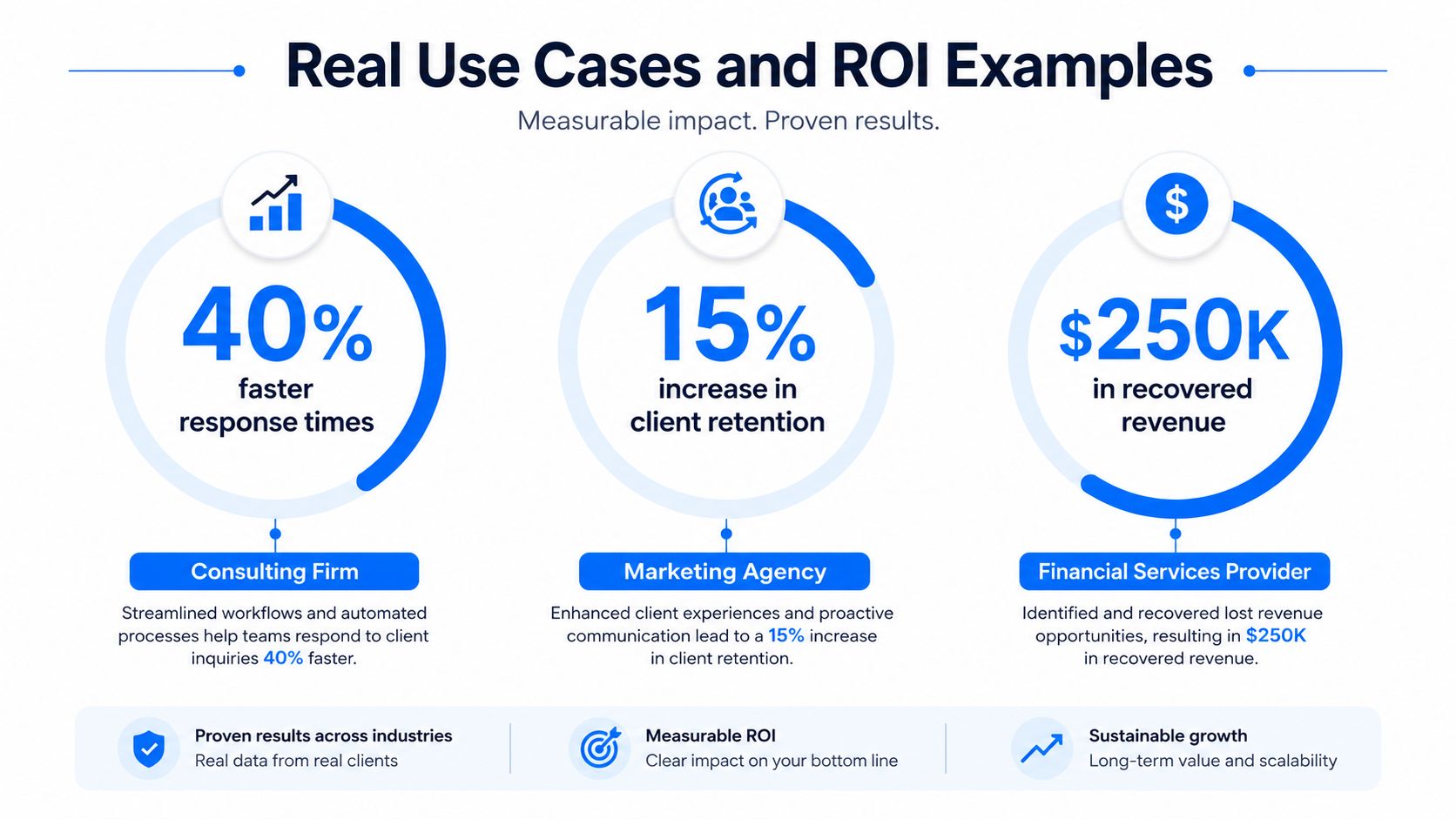
ROI should come from a defined operational change, not a generic promise that visibility will improve. A credible business case names the starting problem, the behavior the platform must change, and the leading indicators that show whether the change is working.
Professional services proposal workflow
A professional services firm may lose time because proposal inputs sit across account notes, delivery estimates, pricing files, and legal comments. A client management platform can connect the opportunity to the relevant stakeholders, reusable documents, approval steps, and next actions.
The team should track proposal cycle time, the number of handoff corrections, approval delays, and the share of opportunities with a documented next step. The system doesn't make proposals persuasive by itself. It reduces the administrative search and coordination that prevents specialists from contributing quickly.
SaaS renewal and expansion visibility
A SaaS company may have usage information in one system, support concerns in another, and executive relationship notes in a third. Connecting those signals to the account record gives the renewal owner a clearer basis for prioritizing outreach and coordinating with product or support teams.
The useful measures are account-plan completion, stakeholder coverage, unresolved risk ownership, renewal preparation status, and expansion opportunities with documented customer need. Avoid claiming that the platform alone improves retention. Retention depends on product value, service quality, commercial terms, and customer outcomes. The software makes those factors easier to coordinate.
Distributor onboarding and representative productivity
A manufacturing distributor can use client management software to organize territory accounts, product context, pricing documents, contact roles, and follow-up tasks for new representatives. Instead of asking a new hire to assemble knowledge from personal files and scattered messages, managers can provide a consistent account view and defined workflow.
Track time to complete required onboarding actions, data completeness for assigned accounts, follow-up reliability, and manager rework. These indicators reveal whether the system is reducing ramp friction without pretending that every productivity change comes from software.
The market's AI direction makes measurement even more important. One recent market commentary projects that 70% of CRMs would include conversational AI features by 2025, as described in this overview of AI trends in CRM. AI can summarize interactions or suggest actions, but it can also amplify bad fields, wrong ownership, and stale records. Audit the data foundation before treating AI as an ROI engine.
For teams comparing external specialists for implementation, operations, or growth support, an IndieTool agency listing can be a starting point for finding service providers. Evaluate partners on migration governance and adoption experience, not just platform familiarity.
Here's a visual reference for how teams often think about the connection between workflows, performance, and value:
Your Next Steps to Better Client Relationships
Start with the problem your team can prove. Audit where client information lives, which handoffs fail, where follow-ups disappear, and which reports people don't trust. Ask account owners, delivery leads, support staff, and finance what they need to know before making a client decision.
Then separate must-have controls from attractive extras. Must-haves usually include a usable account record, governed fields, reliable interaction history, clear ownership, practical integrations, and workflows that match the way work already happens. Advanced AI, elaborate dashboards, and broad customization can wait until the data is reliable and the daily process is adopted.
Use a focused evaluation sequence:
- Document the current state: Map systems, records, owners, duplicate risks, and manual workarounds.
- Align stakeholders: Agree on the client lifecycle, required fields, definitions, permissions, and success measures.
- Run realistic demos: Ask vendors to handle your actual scenarios, including a handoff, correction, import, and exception.
- Pilot with a motivated team: Use real accounts and measure behavior, data completeness, freshness, and workflow completion.
- Scale with governance: Establish data stewards, review rules, and a regular process for correcting defects.
The central lesson is simple. Software won't repair a broken process or create discipline that leadership never reinforces. A system amplifies existing habits, so teams should commit to consistent updates, clear ownership, and regular pipeline and account reviews before expecting measurable value within the first 90 days.
Breaker helps B2B teams manage newsletter growth, audience segments, CRM integrations, enrichment, data hygiene, and engagement analytics in one workflow. Visit Breaker to assess whether its subscriber acquisition and CRM-connected audience tools fit your client relationship and revenue process.
Keep reading
All articlesNewsletter Segmentation Strategy: Increase Engagement in 2026
Build a data-driven newsletter segmentation strategy using behavior, intent score, and topic affinity to lift opens and clicks. Step-by-step guide.
How to Grow Newsletter Subscribers with Qualified Leads in 2026
Discover 8 channels to grow engaged newsletter subscribers in 2026, with real cost-per-engaged-subscriber data to focus your list-building strategy.
B2B Lead Generation via Newsletter: What Actually Works
Cold outbound is losing steam. See 7 proven newsletter tactics for B2B lead generation, from gated content to sponsorship swaps, that beat cold outreach.