
Avoiding Email Blacklists: A B2B Sender's Playbook
Avoiding email blacklists starts with authentication, hygiene, and pacing. Use this B2B playbook to protect sender reputation and recover fast.
You usually don't find out you've crossed into blacklist territory from a dashboard alert. You find out because a campaign that should've been routine goes quiet, a top account replies asking why your email hit spam, or your bounce log suddenly looks wrong in ways the team can't explain.
That's the point where most B2B senders reach for a single fix. They check SPF, clean a list, tweak a subject line, maybe swap tools. The problem is bigger than any one control. Avoiding email blacklists is a system discipline, and the teams that stay out of trouble treat it that way from the first pilot send through scaled outreach.
When a Good List Goes Dark
A blacklisting event rarely starts with a dramatic warning. More often, the first sign is mundane, an open rate collapse, a spike in bounces, or a prospect who says your message landed in spam again. By then, the cause is usually upstream, a list that drifted, a ramp that moved too fast, or engagement that had been weakening for weeks.
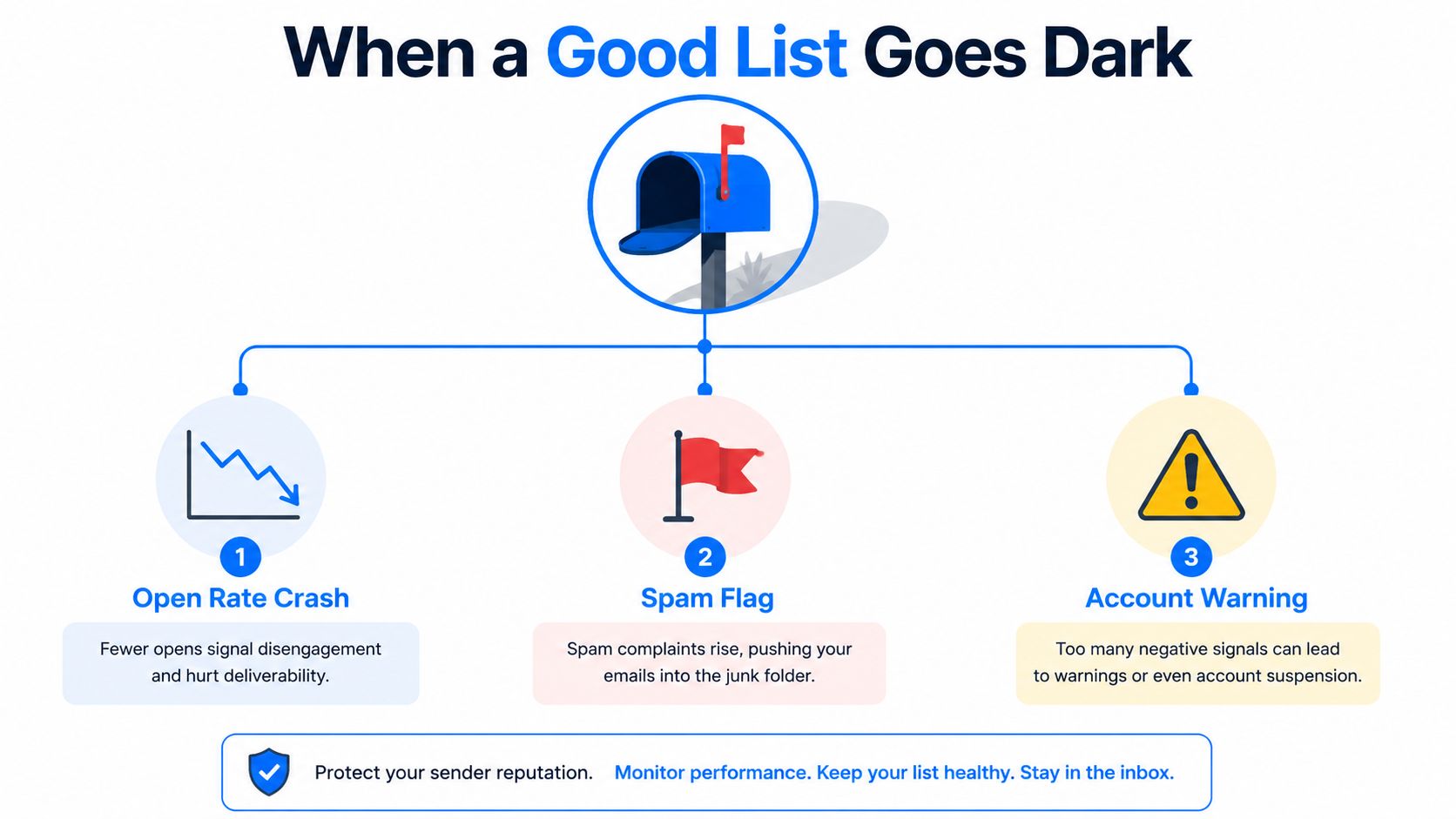
A useful mental model is to stop thinking in terms of “blacklist hit” and start thinking in terms of reputation drift. Public blocklists exist, but mailbox providers also use private filtering and throttling signals. That means a sender can look fine on a public checker and still get filtered because the issue sits inside provider-level reputation systems, complaint handling, or engagement history.
What authentication actually covers
SPF, DKIM, and DMARC are the floor, not the finish line. SPF tells receiving systems which mail servers are allowed to send for your domain, DKIM signs the message so it can be verified, and DMARC ties those signals together and tells receivers what to do when a message fails alignment. A clean setup makes spoofing harder and establishes trust, but it doesn't buy you immunity.
That's the trap. A perfectly authenticated domain can still be filtered or blocklisted if recipients ignore, delete, or complain about the mail. Mailbox providers use authentication, sender reputation, and user behavior together, so a technically correct message can still lose the inbox battle if the audience doesn't want it.
A baseline you can verify today
For a B2B sending domain, publish the records cleanly, start DMARC at p=none, and only tighten policy after you've watched the signal for a while. That gives you visibility without breaking mail while you're still fixing process issues. If you're starting from scratch, keep the domain aligned, keep the from-address stable, and avoid mixing experiments into the same stream that carries your core outbound.
If you want a quick refresher on the difference between a public blacklist and a blocklist event inside your own tooling, the glossary entry on blacklist versus blocklist terminology is useful as a sanity check. For a broader operational view, improve your B2B email deliverability with Icypeas covers the kind of baseline hygiene that keeps teams from treating deliverability like a one-time setup.
Practical rule: authentication proves you're allowed to send. It does not prove people want your mail.
The Maturity-Based Risk Framework
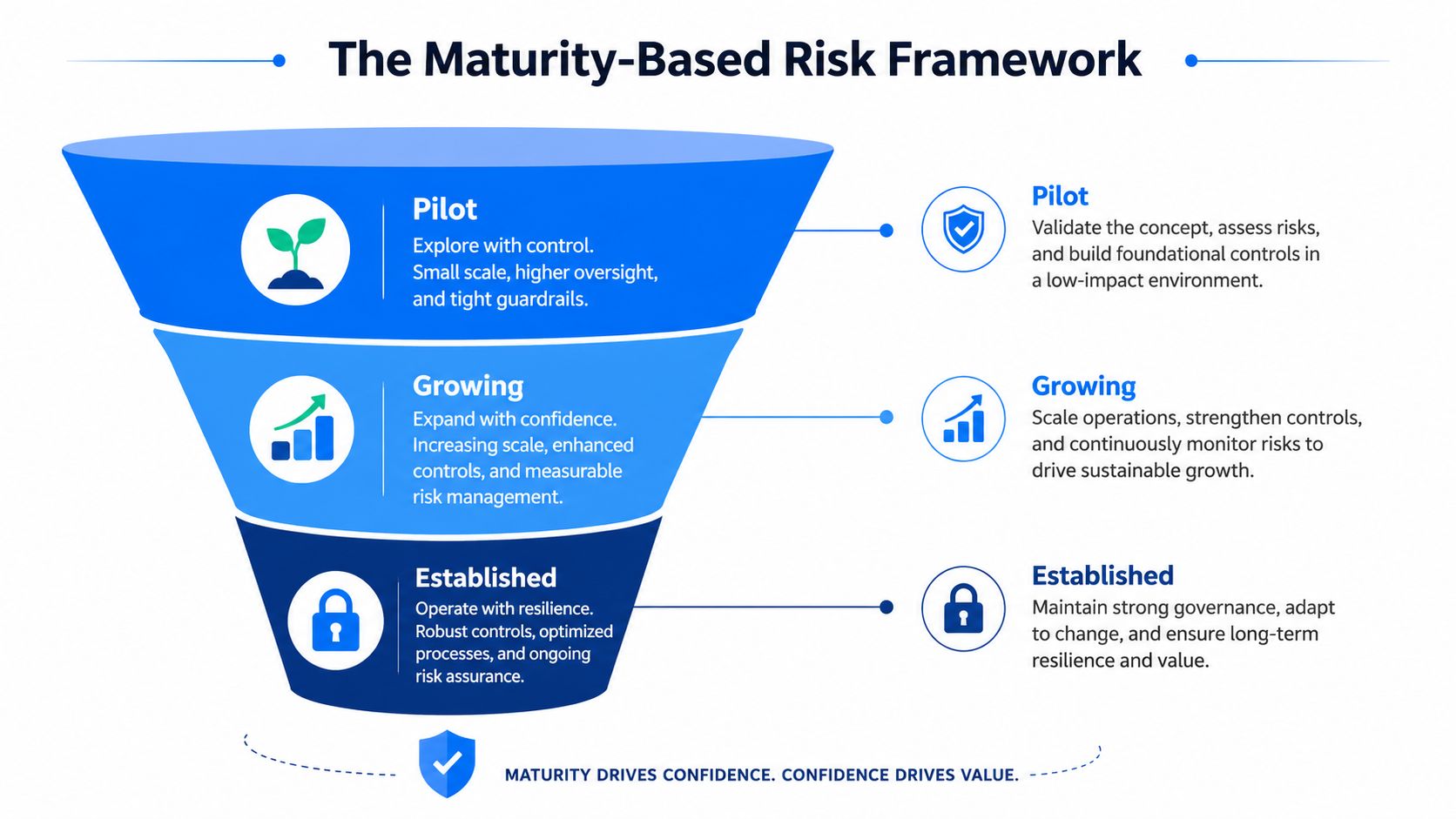
Different stages of sender maturity fail for different reasons. A pilot sender usually breaks on bad data and messy verification. A growing sender tends to get burned by pacing mistakes and rising complaints. An established sender usually pays the price for fatigue, segmentation mistakes, or reputational spillover across streams.
Pilot stage
At pilot volume, the biggest risk is sending to weak data and assuming the domain is healthy because the volume is small. Seed-list testing, verification, and suppression discipline matter more than fancy copy. If the first few sends already attract complaints or bounces, scale will only make the problem louder.
Growing stage
When volume starts rising, ramp pacing and complaint thresholds become the leading indicators. Google has publicly used a spam-complaint warning level of 0.1% and a danger level around 0.3% for deliverability risk, which means just 1 complaint per 1,000 emails can become a problem very quickly, according to this prevention guide. At this stage, a “good enough” list is not enough, because small swings in engagement can change how mailbox providers treat the next batch.
Established stage
At scale, the risks shift again. Content fatigue, stream separation, and reputation monitoring become more important than the mechanics of basic setup. This is also the point where you need to watch whether transactional and promotional mail are sharing too much risk, because a bad campaign shouldn't be able to contaminate the whole sender identity.
The decision rule is simple. If you're just getting started, inspect the list. If you're growing, inspect the pace. If you're established, inspect the reputation signals around each stream.
List Hygiene as an Operating Discipline
Hygiene works because it removes the inputs that trigger complaints, traps, and silent reputation decay. It's not glamorous, but it's what keeps a healthy sender from becoming a cleanup project later. For B2B teams, that usually means double opt-in for signups, immediate suppression of hard bounces after every campaign, and a sunset policy for contacts who've gone quiet.
A useful cadence is before, during, and after send. Before the send, verify the list and suppress known-risk records. During the send, watch for bounce patterns and complaint spikes. After the send, remove hard bounces immediately, then move dormant contacts into a re-engagement path instead of continuing to mail them as if nothing changed.
If a contact hasn't engaged for a long stretch, treat them as a deliverability risk before you treat them as a campaign target.
What to do with risky segments
Role inboxes like [email protected] deserve extra scrutiny because they're often shared, low-signal addresses. They aren't automatically bad, but they deserve a different rule set than named contacts. Known trap-like patterns, old exports, and contacts with repeated soft bounce behavior should be suppressed rather than recycled.
The key trade-off is reach versus control. Broad lists feel efficient until the provider starts interpreting the lack of engagement as a sender problem. A smaller, cleaner audience usually protects the domain better than a bigger list that keeps dragging complaints and bounces behind it.
If your team is still debating whether list cleansing is worth the operational effort, the internal guide on mailing list cleaning services gives a practical lens for deciding what to suppress, what to re-verify, and what to retire.
For teams that also run SMS, the TCPA and CTIA opt in guide is a good reminder that permission rules matter across channels, not just in email. Different medium, same principle, people shouldn't be surprised to hear from you.
Infrastructure, IP Strategy, and Safe Warmup
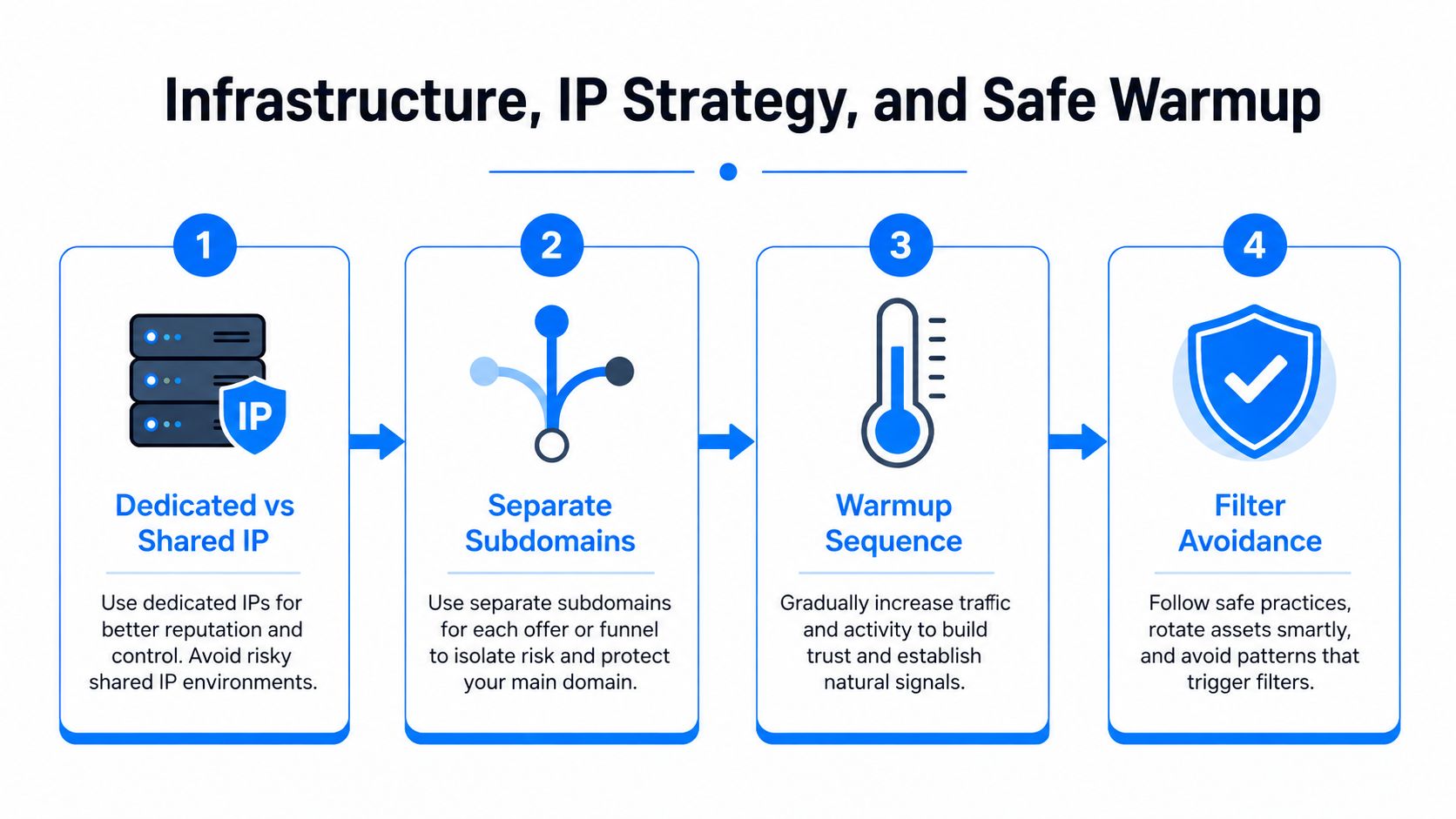
Infrastructure choices matter most when sending patterns are still unstable. If you're a low-volume sender with variable cadence, shared infrastructure is often the safer call because you're not asking a brand-new IP to earn trust by itself. A dedicated IP makes more sense when volume is consistent enough to support its own reputation.
Separate what can fail from what must stay clean
Transactional and promotional streams should not share unnecessary risk. Keep them on separate subdomains when possible so a poor campaign doesn't poison receipts, password resets, or other mail that users expect. That separation doesn't solve reputation problems by itself, but it limits blast radius when something goes wrong.
Warmup is reputation training, not a checkbox
New domains need gradual introduction. Start with small, stable sends, then increase only when replies, opens, and complaint levels stay healthy. Use seed lists and mailbox-provider testing to make sure the mail behaves the way you expect before you increase pressure on the primary audience.
Practical rule: if your sending volume is changing faster than your engagement data, you're not warming up, you're stress-testing your own domain.
A dedicated IP can be useful when your cadence is steady and your volume is high enough to build a clear reputation. It's a bad fit when a team sends irregularly, because the IP gets judged on inconsistent behavior. In those cases, shared infrastructure is often the less fragile choice.
The cleanest warmup plan is boring, and that's the point. Keep the stream focused, keep the ramp slow, and don't mix a risky campaign into the same pipeline that's still earning trust.
Content, Frequency, and Engagement as Deliverability Controls
Mailbox providers don't just read headers, they watch how recipients respond. Opens, clicks, deletes, replies, and complaints all feed the reputation picture, which is why content and frequency are deliverability controls, not just marketing choices. A beautiful newsletter sent too often to a tired list can still get throttled.
What to change when engagement slips
Start with segmentation. If opens slide, tighten the audience before you rewrite every line of copy. Then reduce frequency where necessary, because even relevant mail can become noisy when the cadence outruns the audience's interest.
Subject lines matter, but not because of cleverness alone. They matter because they affect the first few seconds of recipient behavior, which in turn shapes how mailbox providers classify the stream. If a sender's from-address is losing trust, refreshing the sender identity and the content pattern can help, but only if the underlying list quality is already under control.
A re-engagement campaign belongs before suppression, not after endless retries. Give dormant contacts one honest attempt to opt back in, then stop mailing them if they don't respond. Continuing to send to the dead end of the list usually creates more risk than upside.
Breaker is one option for teams that want send-side controls and audience hygiene in the same workflow, because it combines list growth, validation, and deliverability monitoring in one place rather than forcing teams to stitch them together manually. That matters when you're trying to keep campaigns moving without losing visibility into the list.
The practical trade-off is simple. Sending more often can raise exposure, but it can also exhaust attention faster than the team expects. In deliverability, consistency usually beats intensity.
Monitoring, Alerts, and the Recovery Playbook
Prevention still fails sometimes, and the team that recovers fast usually has three things in place, daily checks, alerting, and a calm triage path. The first sign can be a bounce spike, a complaint pattern, or inbox placement that suddenly feels off even when public tools show nothing obvious. That's why monitoring can't stop at a public blocklist check.
The public lists worth checking most often are Spamhaus, Barracuda, SORBS, and Proofpoint. They don't explain every inbox problem, but they're a useful starting point when mail suddenly stops landing. If there's no public listing, the issue may be provider-level filtering, which means the fix is usually behavioral, not just procedural.
Blacklist
Primary Signal
Typical Delisting Path
Spamhaus
Spam-like sending patterns, complaint and abuse signals
Fix the source issue, then follow the list's delisting process
Barracuda
Suspicious sending reputation or abuse indicators
Clean the trigger, then request removal through the listed procedure
SORBS
Problematic mail behavior or poor list quality
Correct the sending issue, then use the applicable removal route
Proofpoint
Filtering based on sender behavior and reputation
Address the reputation problem, then work through the provider's process
Recovery without making it worse
The first move is to stop bulk sends. Keep transactional mail isolated if it must continue, then identify the campaign, list segment, or content pattern that triggered the problem. After that, clean or suppress the affected contacts, gather evidence, and request delisting from the relevant list maintainer with a clear explanation of what changed.
The internal guide on email deliverability monitoring is useful here because monitoring only matters when it leads to a decision. A dashboard that doesn't trigger action is just decoration.
Once the listing clears, don't return to full volume immediately. Ramp back gradually and keep watching complaint behavior, bounces, and inbox placement. If the issue was provider-level filtering, the same discipline still applies, because the recovery path is usually slower than teams hope.
The fastest recovery is the one that stops the bleed before it becomes a reputation event.
A 30-60-90 Plan and Frequently Asked Questions
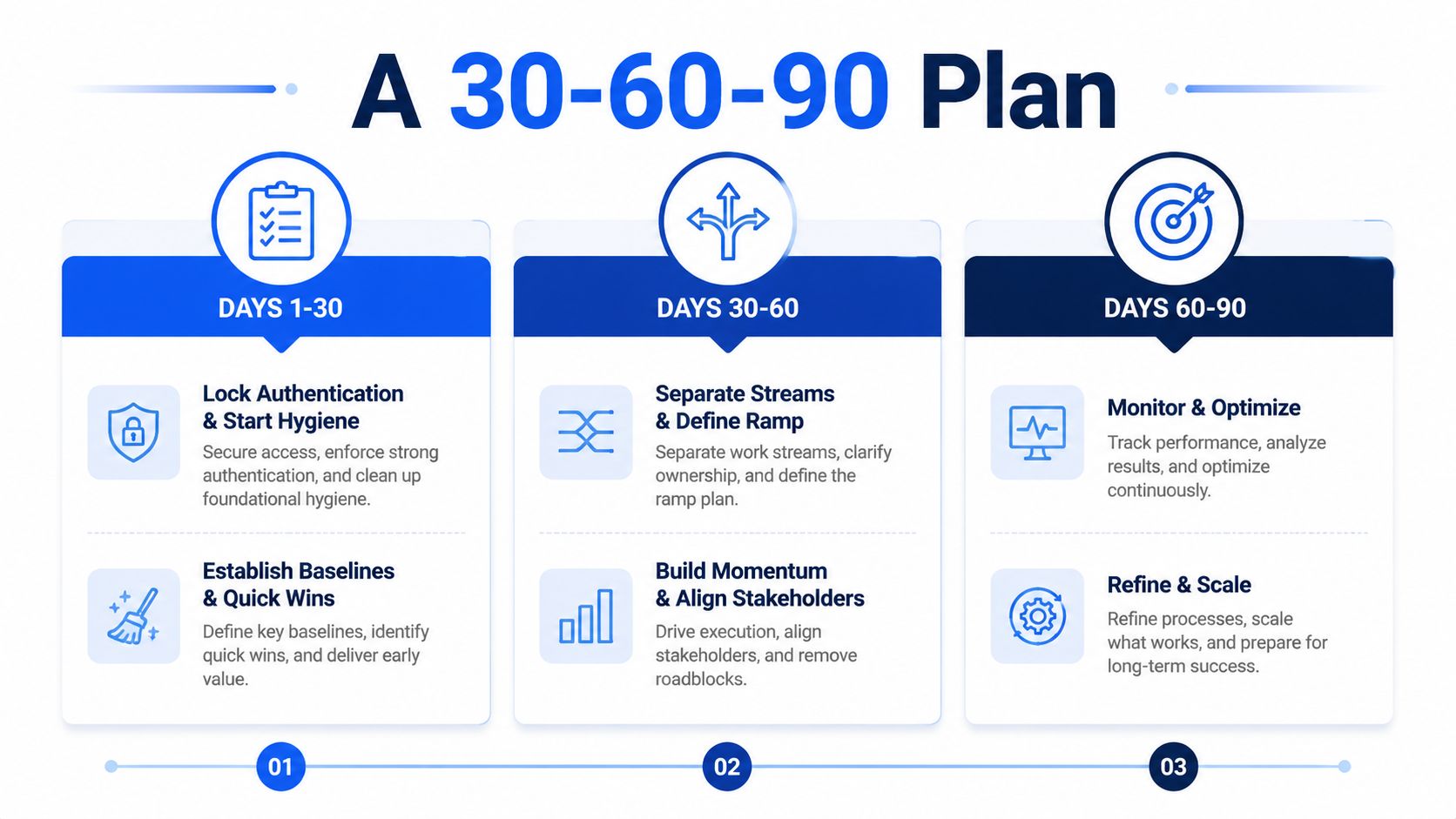
The first 30 days should lock down authentication, suppression, and bounce handling. Treat that as the foundation, not the finish line. If the domain is already live, this is also the window to establish a clean baseline for complaints, bounces, and engagement.
From day 30 to 60, separate streams, define ramp rules, and make the send calendar less reactive. If your team is still mixing tests, nurtures, and promotional pushes into one pipeline, now is the time to split them out. This is also when complaint thresholds matter most, because that's when volume starts revealing whether the list is healthy.
From day 60 to 90, layer in monitoring and run a controlled re-engagement pass on dormant contacts. If that pass underperforms, suppress faster than feels comfortable. Silence is cheaper than dragging risky records through every future campaign.
Frequently asked questions
How long does delisting take? It depends on the list and on whether the root cause is fixed. Some lists allow faster removal paths, while others require you to demonstrate that the sending behavior changed first.
Can a new domain rescue a poisoned reputation? Sometimes it can help, but only if the new domain is managed differently. If the same list, cadence, and content choices follow the sender, the problem usually comes back.
What if inbox placement drops but no public blacklist shows a hit? Treat that as a reputation and engagement problem first, not a mystery. Check complaints, bounces, segmentation, and send frequency before you blame the tool stack.
If you're trying to avoid email blacklists without guessing at the next fix, Breaker gives you a practical way to validate addresses, clean lists, and keep deliverability visible while you scale. Visit Breaker to see how the platform supports B2B teams that need cleaner sends, steadier reputation, and fewer surprises in the inbox.
Keep reading
All articlesNewsletter Agency Services: How Agencies Scale Client Newsletters
Managing multiple client newsletters? Learn what a true newsletter agency platform needs to prevent list mixing, voice drift, and invisible ROI.
Building Owned Audiences: Move Followers to Your Newsletter in 2026
Social platforms can vanish overnight. Learn how to convert Instagram, TikTok, and YouTube followers into a newsletter list you actually own.
Newsletter Analytics: Which Metrics Actually Matter in 2026
Open rate and clicks don't predict buyers. Learn the 7-step method to track click depth, recency, and topic affinity for a revenue-predictive intent score.