
Zapier integration
Generate a Zapier token and connect Breaker to thousands of other apps.
Zapier connects Breaker to the other tools you use, with no code. Typical Zaps add a new form submission, customer or event attendee to your newsletter, or post to Slack when someone subscribes.
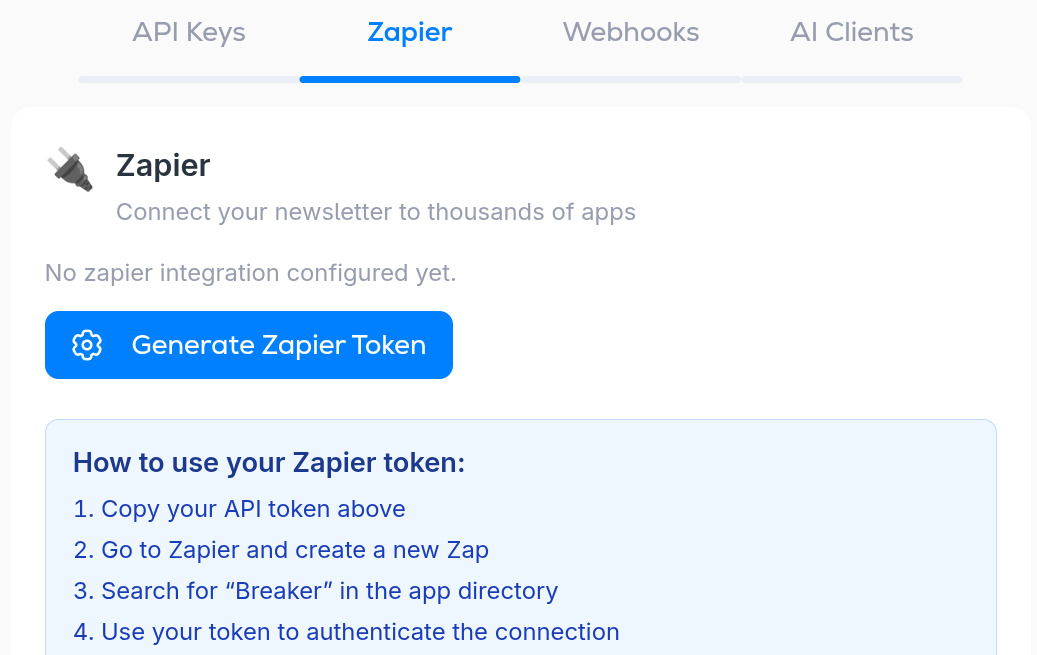
Open Settings, then Integrations, then the Zapier tab.
Connect
- Click Generate Zapier Token and copy the token it shows.
- In Zapier, create a new Zap.
- Search for Breaker in the app directory and pick it as the trigger or action.
- When Zapier asks you to connect your account, paste the token.
- Build the rest of the Zap and turn it on.
The token is tied to this newsletter. For another newsletter, switch to it and generate a separate token.
If you want more control
Zapier covers the common cases. For anything it cannot do, Breaker also has webhooks that push events to any URL, and a full API.
More in Integrations
All help articlesAPI keysCreate a key for your own code or a local AI assistant, what a key can reach, and how to revoke one.API documentationWhere to find the Breaker REST API reference and its OpenAPI file, how requests are authenticated, and what the API covers.WebhooksSend contact events to your own system, or receive contacts from one, with a webhook URL, method and optional auth header.Connect Claude or ChatGPT (hosted MCP)Connect claude.ai or ChatGPT to your newsletter through Breaker's hosted MCP server, and see or disconnect connected clients.Connect Claude Code, Codex, Cursor and other MCP clientsRun Breaker's MCP server next to a coding tool or desktop app with an API key, with the exact command or config for each client.
Support