
Webhooks
Send contact events to your own system, or receive contacts from one, with a webhook URL, method and optional auth header.
Webhooks let Breaker talk to your own systems the moment something happens, without polling the API. Open Settings, then Integrations, then the Webhooks tab.
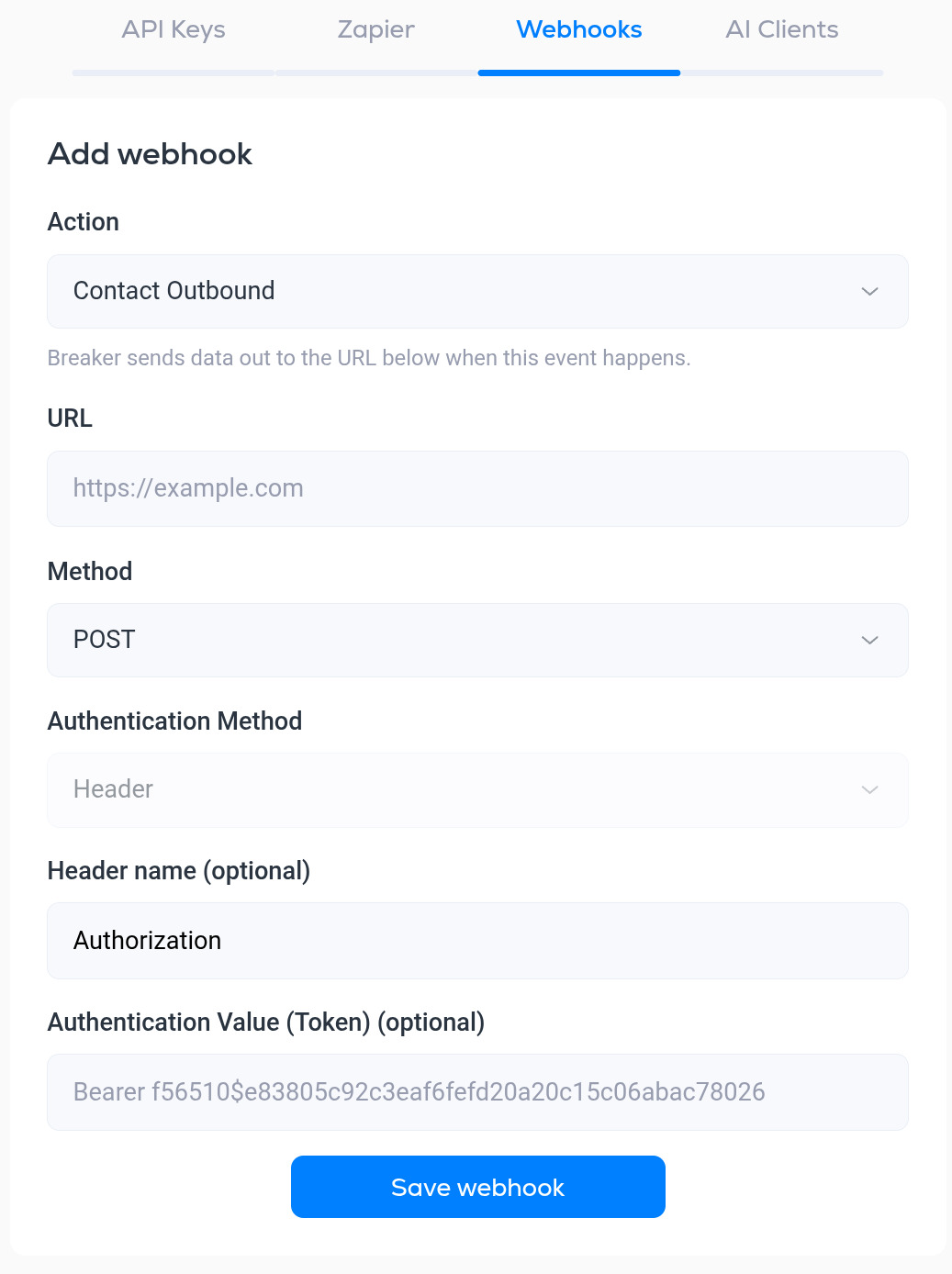
Add a webhook
- Action. Which event the webhook is for:
- Contact Inbound. For sending contacts into Breaker from another system.
- Contact Outbound. Breaker sends the contact's data to your URL when a contact is added.
- Contact Unsubscribed. Breaker sends the contact's data to your URL when they unsubscribe.
- URL. The address Breaker should call, for example an endpoint on your server or a catch-hook in Zapier, Make or n8n.
- Method. POST (default) or PUT.
- Authentication Method. Header: Breaker adds a header to each request so your endpoint can verify it came from Breaker.
- Header name (optional). Defaults to Authorization.
- Authentication Value (Token) (optional). The value to send in that header, for example Bearer followed by a secret you generate. Your endpoint should reject requests without it.
Click Save webhook. Saved webhooks are listed on this tab.
Tips
- Use HTTPS URLs only.
- Respond quickly with a 2xx status; do any heavy work after you have acknowledged the request.
- To see exactly what Breaker sends, point a webhook at a request-inspection service first, then move it to your real endpoint.
- If you only need to copy data between well-known apps, Zapier integration is usually faster to set up.
More in Integrations
All help articlesAPI keysCreate a key for your own code or a local AI assistant, what a key can reach, and how to revoke one.API documentationWhere to find the Breaker REST API reference and its OpenAPI file, how requests are authenticated, and what the API covers.Zapier integrationGenerate a Zapier token and connect Breaker to thousands of other apps.Connect Claude or ChatGPT (hosted MCP)Connect claude.ai or ChatGPT to your newsletter through Breaker's hosted MCP server, and see or disconnect connected clients.Connect Claude Code, Codex, Cursor and other MCP clientsRun Breaker's MCP server next to a coding tool or desktop app with an API key, with the exact command or config for each client.
Support