
API keys
Create a key for your own code or a local AI assistant, what a key can reach, and how to revoke one.
The Breaker API lets your own code, scripts or an AI assistant work with a newsletter: campaigns, automations, contacts, segments and reports. The full reference is in API documentation.
Open Settings, then Integrations. The first tab is API Keys.
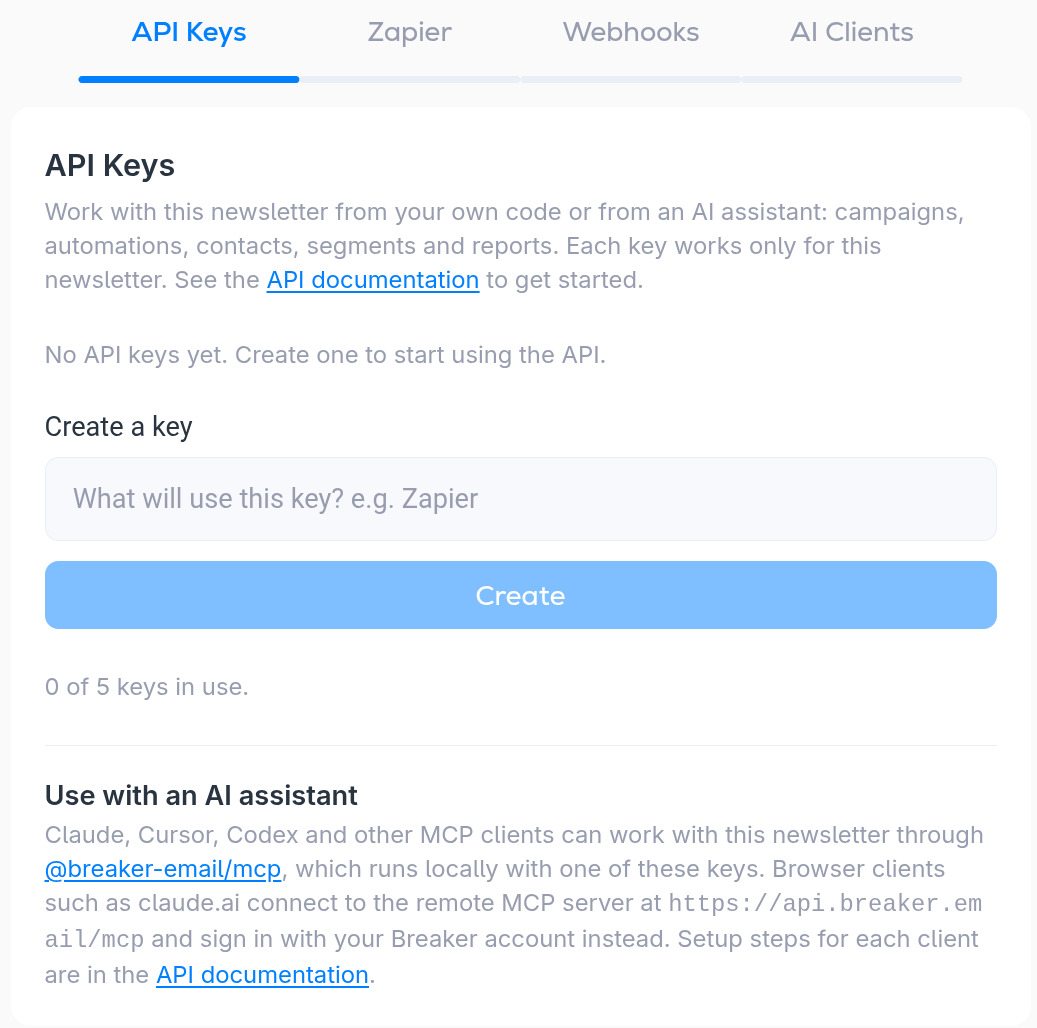
Create a key
- Under Create a key, type what will use it, for example Zapier or Reporting script. The name is only there to help you recognize the key later.
- Click Create.
- Copy the key now and store it somewhere safe, such as a password manager. Treat it like a password: anyone who has it can read and change this newsletter.
Each newsletter can have up to 5 keys, and the counter under the button shows how many are in use. A key works only for the newsletter it was created in. If you run several newsletters, create a key in each one.
Revoke a key
Keys you have created are listed on this tab. Remove a key when a tool no longer needs it or if you think it has leaked. Anything still using that key stops working.
Using a key with an AI assistant
Desktop and command-line assistants such as Claude Code, Cursor and Codex can run Breaker's MCP server locally with one of these keys. Browser assistants such as claude.ai and ChatGPT do not need a key: they connect to Breaker's hosted MCP server and sign in with your Breaker account. See Connect Claude or ChatGPT (hosted MCP).