
How to Write a Newsletter with AI: Step-by-Step Guide 2026
Learn how to write a newsletter with AI the right way: a 7-step process to train, calibrate, and edit AI drafts that still sound like you.
Writing a newsletter with AI means more than feeding a chatbot a topic and hitting send. The writers who stick with AI-assisted drafting treat it like onboarding a new team member who needs context, examples, and clear expectations. Skip the setup work and you'll get exactly what you'd expect: flat copy that reads like a press release.
Here's what works: gather your past issues, feed them to the model as reference material, calibrate tone and structure deliberately, draft from a structured outline, edit everything by hand, refine your subject line, and then use what you learned to inform the next issue. Seven steps. Each one matters.
Most people skip straight to "write me a newsletter about X" in a chatbot, publish something generic, watch their open rates flatline, and declare AI a waste. The problem isn't the technology. It's that they're treating a tool built for one-shot prompts as if it can replace the actual work of voice and calibration.
What AI Newsletter Writing Actually Means
Writing a newsletter with AI is using a large language model - like ChatGPT or Claude - to draft, structure, or polish a recurring email while you keep full control over facts, tone, and voice. It's not the same as asking an AI to write a single email you'll never send again.
A newsletter has a recurring audience who already knows your voice, your recurring structure, your personality. If the draft reads like marketing copy, your regular subscribers notice immediately. That mismatch erodes trust you've spent months or years building.
Generic AI drafts fail for the same few reasons every time:
- No reference material. A blank chat session defaults to whatever the model learned from the internet at large - bland, average, beige.
- No sense of your structure. Newsletters have rhythm: a weekly roundup, a reader question, a consistent sign-off. One-shot prompts don't replicate that.
- No shared context. Regular subscribers catch callbacks and inside references. Generic AI ignores all of it.
- No fact-checking. Language models state incorrect details with absolute confidence. This is a known limitation.
The fix is the same for all four: give the model real material to learn from, calibrate it deliberately, and keep a human making decisions.
The Seven-Step Process
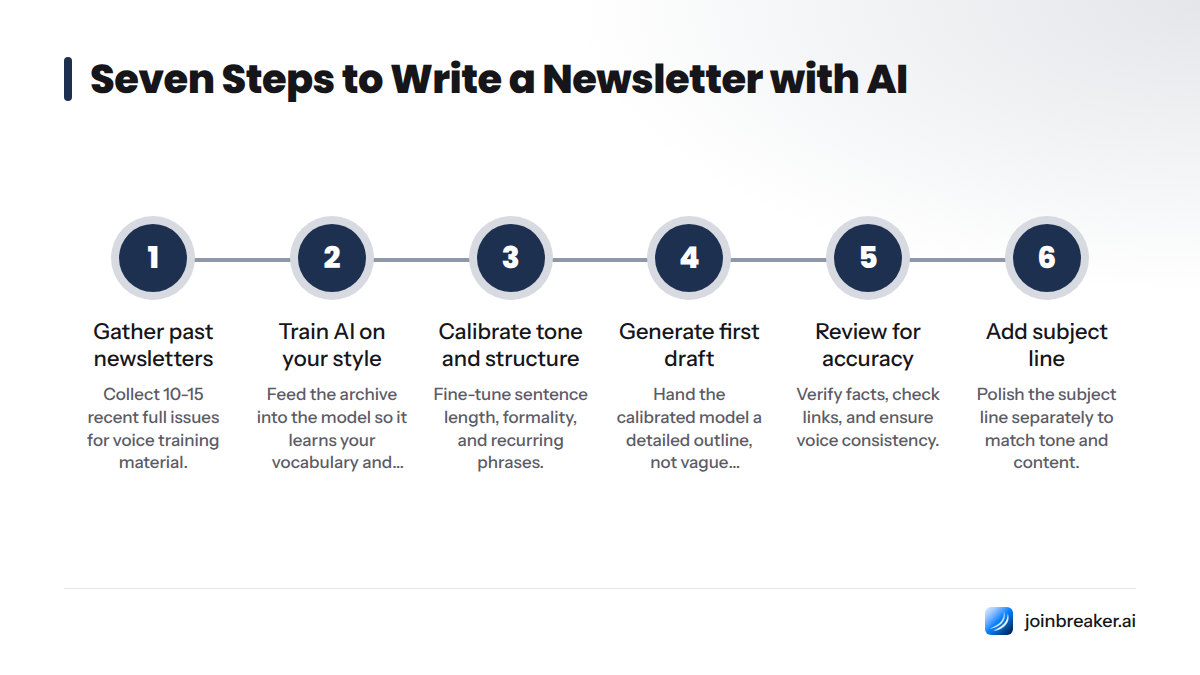
- Gather your past newsletters for voice training
- Train the AI on your style with archive ingestion
- Calibrate tone, structure, and vocabulary
- Generate a first draft from your outline or notes
- Review and edit the draft for accuracy and voice
- Add your subject line and do a final polish
- Publish and feed results back into the model
Step 1: Gather Your Past Newsletters for Voice Training
Before you write a prompt, collect your own writing. This is the step almost everyone skips, and it's where the real difference happens.
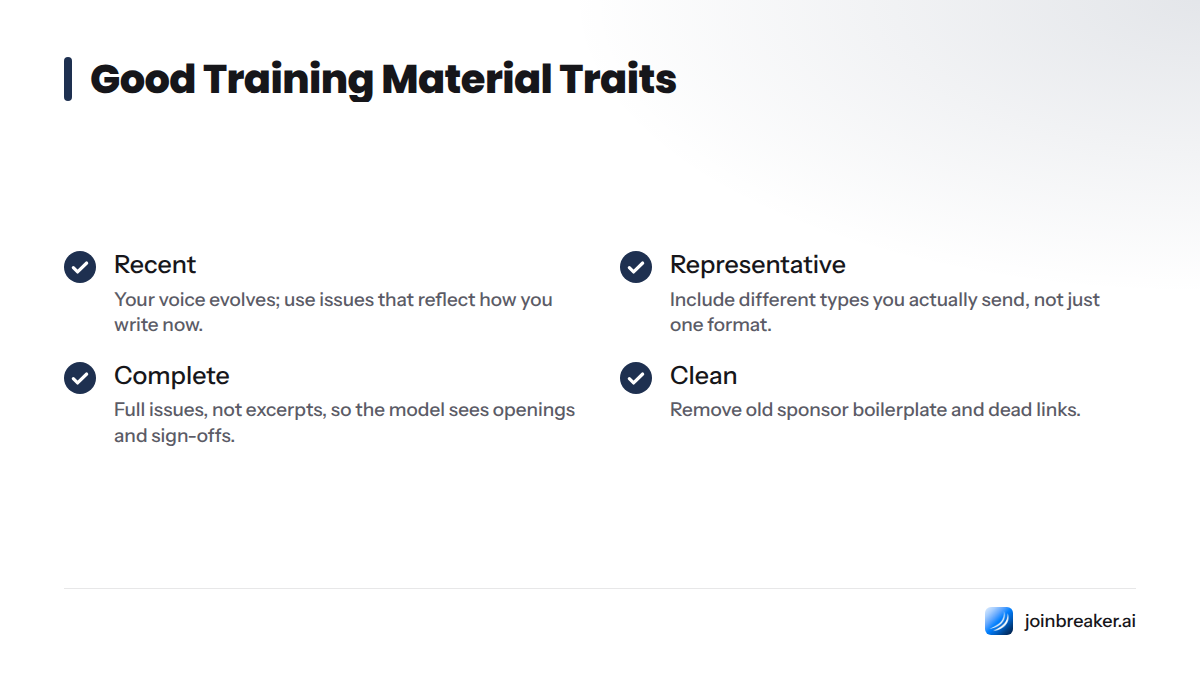
Good training material has these traits:
- Recent. Your voice evolves. Issues from three years ago won't reflect how you write now.
- Representative. Include different types you actually send: a standard weekly, an announcement, something more personal or story-driven.
- Complete. Full issues, not excerpts. The model needs to see your openings, transitions, and sign-offs, not isolated paragraphs.
- Clean. Remove old sponsor boilerplate or dead links you don't want echoed back into new drafts.
Aim for at least 10 to 15 recent full issues. Fewer than five rarely gives the model enough signal to separate your actual style from a one-off choice. Most writers see noticeably better results once they're feeding in a dozen or more varied issues. A longer sample teaches the model faster than a single paragraph would teach a human editor.
Also gather:
- Your actual subject lines from those issues
- Any existing style guide, tone notes, or brand voice documentation
- A short list of words or phrases you always use (and ones you never use)
Step 2: Train the AI on Your Style with Archive Ingestion
Archive ingestion is feeding a collection of your past writing into an AI system so it can learn your vocabulary, sentence rhythm, structural habits, and recurring phrases - not relying on a single prompt's instructions alone. Think of it as the difference between describing your voice in a paragraph versus handing someone a folder of your best work and saying "write like this."
A single prompt is a thin signal. If you type "write in a friendly, conversational tone," the model has to guess what that means for you specifically. Friendly and conversational looks different for a fintech newsletter than it does for a parenting blog. Archive ingestion replaces guesswork with evidence.
The mechanism is conceptually straightforward: the model processes your reference material and uses patterns in word choice, sentence length, paragraph structure, and recurring phrasing to inform how it generates new text in a similar style. This approach is documented in guidance from both OpenAI's API documentation on prompting and context and Anthropic's prompt engineering overview, both of which explain how providing more context and examples improves output alignment with a desired style.
Step 3: Calibrate Tone, Structure, and Vocabulary
Style calibration is where you actively adjust how the AI applies what it learned from your archive, fine-tuning specific elements like sentence length, formality, recurring phrases, and formatting patterns. Ingestion gives raw material. Calibration shapes how the model uses it.
Focus on these elements:
Sentence length. Do you write short, punchy lines or longer, winding ones? Mismatched rhythm is one of the fastest tells that a draft is AI-generic.
Vocabulary. Words you use often and words you'd never use. A single wrong word choice can break the illusion of your voice.
Formatting patterns. Bullet-heavy versus prose-heavy, bolded callouts, section headers. Readers recognize your newsletter's shape before they read a word.
Recurring phrases. Your sign-off line, a recurring joke, a consistent greeting. These are brand signatures; losing them makes the issue feel off.
Formality level. Do you say "you" or "folks," use contractions or full phrases? Formality mismatches read as stiff or oddly casual.
To see the difference calibration makes, compare these two versions of the same basic message:
Without calibration: "We are excited to share some important updates this week. Our team has been working hard to bring you valuable content that we hope you will find useful and informative."
With calibration: "Three things happened this week that are worth your six minutes. No fluff, just the stuff I'd tell you over coffee."
Same intent. Completely different voice. The second version reflects a specific, personal rhythm that an archive-trained and calibrated model can approximate when it has real reference material and a human shaping it.
After calibration, check:
- Does the draft's average sentence length match your usual issues?
- Are there words in the draft you'd never use?
- Does the greeting and sign-off match your recurring pattern?
- Is the formality level consistent with your brand?
- Are section headers and bullet patterns consistent with past issues?
Step 4: Generate a First Draft from Your Outline or Notes
Once the model is calibrated, you're ready to draft. The quality of your outline matters far more than clever prompt wording.
A strong content outline includes:
- The core message or theme for this issue, in one sentence
- The sections you want, in order (intro, main story, quick links, sign-off)
- Any specific facts, quotes, or data points that must appear accurately
- Links you want included, with context on where they go
- Anything to explicitly avoid this issue
Hand that structured outline to your calibrated model rather than a vague one-liner. The difference between "write this week's newsletter" and a detailed outline is the difference between a rough guess and a draft you can actually use.
This is also where a content calendar helps: knowing what's coming next keeps your outlines consistent week to week.
Treat the AI output as a first draft, always. Even a well-calibrated model is a drafting tool, not a final authority on what you publish under your name.
Step 5: Review and Edit the AI Draft for Accuracy and Voice
This is the step that separates writers who build trust from ones who quietly lose it. Human review is not optional; it's where you catch the two things AI is structurally bad at: factual precision and the subtle texture of your actual voice.
Read the draft as if you've never seen it before. For every factual claim, ask yourself: "How do I know this is true?" If you can't answer that with a real source, verify it or remove it. This single habit prevents the most damaging mistake: sending false information to your entire list under your byline.
Also check:
- Tone and voice match against a recent real issue. Even after calibration, drafts can drift back toward generic phrasing.
- All links work and point where you intended. AI-suggested links can be outdated, wrong, or invented.
- Calls to action are accurate and current. Pricing, dates, and offers change; the model doesn't know unless told.
- No invented quotes, stats, or sources. If a "fact" can't be traced to something you actually know is true, cut it.
- Formatting matches your usual template. Headers, bullets, and spacing should look like your newsletter.
- Sign-off and recurring elements are present. These are often the first things a rushed draft drops.
Step 6: Add Your Subject Line and Final Polish
Your subject line is the first, and sometimes only, thing a subscriber reads before deciding whether to open. It deserves a dedicated pass separate from the body draft.
Keep this pass focused:
- Does the subject line reflect what's actually inside the newsletter, or does it oversell?
- Does it match the voice of the issue itself, rather than sounding more "marketing-y"?
- Is it free of spam-trigger patterns like excessive punctuation or all caps?
Before you hit send, confirm:
- Subject line matches the content and your usual tone
- All factual claims verified against a real source
- Links tested and functional
- Formatting matches your template
- Sign-off and recurring elements present
- A second pair of eyes has read it, if possible
Do a final formatting pass to make sure the draft renders correctly in your actual send platform, not just as plain text in a document.
Step 7: Publish and Feed Results Back into the Model
A feedback loop means taking what you learn from how an issue actually performed - which stories got engagement, which structural choices felt right - and using that to refine your next calibration. This isn't about complex analytics. It's about a simple habit: after each issue, note what worked and what felt off-voice, then bring that observation into your next drafting session.
Over time, this closes the loop between training, calibration, drafting, and real reader response.
This is also where newsletter writing differs from one-off emails. A single email has one outcome and ends there. A newsletter is a recurring relationship, which means every issue is both a deliverable and a new signal for the next one. That compounding quality is why feedback loops matter so much more for newsletters.
Common Mistakes When Writing a Newsletter with AI
Most AI newsletter failures trace back to one of five habits:
Skipping human review entirely. Treating the AI draft as publish-ready is the single most damaging mistake. It's also the one most likely to cause a factual error to reach your full list.
Training on too few or inconsistent samples. Feeding in two or three issues, or a random mix of old and new writing, gives the model a weak and contradictory signal.
Letting AI invent facts or claims. Without verification, a confident-sounding but false statistic can end up in front of thousands of subscribers.
Ignoring subject line craft. A beautifully calibrated body draft under a flat subject line still won't get opened.
Treating the first draft as final. Even a well-calibrated draft benefits from at least one editing pass focused specifically on voice, not just grammar.
Frequently Asked Questions
What does it mean to write a newsletter with AI? It means using a large language model to help draft, structure, or polish a recurring email publication, while a human writer handles final review, fact-checking, and voice control before publishing.
Can AI really make a newsletter sound like me and not generic? Yes, but only with deliberate work: feeding it a real archive of your past writing, adjusting it toward your specific tone and structure, and reviewing every draft by hand. Skip those steps and you'll get generic output.
What is AI voice training? AI voice training is the process of helping a language model approximate a specific writer's style by exposing it to that writer's past work and refining its output against that reference, rather than relying on generic defaults.
What is archive ingestion and how does it work? Archive ingestion is feeding a collection of your past newsletter issues into an AI system so it can learn your vocabulary, sentence rhythm, and structural habits as reference material before generating new drafts.
How many past newsletters do I need to train an AI on my style? There's no fixed universal number, but a small handful of issues (under five) rarely gives enough signal. Most writers see meaningfully better results once they provide a dozen or more varied, recent issues.
What is style calibration in AI writing? Style calibration is the step where you actively tune specific elements of AI output, like sentence length, vocabulary, formality, and recurring phrases, to match your actual voice rather than accepting the model's default style.
Should I let AI write my whole newsletter or just a first draft? Treat AI output as a first draft only. Human review for factual accuracy, voice consistency, and current information should happen before every send.
What should I check for when editing an AI-generated draft? Check factual accuracy, tone and voice match, working links, accurate calls to action, no invented quotes or statistics, and formatting consistency with your usual template.
Is it risky to rely on AI for recurring newsletter content? It carries real risk if you skip human review, since language models can state false information confidently. With a consistent editorial checklist and fact-check pass before every send, the risk is manageable and similar to the risk of any single writer making an unchecked error.
How is writing a newsletter with AI different from writing a one-off email with AI? A newsletter is a recurring relationship with an audience that already knows your voice, so consistency and a feedback loop matter far more than they do for a single, isolated email.
Next Steps
Writing a newsletter with AI works when you treat it as a system, not a trick. Gather your archive, train the model on your real writing, calibrate it deliberately, draft from a real outline, review everything by hand, polish your subject line, and feed what you learn back into the next issue. Skip any one of those steps and you'll end up with the same flat, generic output that makes people give up on AI drafting after one try.
This entire workflow is built into Breaker: archive ingestion, style calibration, and human review as one connected system rather than separate tools stitched together. Once your draft is in good shape, pairing it with a well-tested subject line and a solid template makes the difference between an issue that gets read and one that gets skimmed.
Sources
- OpenAI API documentation: prompting and context guidance
- Anthropic: prompt engineering overview
- UNC Writing Center: Effective Email Communication
Related: AI subject line tester
Keep reading
All articlesHow to Boost Conversions With Your Email Newsletter
Turn your newsletter into a conversion engine. See 2026 benchmarks, CTR vs CVR explained, and the fixes most email guides skip.
Drip Campaign Template: Ready-to-Use Email Sequences
Get 6 ready-to-paste drip campaign templates with subject lines, body copy, and send timing—plus a step-by-step guide to building your own.
Post-Webinar Survey Questions Template (2026)
30+ post-webinar survey questions with NPS, CSAT, and CES templates, plus timing and length tips to boost completion and qualify leads faster.